
In this guide, we show How to Authorise a Purchase Order through Authorise / Search in the MAT Finance Module.
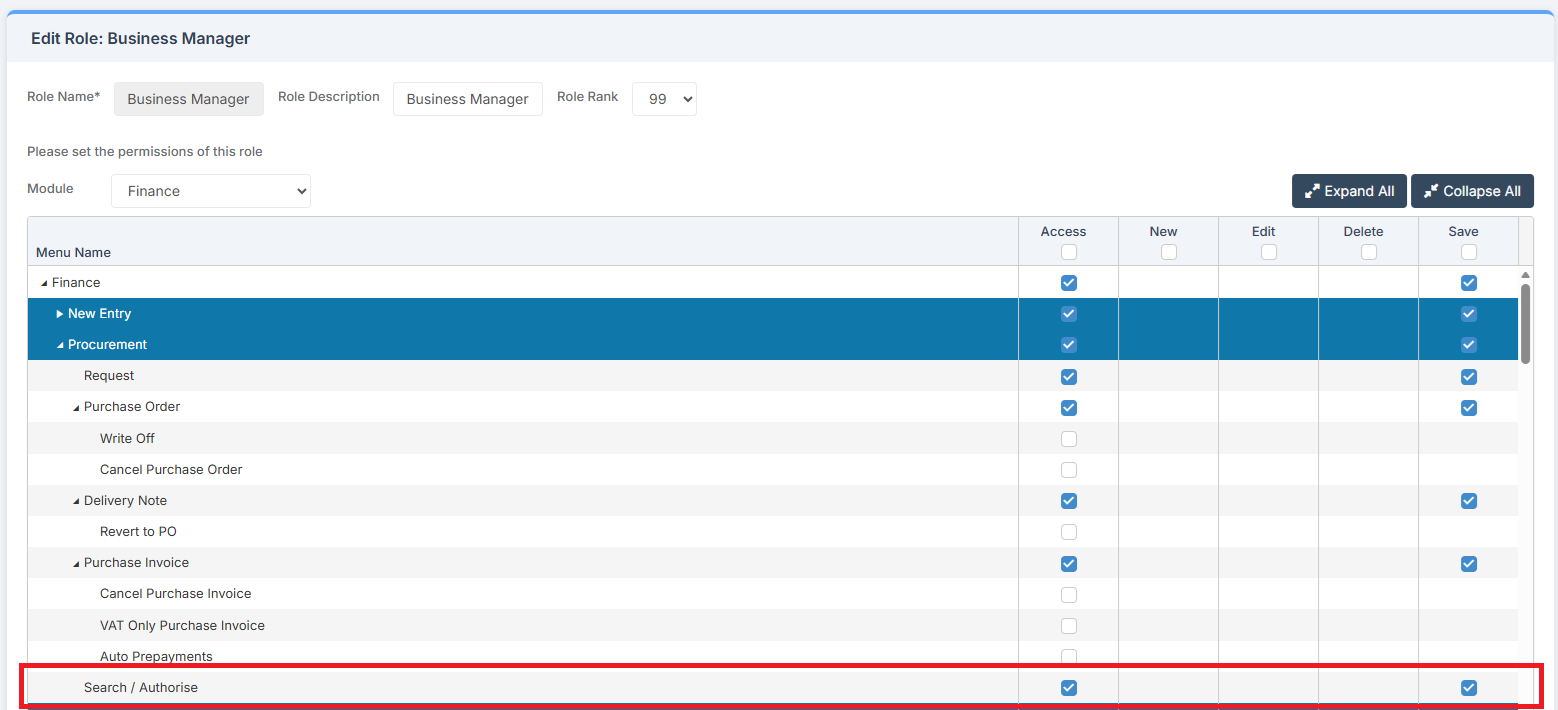
Access: The minimum permissions required to Authorise a Purchase Order through Authorise / Search are found in the MAT Finance Module section of Config > Setup > Roles & Permissions.
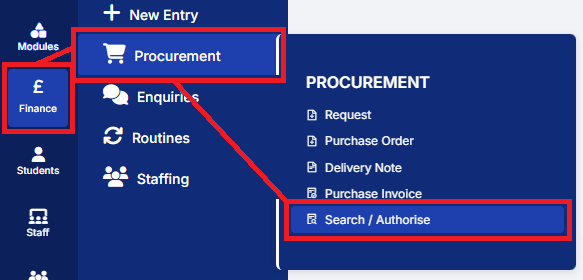
To begin, from the left Menu, select Finance > Procurement > Search/Authorise.
This opens a new screen with various parameters available. Select Submitted in the Approval Status and click Apply to get all items that require Authorisation.

This opens a table of items that have been Submitted and are Awaiting Approval.

To Authorise, select the items to be Authorised by ticking the boxes on the left.

Click Authorise at the top of the page.
This opens another pop up to select items to Approve or Reject.
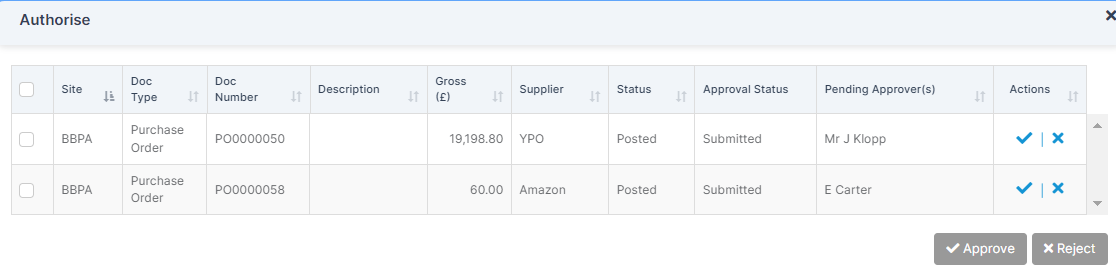
Select the items and Approve or Reject as necessary.

A Notification is displayed showing that these items have been Approved Successfully.