
In this guide, we show How to Use Reconciliation File Structure in the Finance Module.
Reconciliation File Structure informs the system of the structure of Files used; for example, in Salaries Automatic Reconciliation.
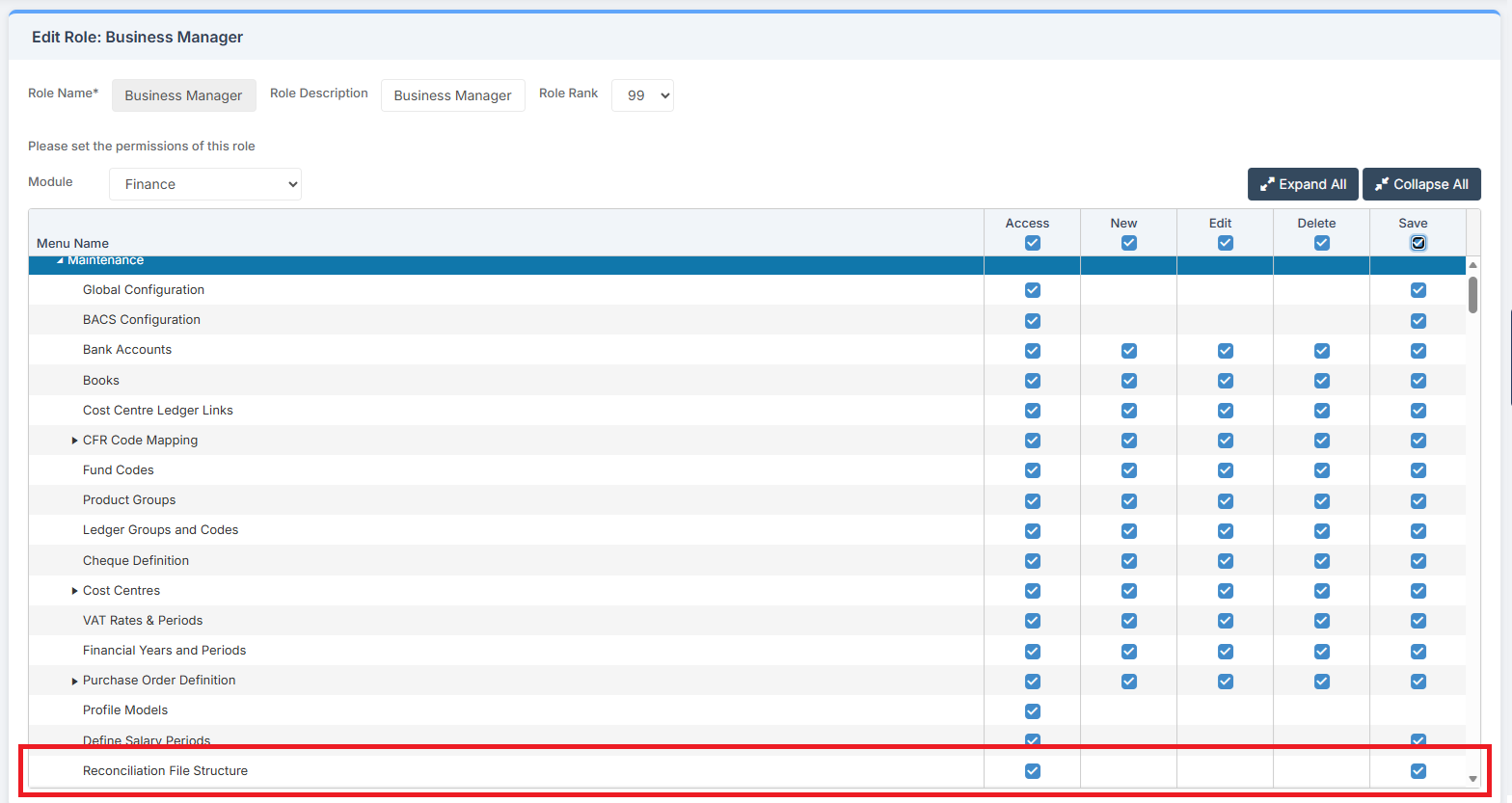
Access: The minimum permissions required to Use Reconciliation File Structure are found in the Finance Module section of Config > Setup > Roles & Permissions.
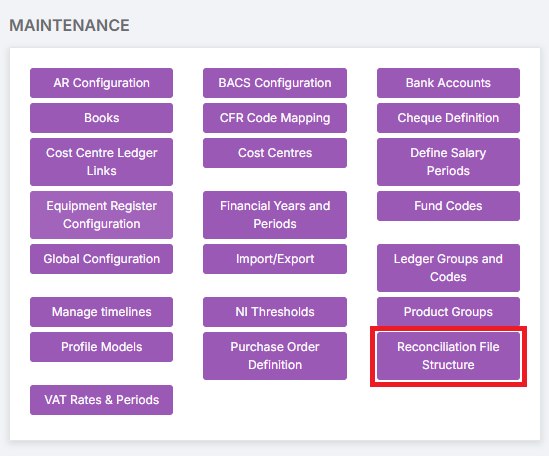
To begin, go to Modules > Finance > Finance Home Page > Maintenance > Reconciliation File Structure.
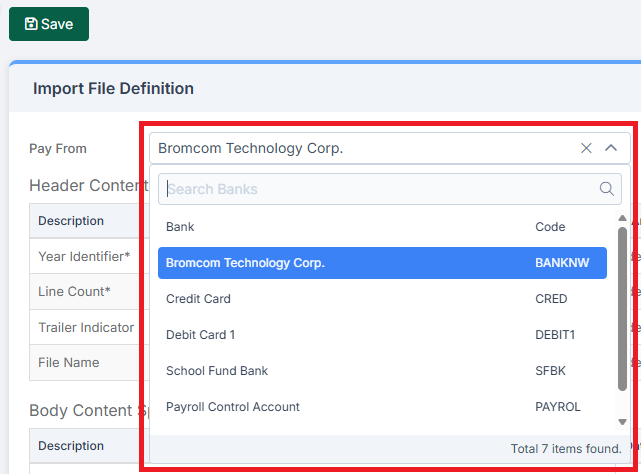
On the Import Files Definition page, the Pay From drop down allows for the selection of the Bank and Code to which the File Definition applies.
The Header Content Specific Information section determines the Position and Length of data contained in the Header section of the File. Asterisked fields are mandatory.

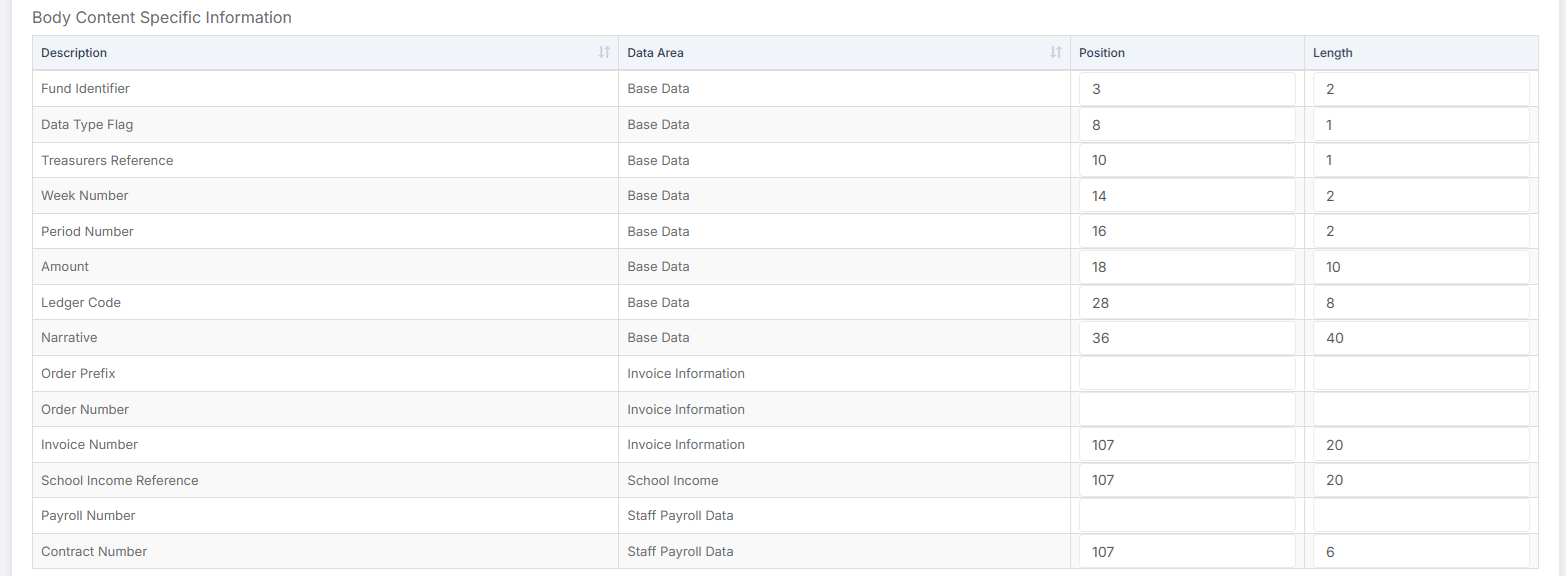
The Body Content Specific Information section determines the Position and Length of data contained in the Body section of the File.
The Trailer Content Specific Information section determines the Position and Length of data contained in the Trailer section of the File.

The system accepts most File Types. An example File to be imported might look like this:

Breaking down the Body Content Specific Information the example File contains:
- Position 03, with a Length of 2 characters, gives the Fund
- Position 14, with a Length of 2 characters, gives the Week Number
- Position 16 , with a Length of 2 characters, gives the Period Number
- Position 18, with a Length of 10 characters, gives the Amount
- Position 28, with a Length of 8 characters, gives the Ledger Code
- Position 36, with a Length of 40 characters, gives the Narrative
- Position 107, with a Length of up to 20 characters, gives the Contract Number, Invoice Number, and School Income Reference
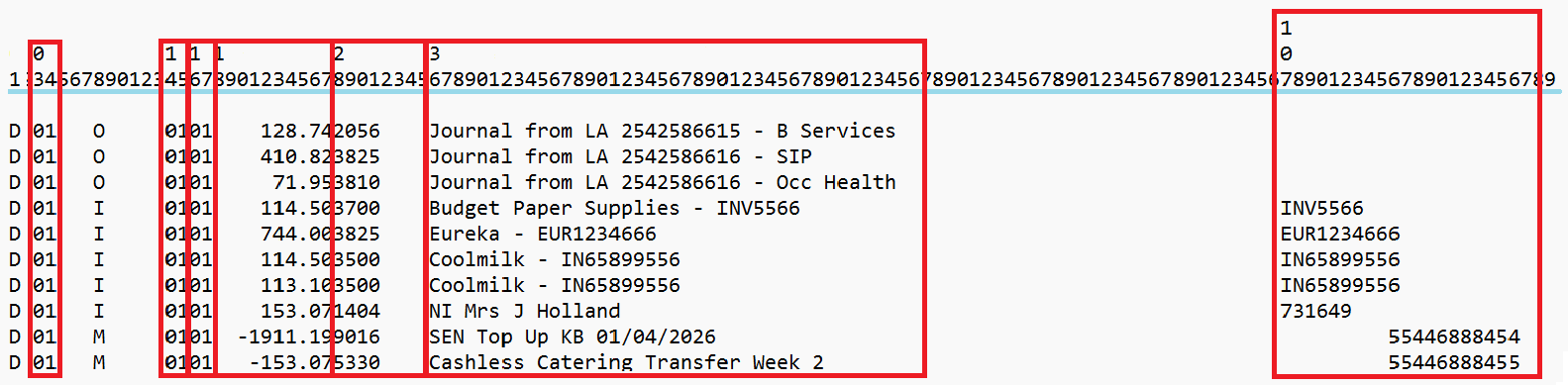
It is important to note that the File Structure is configurable to the school’s requirements. The above is an example of how a File might be structured.