
This guide shows How to Use the Transfer Logs Page to display records transferred from the School MIS system into MAT Finance (Staff Sync Process).
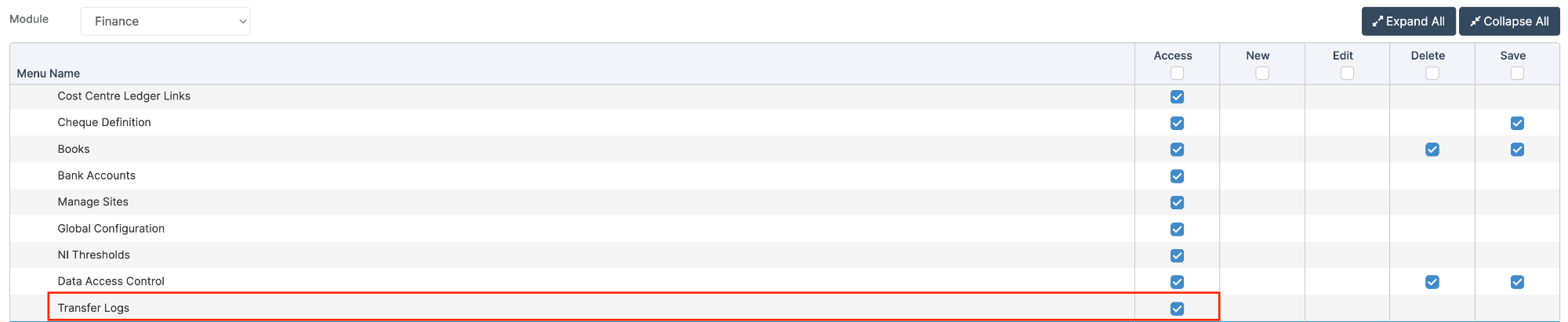
Access: The minimum permissions required to Use the Transfer Logs Page are found in the MAT Finance Module section of Config > Setup > Roles & Permissions.
Related Guides:
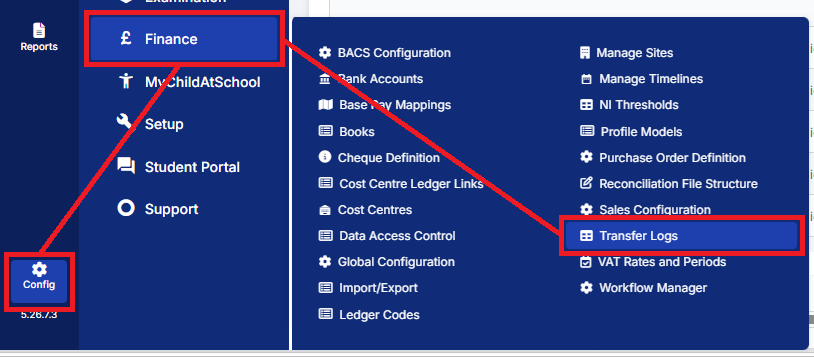
To begin, from the left Menu, go to Config > Finance > Transfer Logs
The page defaults to today’s date and shows records for the last seven days.
Amend the Date Range if necessary and click Go which will generate a table of Transfer Logs for the Date Range applied.
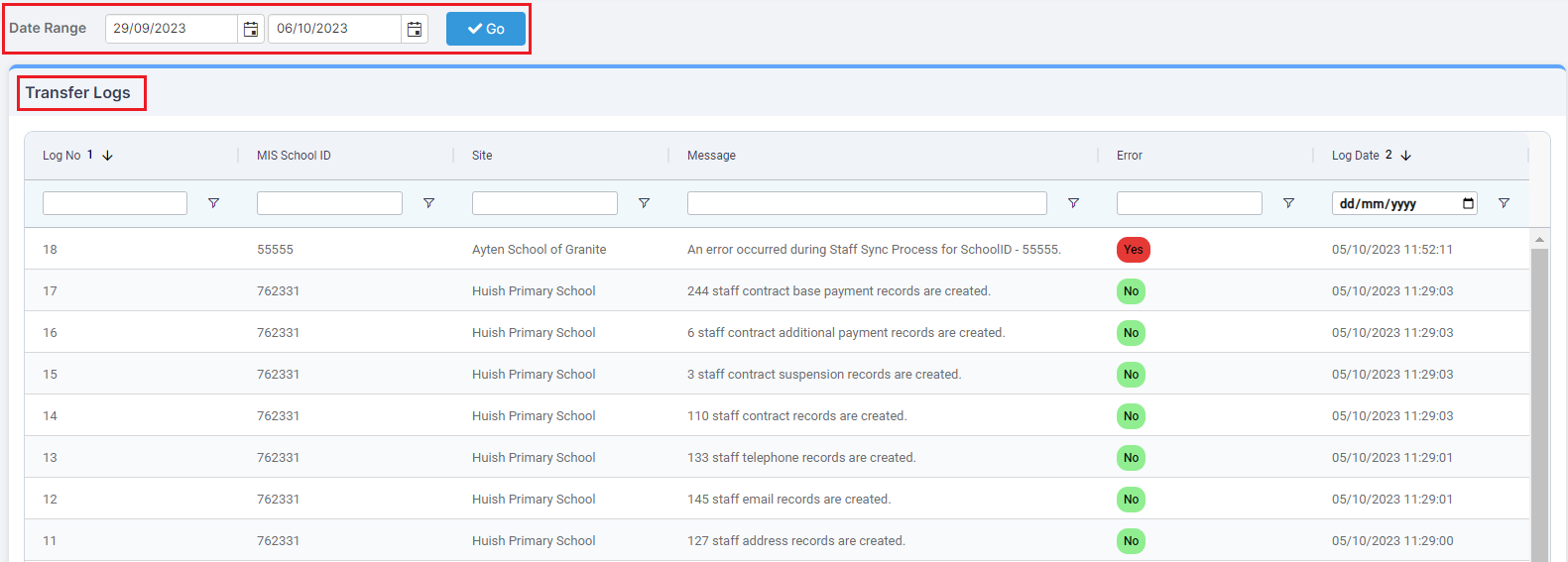
The Message column displays the number of records that have been deleted and created in the MAT system during the transfer run.
If there is an Error, the details will be displayed in the Message column.
Note: Columns can be rearranged in any order. For further information on how to use the grid, see: How to Get the Best from Finance AG Grids.