
Use this guide to resolve School Census Queries 1990 or 1991
Query 1990
- DfE Validation: <TopUpFunding> is ‘true’ or ‘1’ but <SENprovision> does not equal ‘E’
- Explanation: Pupil is in receipt of top-up funding but is not classed as having an EHC Plan?
Query 1991
- DfE Validation: <TopUpFunding> is ‘false’ or ‘0’ for all pupils with an <SENprovision> equal to ‘E’
- Explanation:No pupils with an EHC Plan are reported as being in receipt of top-up funding?
The Education Health Care plan must be active as of Census date
Read guidance
- For DfE guidance see here.
- For further guidance on Bromcom Census see here
- For further guidance on adding SEN information to a Students record see here.
PLEASE NOTE THE SCREENSHOTS AND EXAMPLES IN THIS GUIDE ARE FOR ILLUSTRATION PURPOSES ONLY
Query 1990
To add/check the SEN Details for the selected Students choose the left hand Special Educational Needs tab in the Student Profile
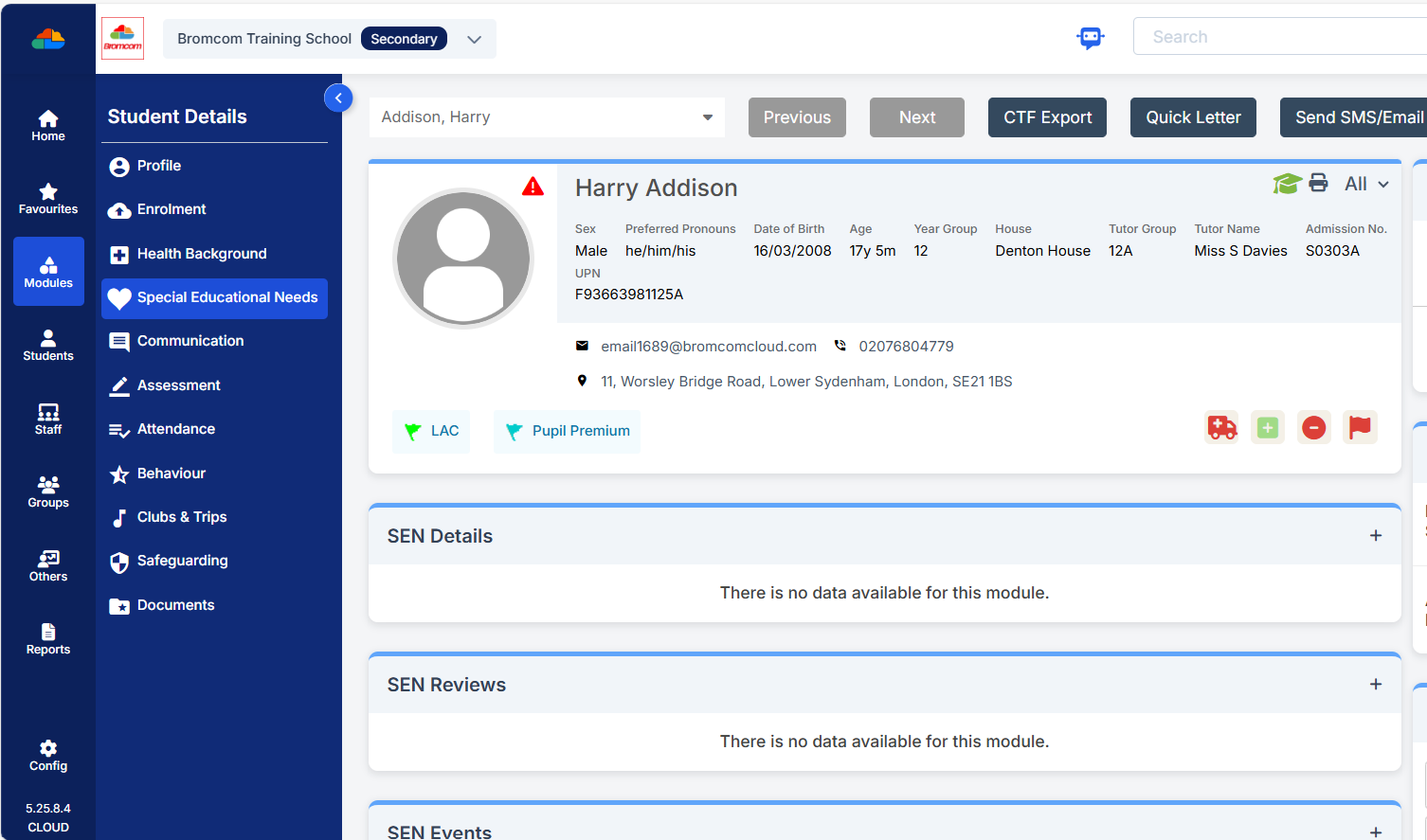
Then click on the required record to check/edit.
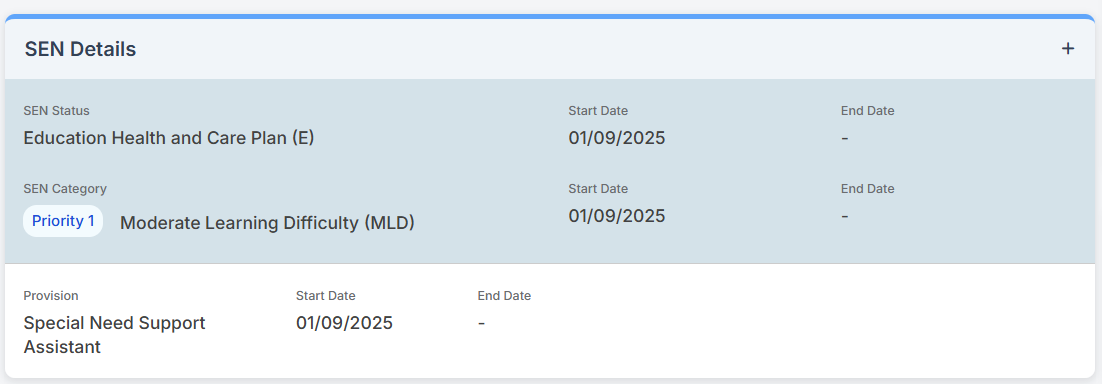
Remember to click Save if you make any amendments.
Query 1991
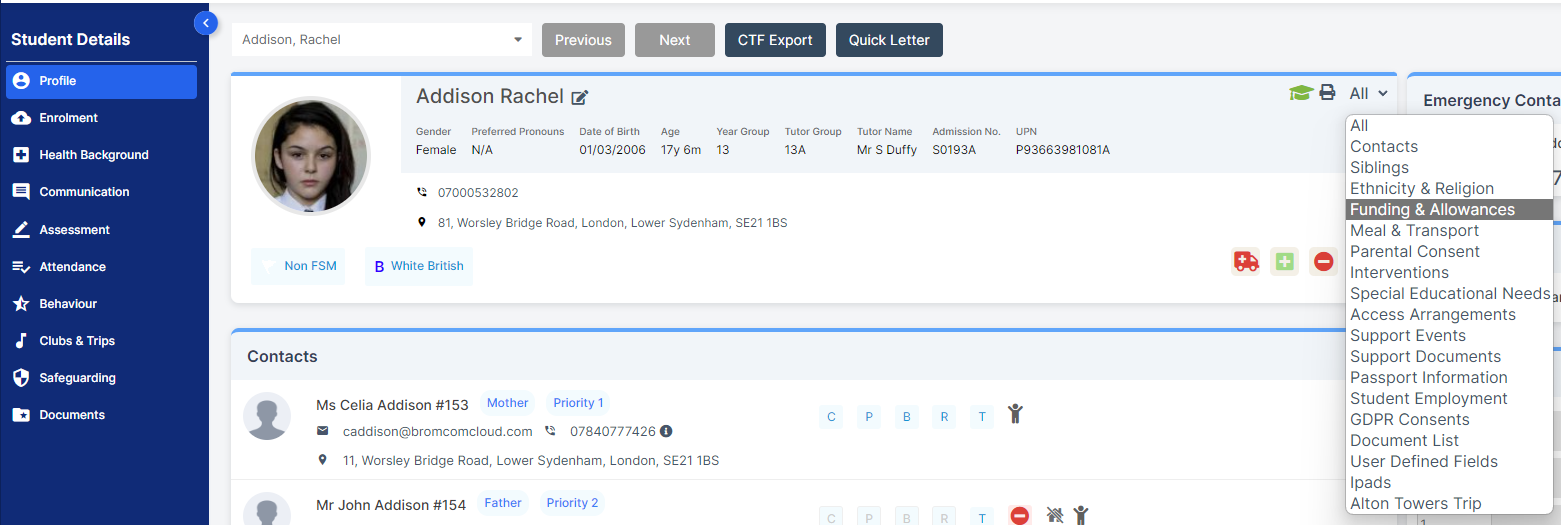
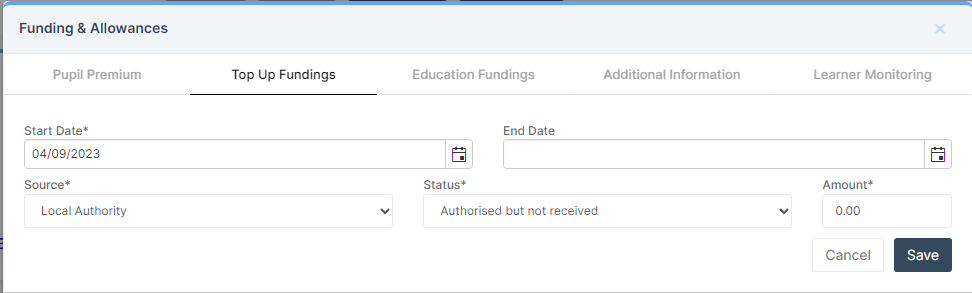
To check Top up Funding for those Students identified from within the Student Profile choose Funding & Allowances from the top right All drop down
From within the Funding & Allowances panel click on the required record for Top Up Funding

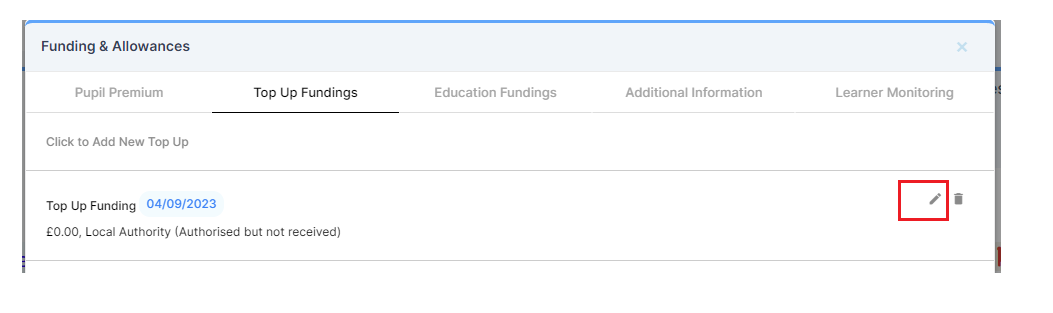
Check/amend the selected record and remember to click Save if you make any changes.
IMPORTANT : in order for the resolved error/query to be removed from the list of errors/queries you would need to generate a new Census return and remember to use save & validate for the errors/queries to update/clear.