
Use this guide to resolve Wales PLASC Errors 11237 & 11238
Special Schools Only
Welsh Government validations;
- Error 11237
- No special school teacher qualification details reported
- Error 11238
- Teacher qualification type must be present in the category details for special school teacher qualifications
Explanation
- Error 11237: Check Staff Profile>Background Check>Qualification Checks>Special School Teacher Qualification
- Error 11238 : Check Staff Profile>Background Check>Qualification Checks>Special School Education Qualification Category
Further Guidance
- For Bromcom guidance on PLASC Census see here
- For Bromcom guidance on the Staff Profile>Qualification checks see here.
THE EXAMPLES AND SCREENSHOTS IN THIS GUIDE ARE FOR ILLUSTRATION PURPOSES ONLY
Go to Staff>click to select the required Staff member(s) then click View, this will open the Staff Profile
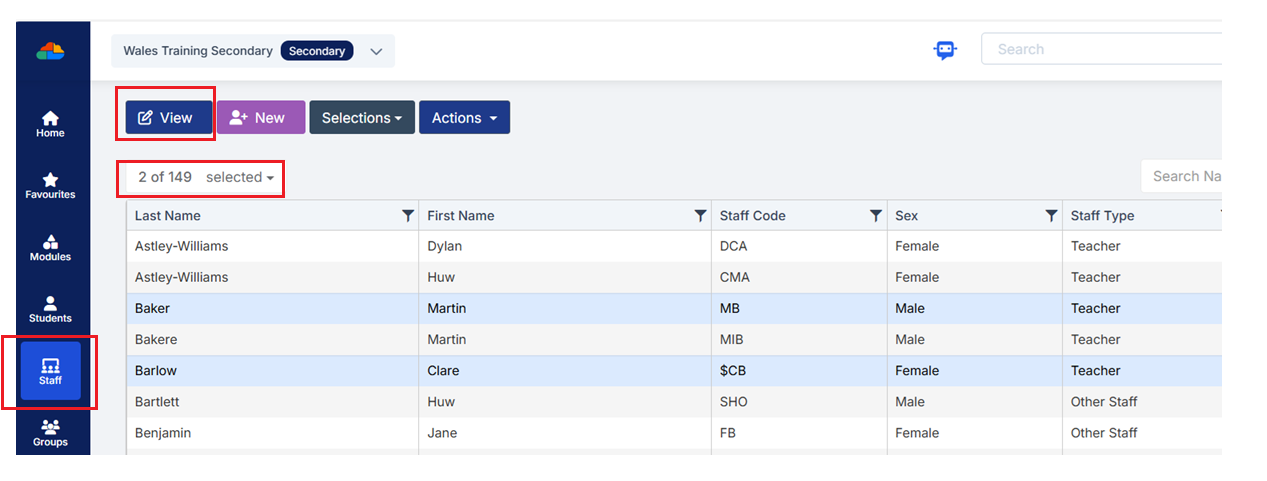
Tip: If you have selected more than one Staff member from the Staff List Page you will see Next at the top of the profile.
Click on Background Check in the left hand vertical menu.
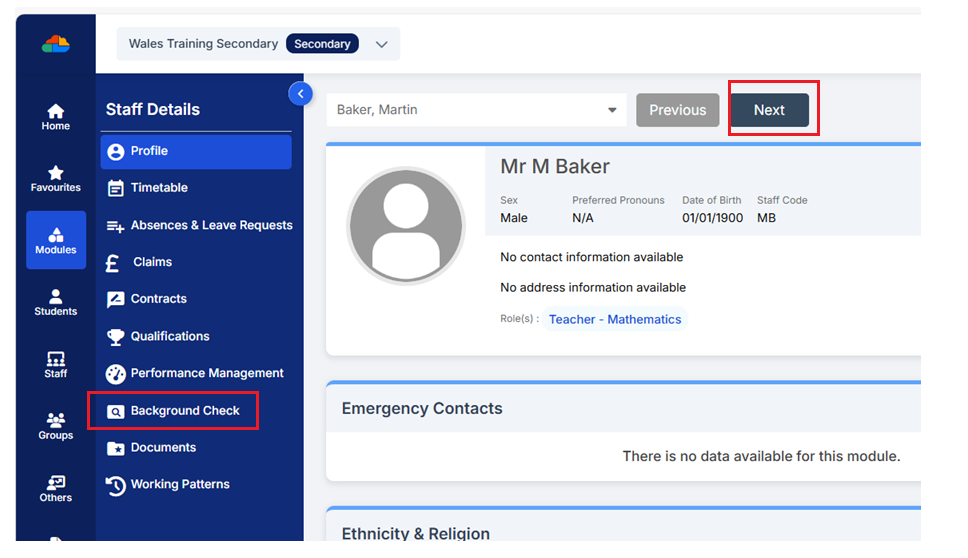
Then scroll down to see the Qualification Checks panel.
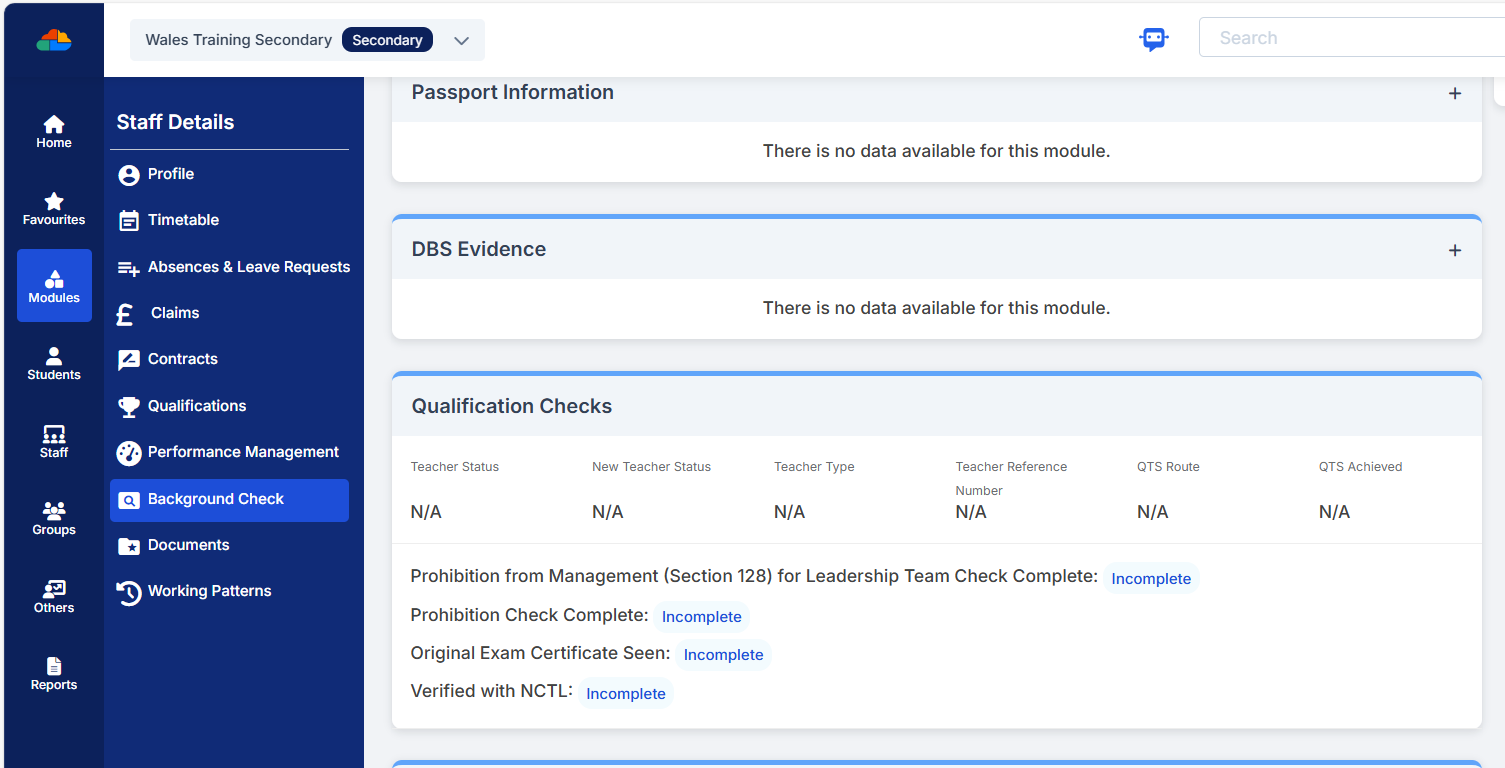
This panel allows you to record various details about the Staff Members Teacher Status as well as other specific Qualifications. Double click on any part of the top half of the panel to open the pop-up.
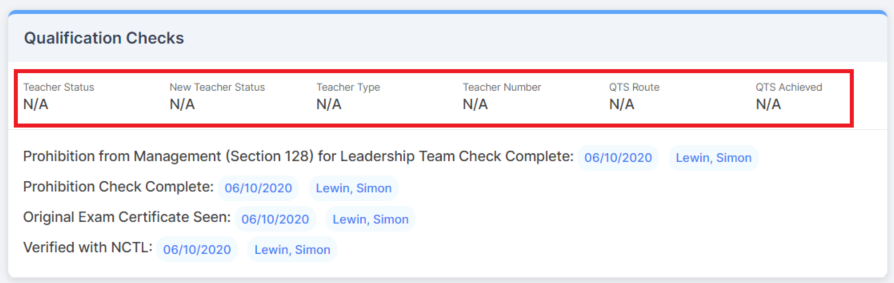
Check the Special School Teacher Qualification and Special Education Qualification Category from the drop down choices.
If the Staff Member has completed NPQH you can record the date that it was completed by clicking the calendar in the NPQH Completed field and selecting the date they completed the course.
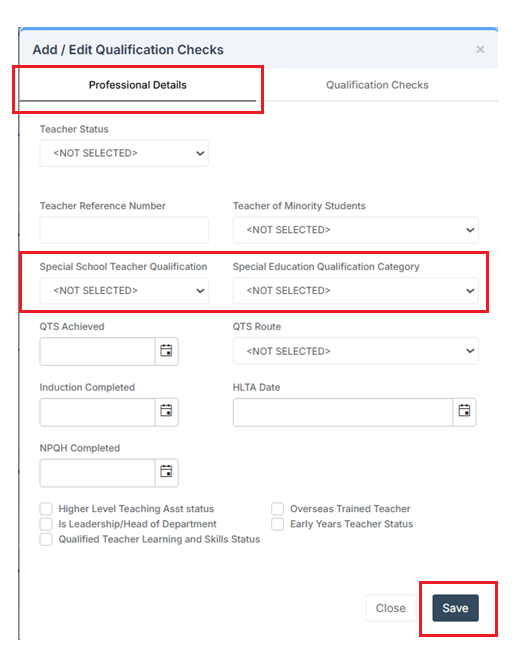
Once you’re happy click Save.
IMPORTANT in order for the resolved error/query to be removed from the list of errors/queries you would need to generate a new Census return and remember to use save & validate for the errors/queries to update/clear.