
The core wTimetable guidance has been organised into three separate guides, each covering a key stage of the timetable creation process. This structure provides a clear and logical progression through the software, making it easier to locate and follow the guidance for each stage of timetable creation.
The guides should be followed in the order shown below to complete the end-to-end wTimetable process.
Important: As wTimetable is resource-intensive, users should refer to the ‘For office admin users and others’ section of the Minimum System Requirements guidance.
Access: The permissions required to access wTimetable are configured within the Timetable module of Config > Setup > Roles and Permissions. Select the Access checkbox for Timetable App to grant access to users assigned to the selected role.

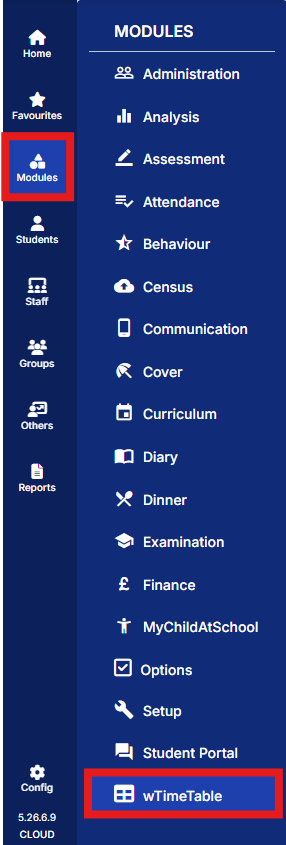
To access wTimetable from the MIS navigate to Modules > wTimetable.
Part 1 – Pre-Planning
The Pre-Planning Guide covers the initial setup and configuration required before curriculum building and timetable creation can begin. It focuses on the pre-planning stage, where resource and curriculum information is entered and organised to establish the foundation for timetable creation and ensure sufficient staffing and allocation of subjects and classes.
Access the guide: wTimetable Guidance – Part 1: Pre-Planning
Part 2 – Curriculum Building
The Curriculum Building Guide explains how to create and manage a curriculum model within wTimetable. It focuses on curriculum building, guiding users through the creation and configuration of the curriculum model, including bands, blocks and classes, in preparation for timetable scheduling.
Access the guide: wTimetable Guidance – Part 2: Curriculum Building
Part 3 – Scheduling & Reporting
The Scheduling & Reporting Guide covers the final stages of timetable creation, including configuring scheduling rules, performing manual and automatic scheduling, resolving timetable conflicts, analysing timetable data using reports, and processing the completed timetable.
Access the guide: wTimetable Guidance – Part 3: Scheduling & Reporting
Note: For the best experience, the guides should be used sequentially, as each stage builds upon the information and configuration completed in the previous guide.
Advanced Model Scenarios
In addition to the core guidance provided above, the Advanced Model Scenarios guide builds on the knowledge gained through the core wTimetable documentation, supporting timetablers in navigating a range of scenarios that may be encountered during the timetable build process. Each scenario addresses a specific challenge and provides clear, structured guidance to help create, modify, and optimise effective timetables.
Access the guide: wTimetable: Advanced Model Scenarios