
The Configuration area is where all the Widgets and Menu options are setup for the Parent Portal view of MCAS (MyChildAtSchool)
Use this guide to enable Clubs, Trips and Wraparound Care to be visible on MCAS.
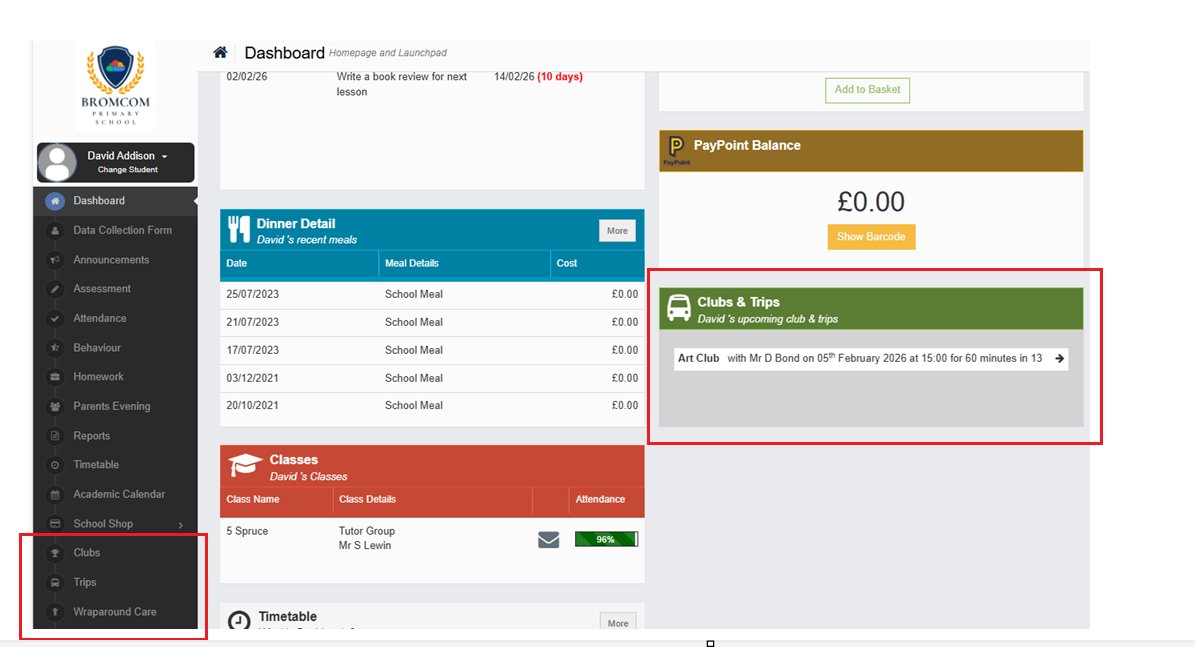
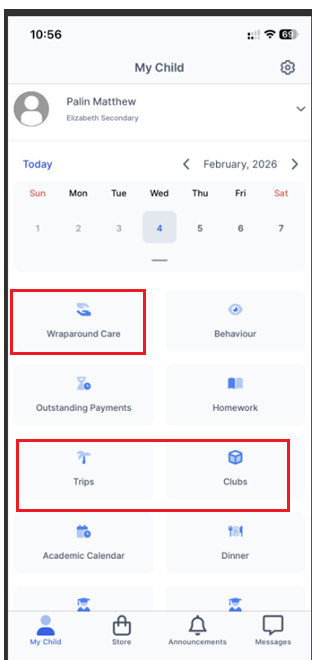
See the example view below in the MCAS Desktop view, all three have been enabled in this example.
MCAS App Example View
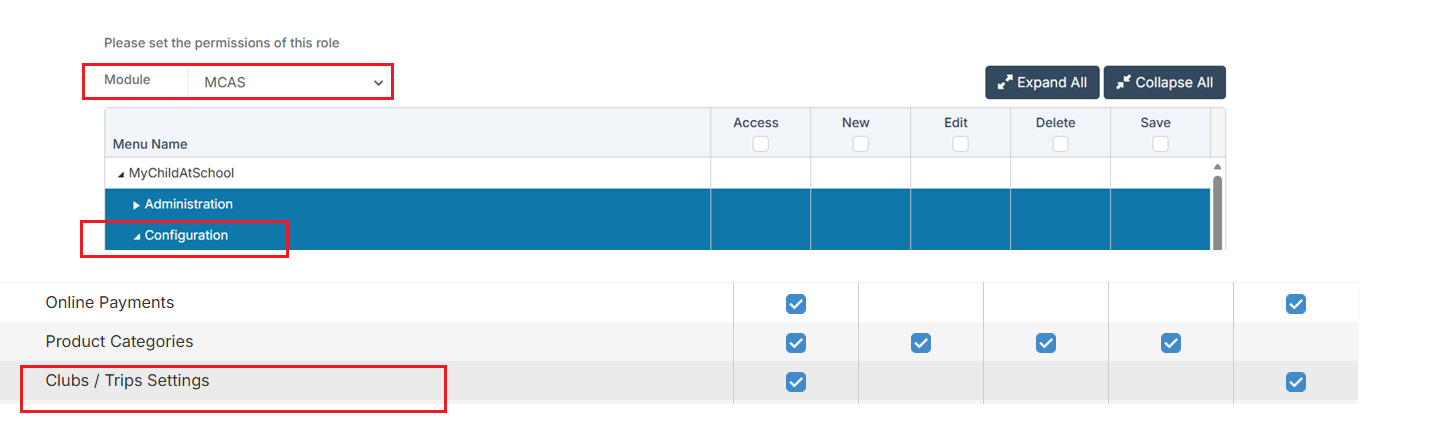
Access: The minimum permissions required to access the Clubs/Trips Settings page is found in the MCAS Module of Config>Setup>Roles & Permissions. See How to Edit a Role/Permissions
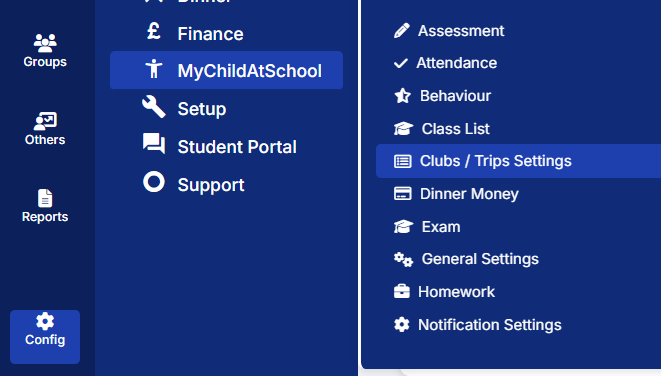
Navigate to Config > MyChildAtSchool > Clubs/Trips Settings.
This will open the Clubs/Trips Settings page. The page has four panels Clubs, Trips, Wraparound Care and Club Attendance Settings.
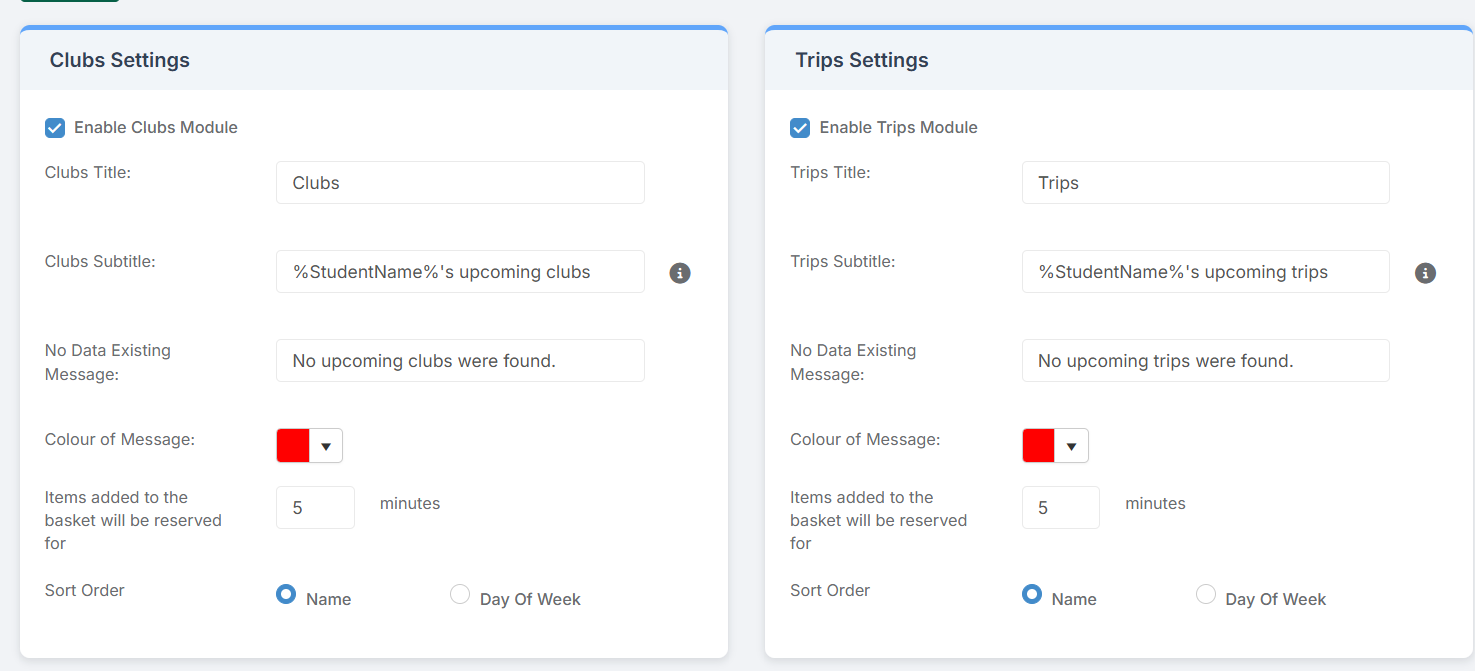
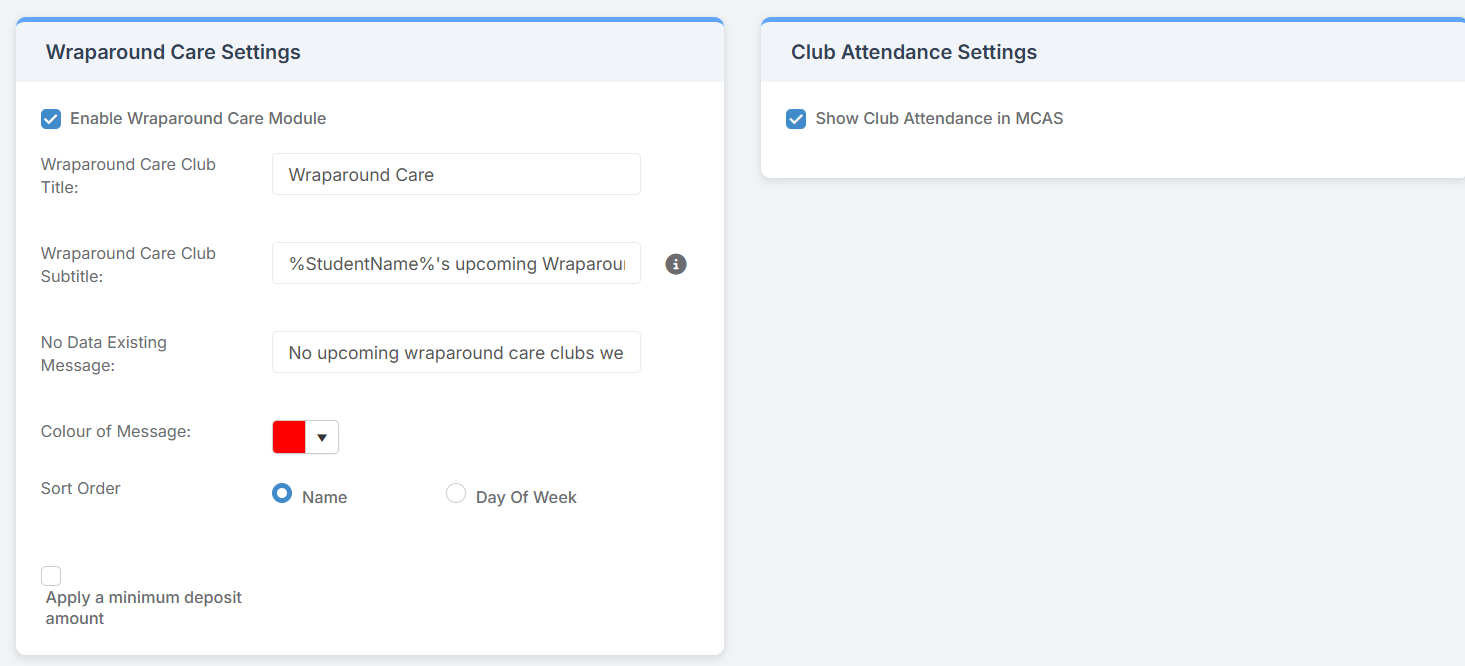
- Enable Clubs/Trips/Wraparound Module : choose whether it will be Enabled or not, Enabled will display the Widget on the Parent Portal
- Club/Trip/Wraparound Care Title : choose the Title for the module
- Club/Trip/Wraparound Care Subtitle : choose the subtitle for the module
- No Data Existing Message : choose the text to display if there are no Clubs/Trips/Wraparound Care
- Colour of Message: when a parents attempts to book a club for a child that has no available clubs, this is the colour of the no clubs existing message
- Sort Order : choose to sort by either Name of Club etc or Day of Week
- Items added to basket will be reserved for : type in the number of minutes
- Apply a minimum deposit amount : used for Wraparound Care only
When finished click on the Save button.