
Use this guide to resolve School Census Error 5230
Note: These errors may be dependent on error 1852 and could be resolved once the funded hours issue is corrected. Please see guidance for error 1852 here:
School Census Error 1852, 1855 & 1859
DfE Validation:
For all school phases, the following criteria for 9 month to 3 year olds applies:
- <DAFIndicator> must be present and a valid value for 9 months to 3 year olds where:
- [DOB is as follows:
- Autumn: For pupils born between 2022-09-01 and 2025-11-30 (inclusive)
- Spring: For pupils born between 2022-09-01 and 2026-03-31 (inclusive)
- Summer: For pupils born between 2022-09-01 and 2026-06-30 (inclusive)
For all school phases, the following criteria for 4 year olds applies:
- <DAFIndicator> must be present and a valid value for 4 year old where:
- [<NCyearActual> equals ‘E1’, ‘E2′, N1’ or ‘N2’]
- AND
- [DOB is as follows:
- Autumn: For pupils born between 2021-09-01 and 2022-08-31 (inclusive)
- Spring: For pupils born between 2022-01-01 and 2022-08-31 (inclusive)
- Summer: For pupils born between 2022-04-01 and 2022-08-31 (inclusive)]
DfE Explanation:
The disability access fund indicator is missing or not a valid value for pupils aged 9 months to 3 years or 4 years in nursery provision
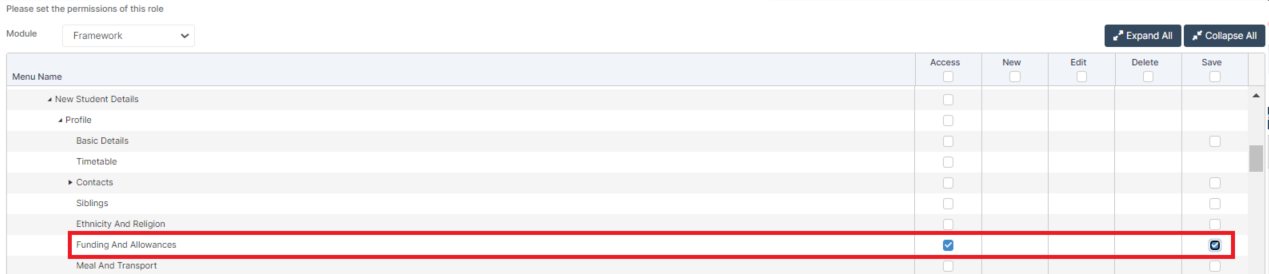
Access: The minimum permissions required to access Funding & Allowances are found in the Framework module from within Config > Setup > Roles and Permissions.
Read Guidance:
- For further guidance on Bromcom Census see here
THE EXAMPLES AND SCREENSHOTS IN THIS GUIDE ARE FOR ILLUSTRATION PURPOSES ONLY
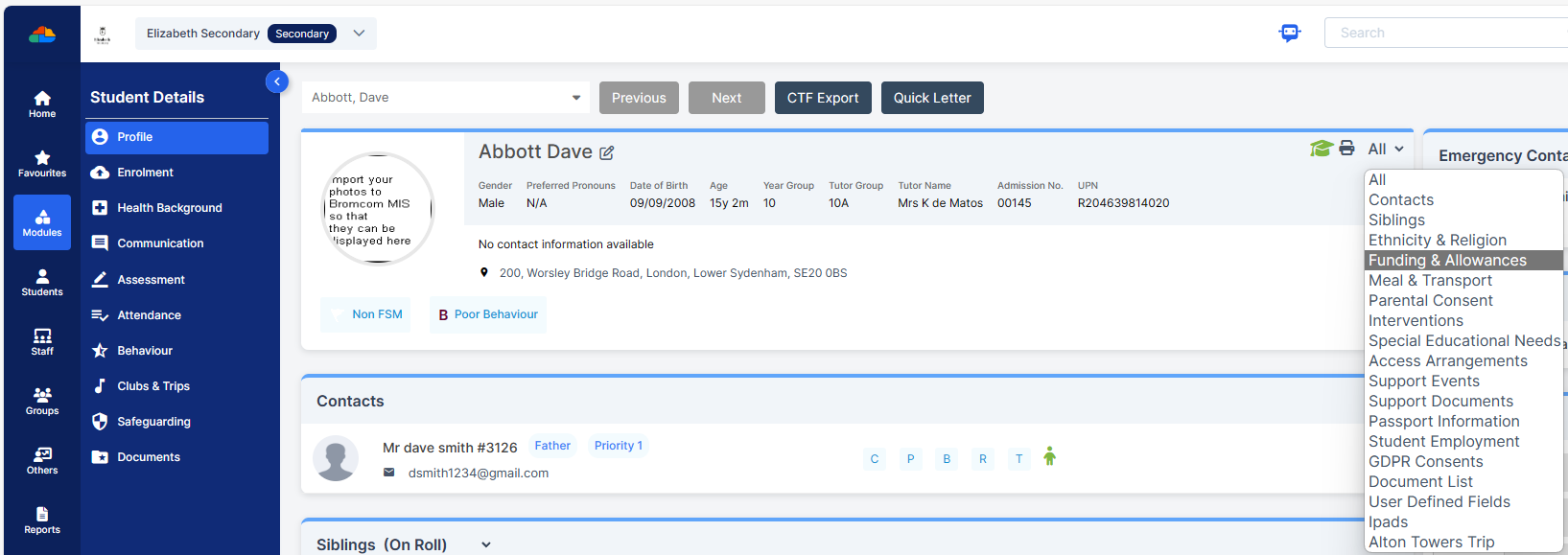
Please check the Student’s Profile Page > Funding & Allowances
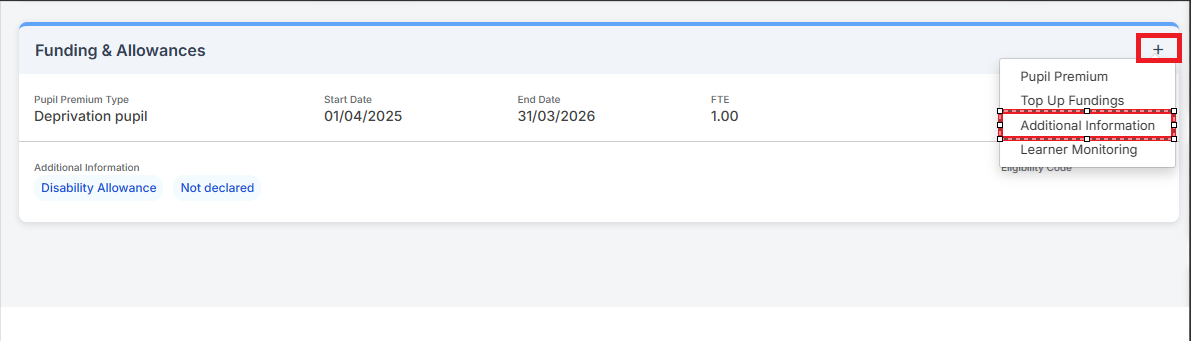
Then click the + sign highlighted below > Additional Information.
Once Additional Information is selected a new Funding & Allowances pop up appears and you have various tick boxes included.
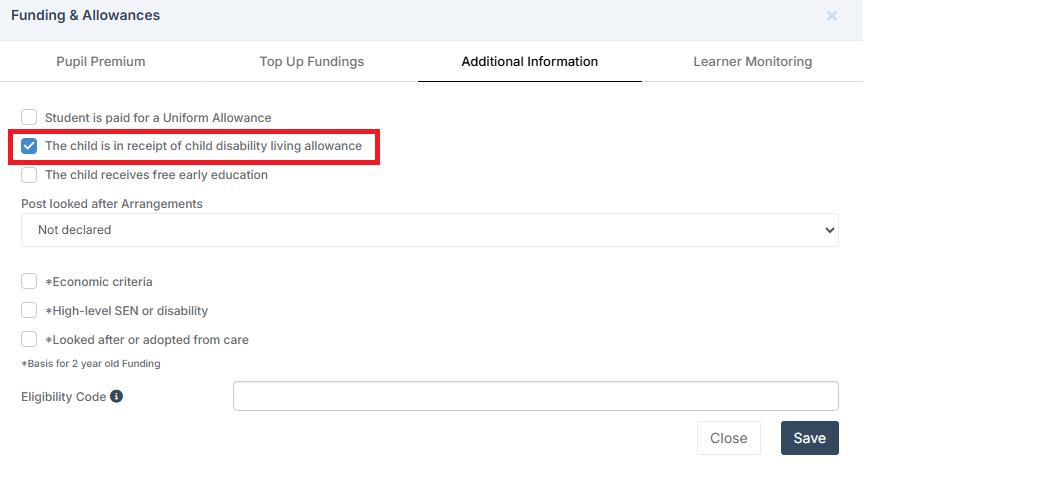
If the student is eligible, then you can tick The child is in receipt of child disability living allowance box
IMPORTANT in order for the resolved error/query to be removed from the list of errors/queries you would need to generate a new Census return and remember to use save & validate for the errors/queries to update/clear.