
In this guide, we show How to Add Supplier Products in the MAT Finance Module.
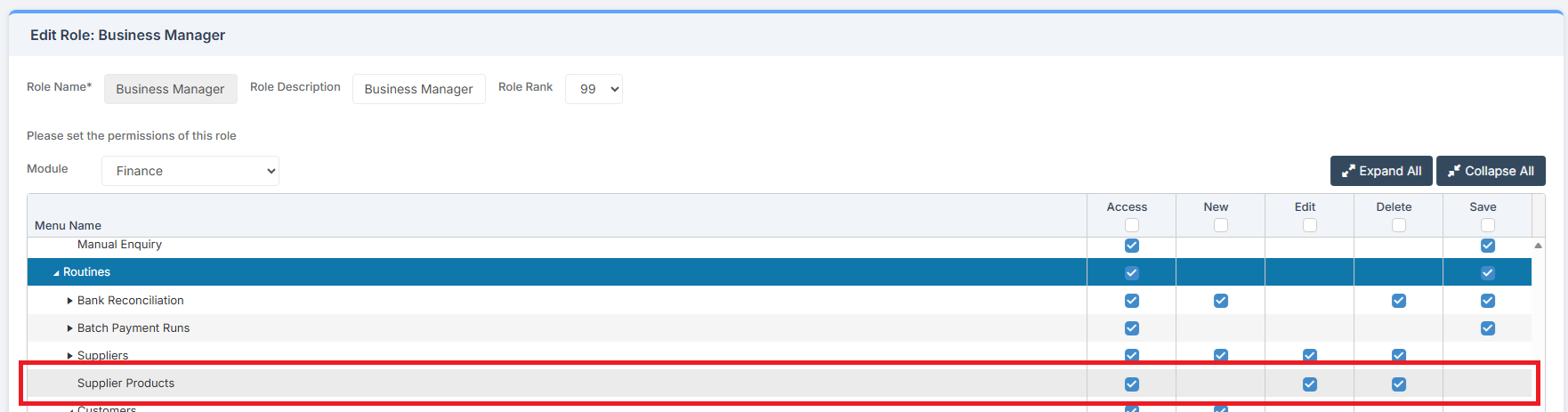
Access: The minimum permissions required to Add a Supplier Product are found in the MAT Finance Module section of Config > Setup > Roles & Permissions.
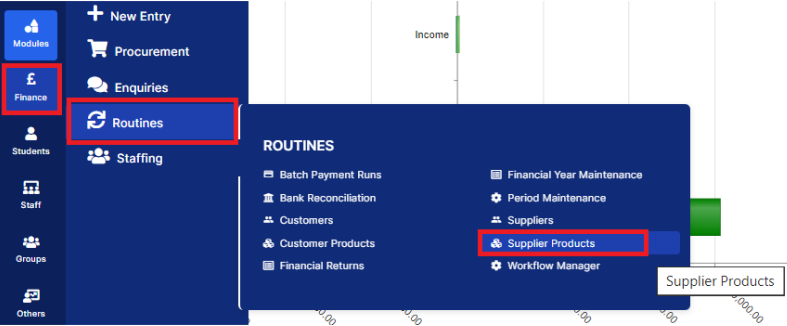
To begin, from the left Menu, go to Finance > Routines > Supplier Products.
This brings up a list of all Supplier Products in the MAT Finance Module. This will include Supplier Catalogues that have been imported.
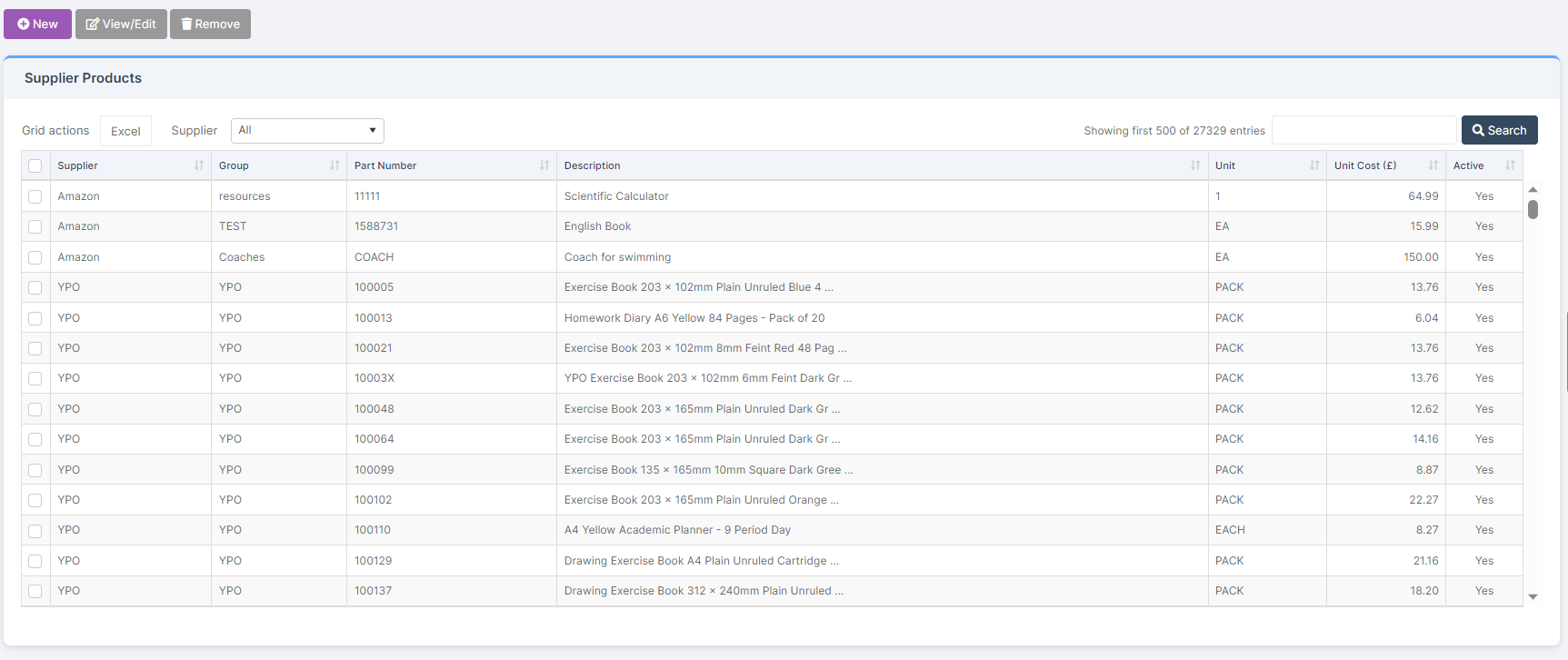
To add a New Product, click New.
Complete all asterisked fields in the pop up:
- Product Group
- Part Number
- Description
- Unit
- Unit Cost
- Supplier
- Site
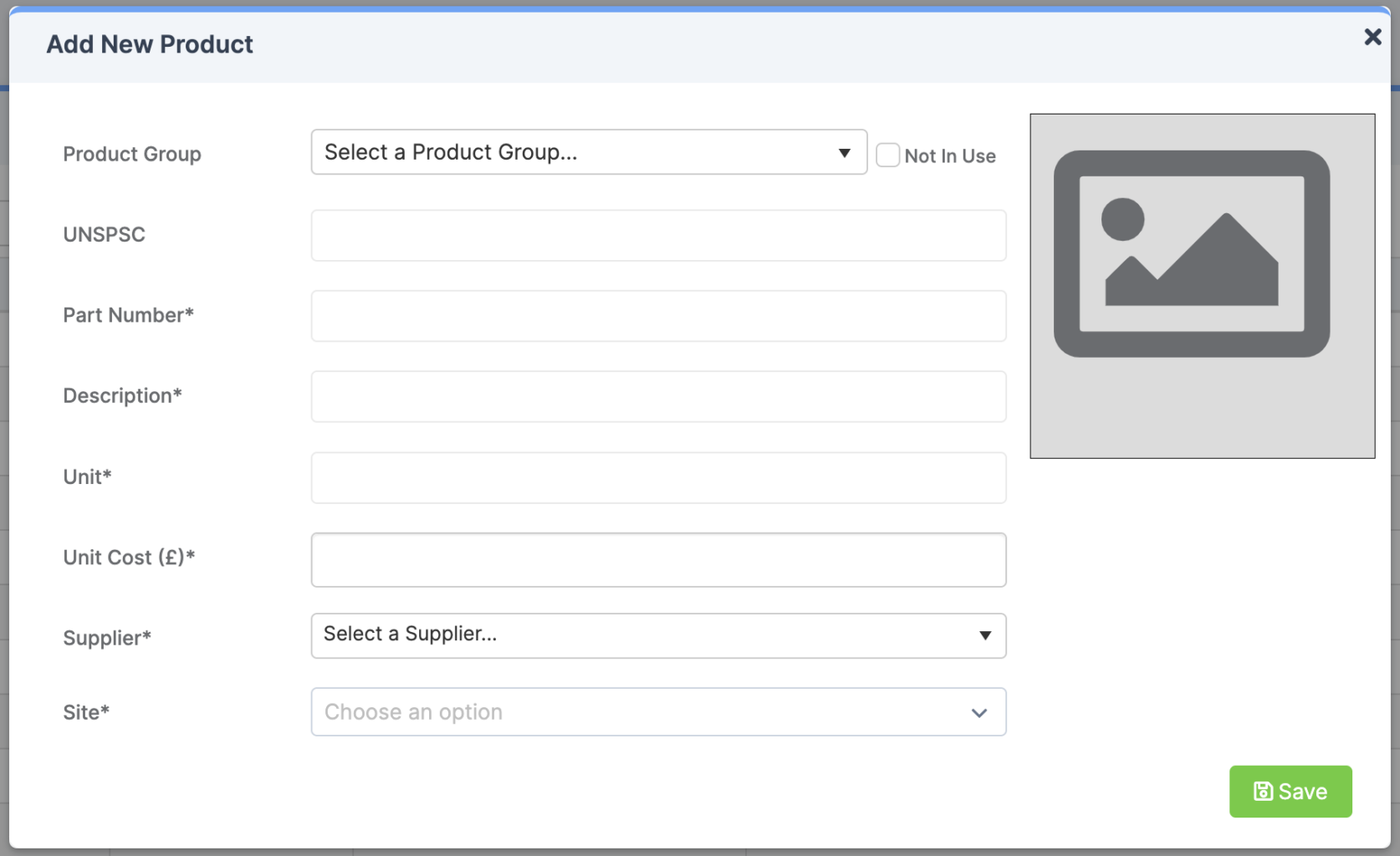
Once complete, click Save.
The Product is now available to select in the Procurement area of MAT Finance.