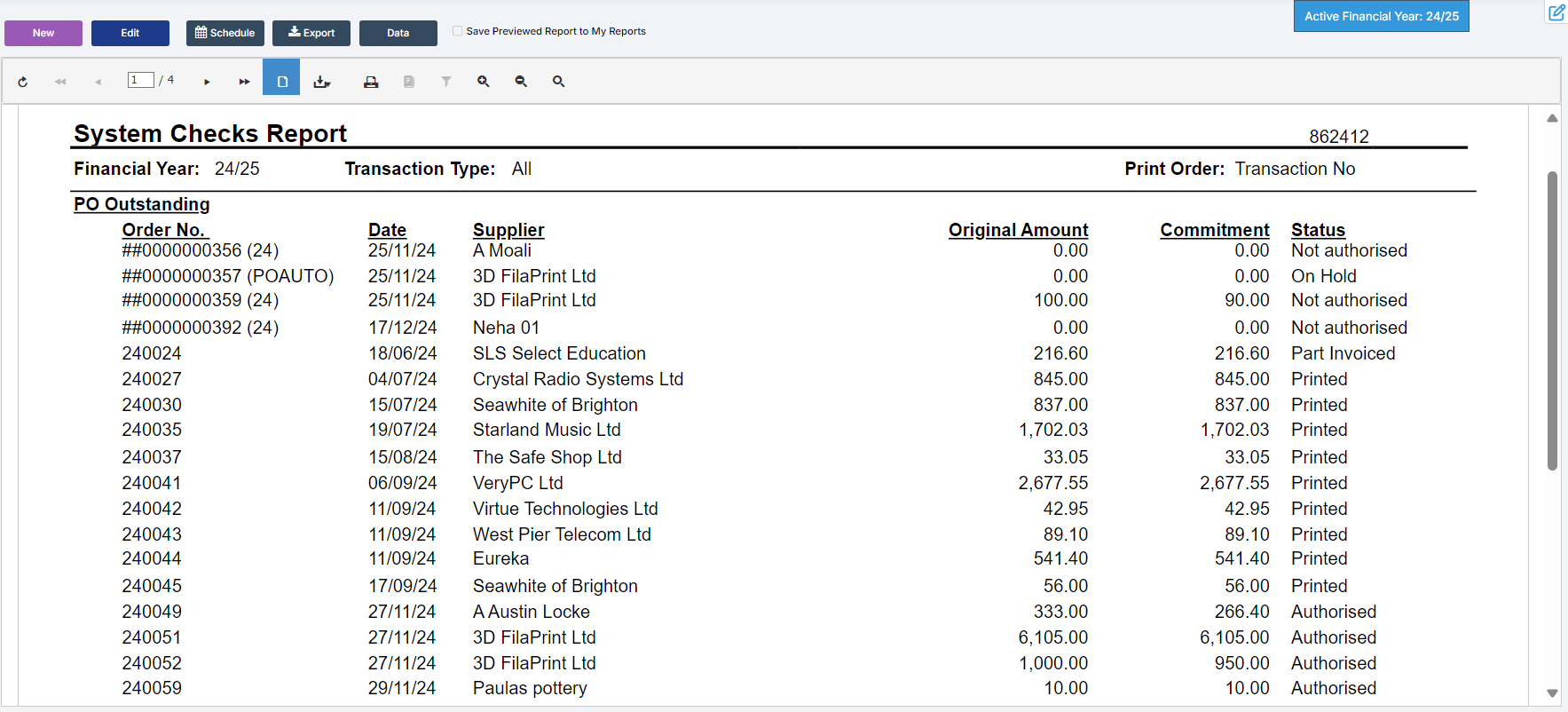
In this guide, we show How to Run the 3 most commonly used Monthly Reports in the Finance Module:
1. Cumulative Expenses Analysis
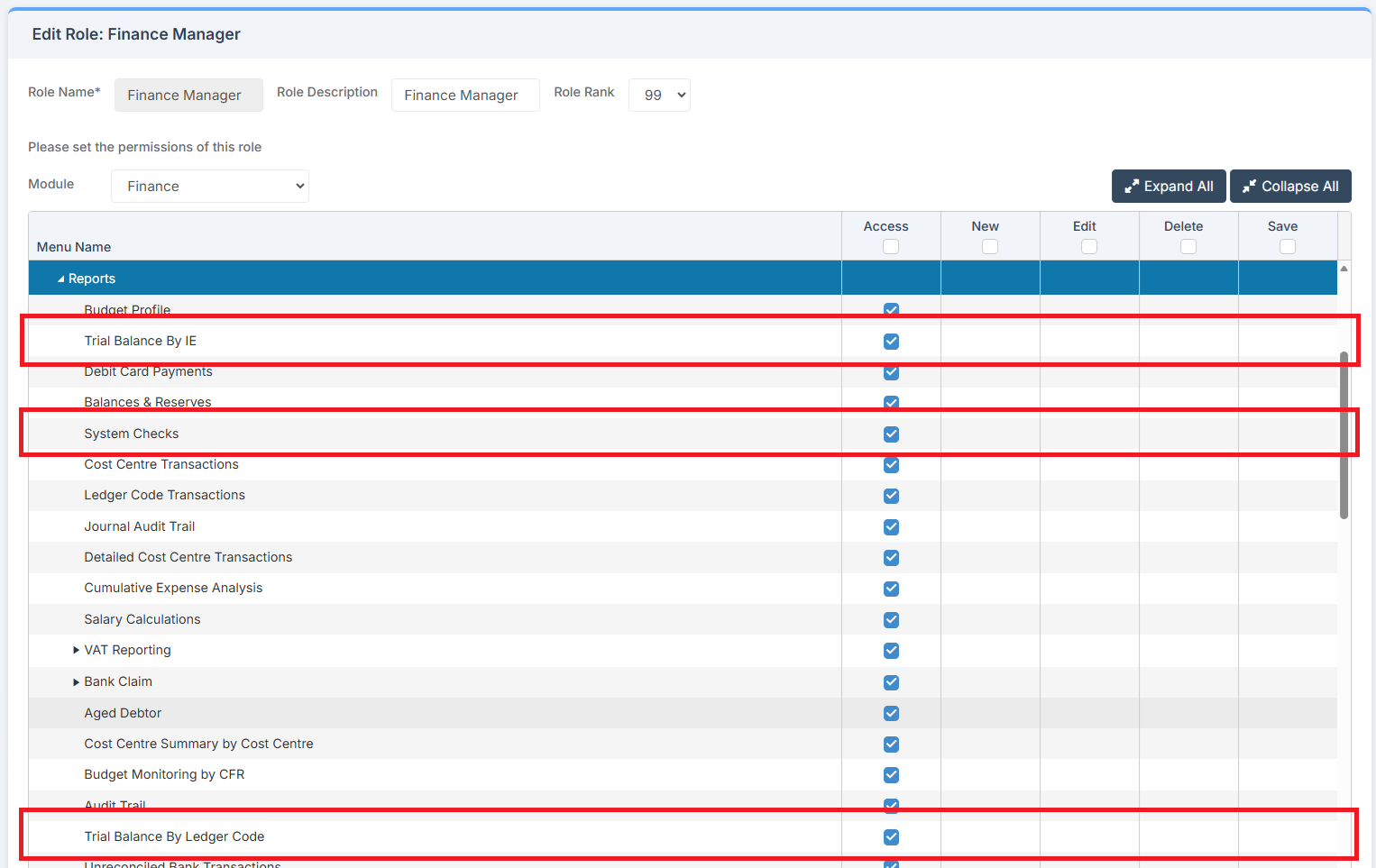
Access: The minimum permissions required to Run these 3 Reports are found in the Finance Module section of Config > Setup > Roles & Permissions.
Related Guides:
1. Cumulative Expense Analysis
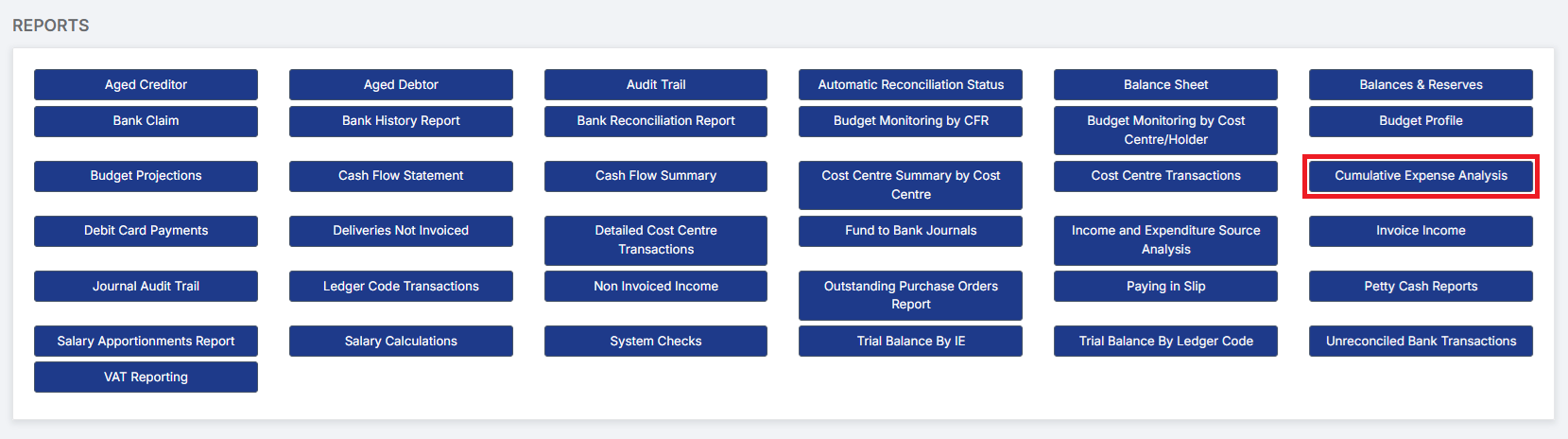
Go to Modules > Finance > Finance Home Page > Reports > Cumulative Expenses Analysis.
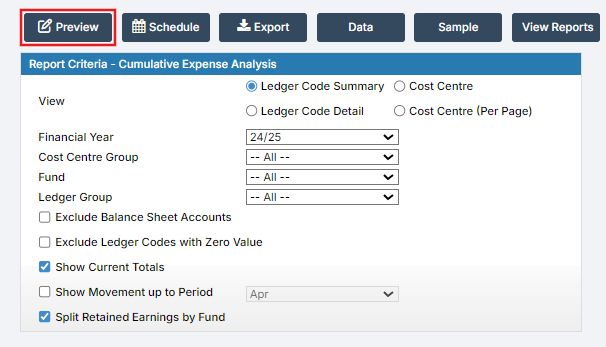
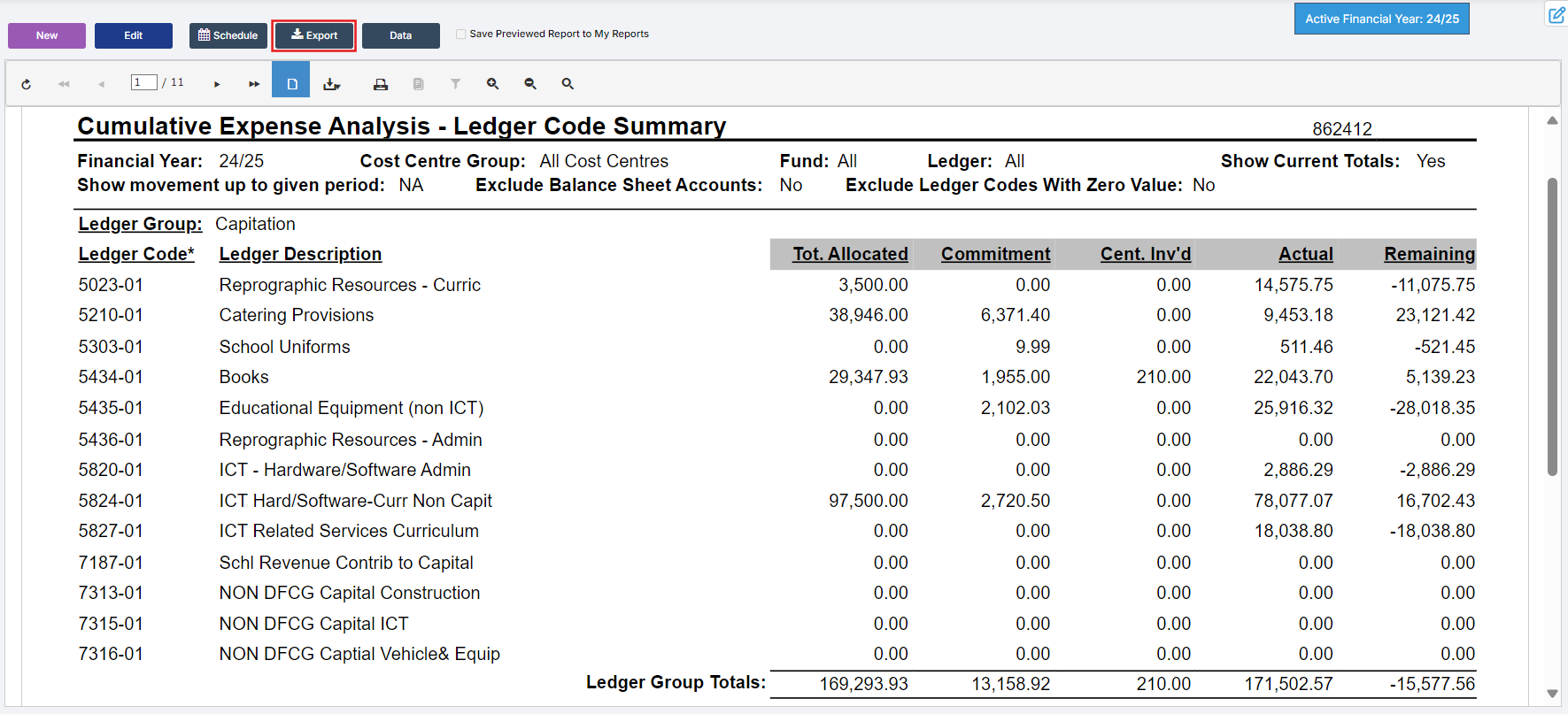
Choose the required Parameters and click Preview.
Example Cumulative Expense Analysis Report:
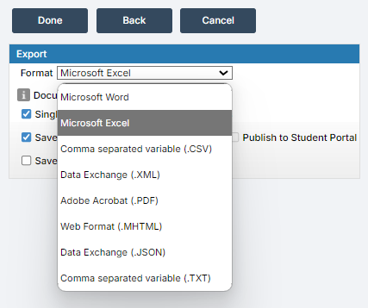
All reports can be either printed or exported.
2. Trial Balance
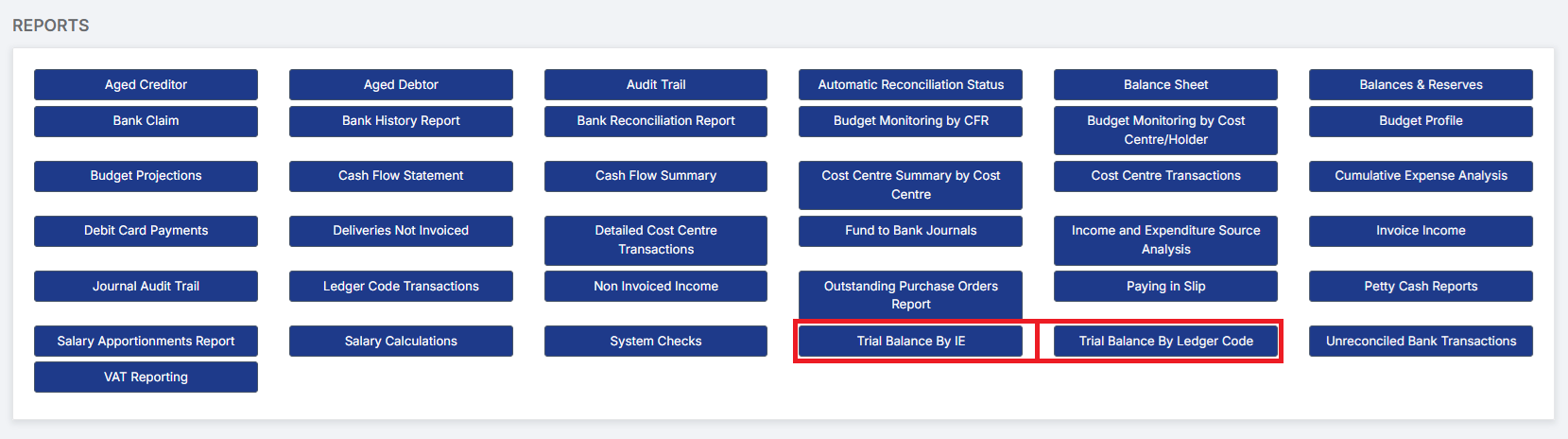
Go to Modules > Finance > Finance Home Page > Reports > Trial Balance By IE or Trial Balance By Ledger Code.
2.1. Trial Balance by IE
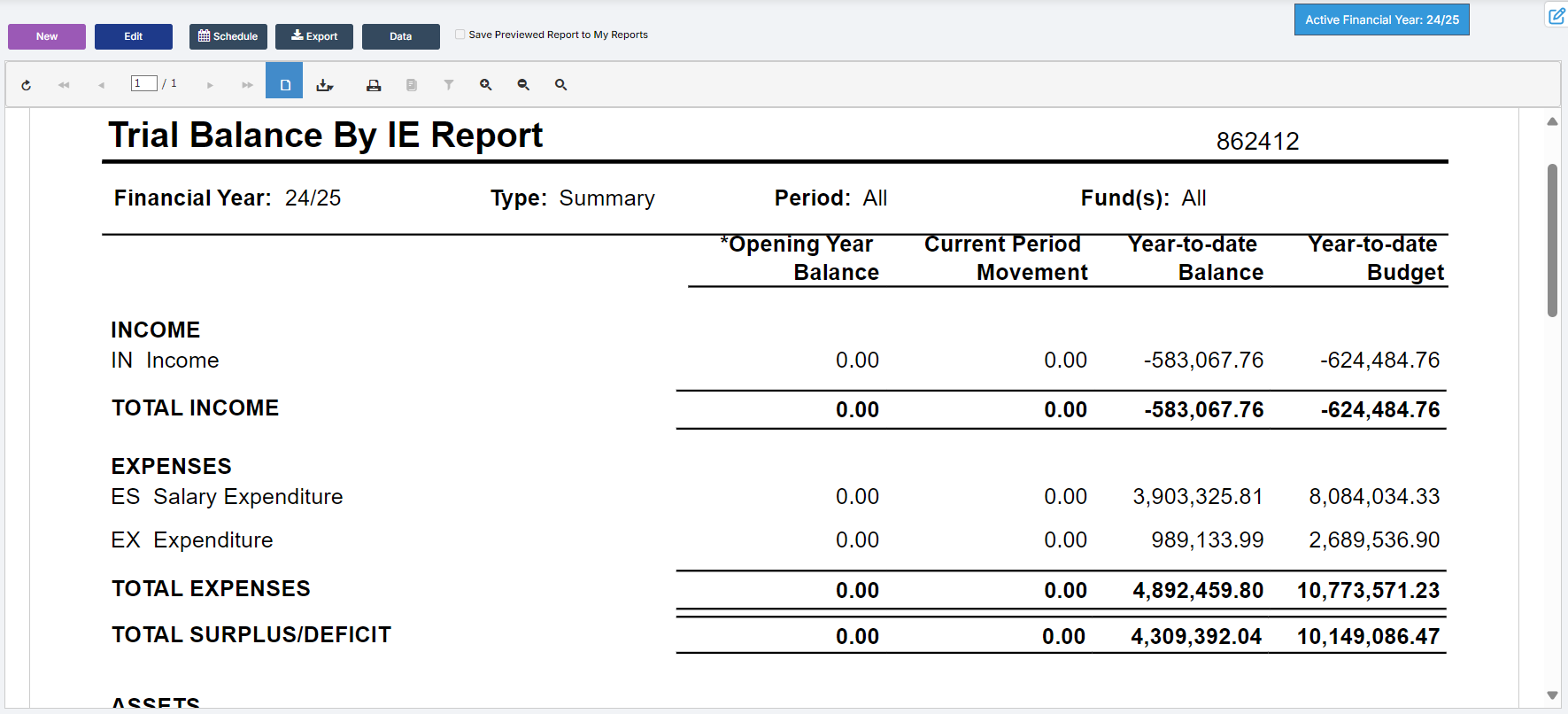
Select the required Parameters and click Preview.
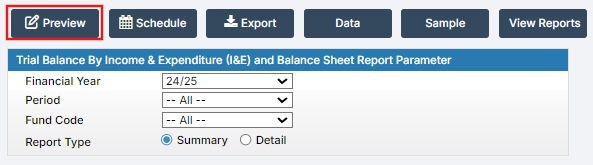
Example Trial Balance by IE Report:
2.2. Trial Balance By Ledger Code
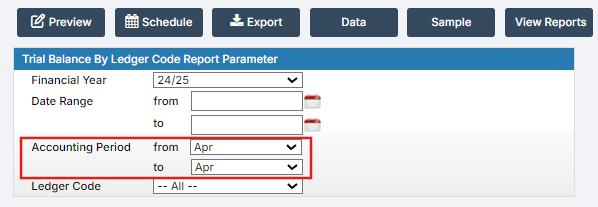
The Trial Balance by Ledger Code Report contains an Accounting Period Range Selector, allowing finance users to generate reports for multiple periods or for a single period.
3. System Checks
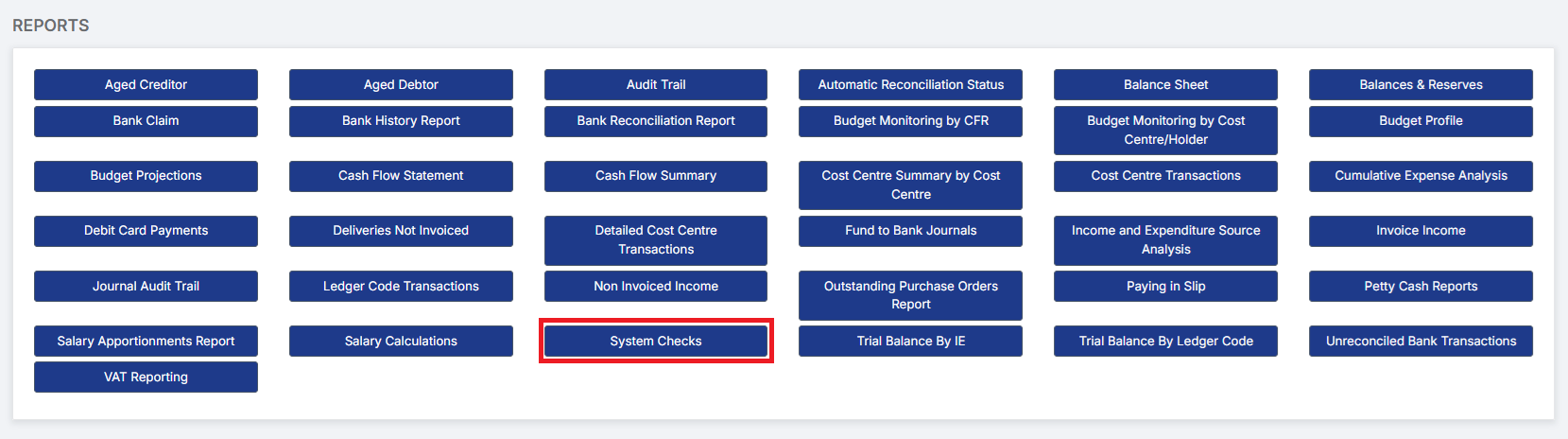
Go to Modules > Finance > Finance Home Page > Reports > System Checks.
This report is useful for monthly checks in preparation for Period End.
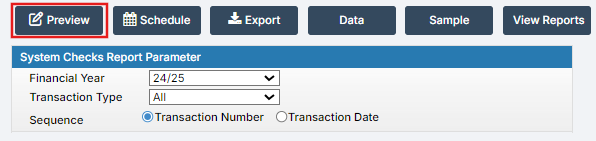
Select the required Parameters and click Preview.
Example System Checks Report: