
In this guide, we show How to Clear the Payroll Control Ledger in Bromcom Finance.
Access: The minimum permissions required to Clear the Payroll Control Ledger are found in the Finance Module section of Config > Setup > Roles & Permissions.
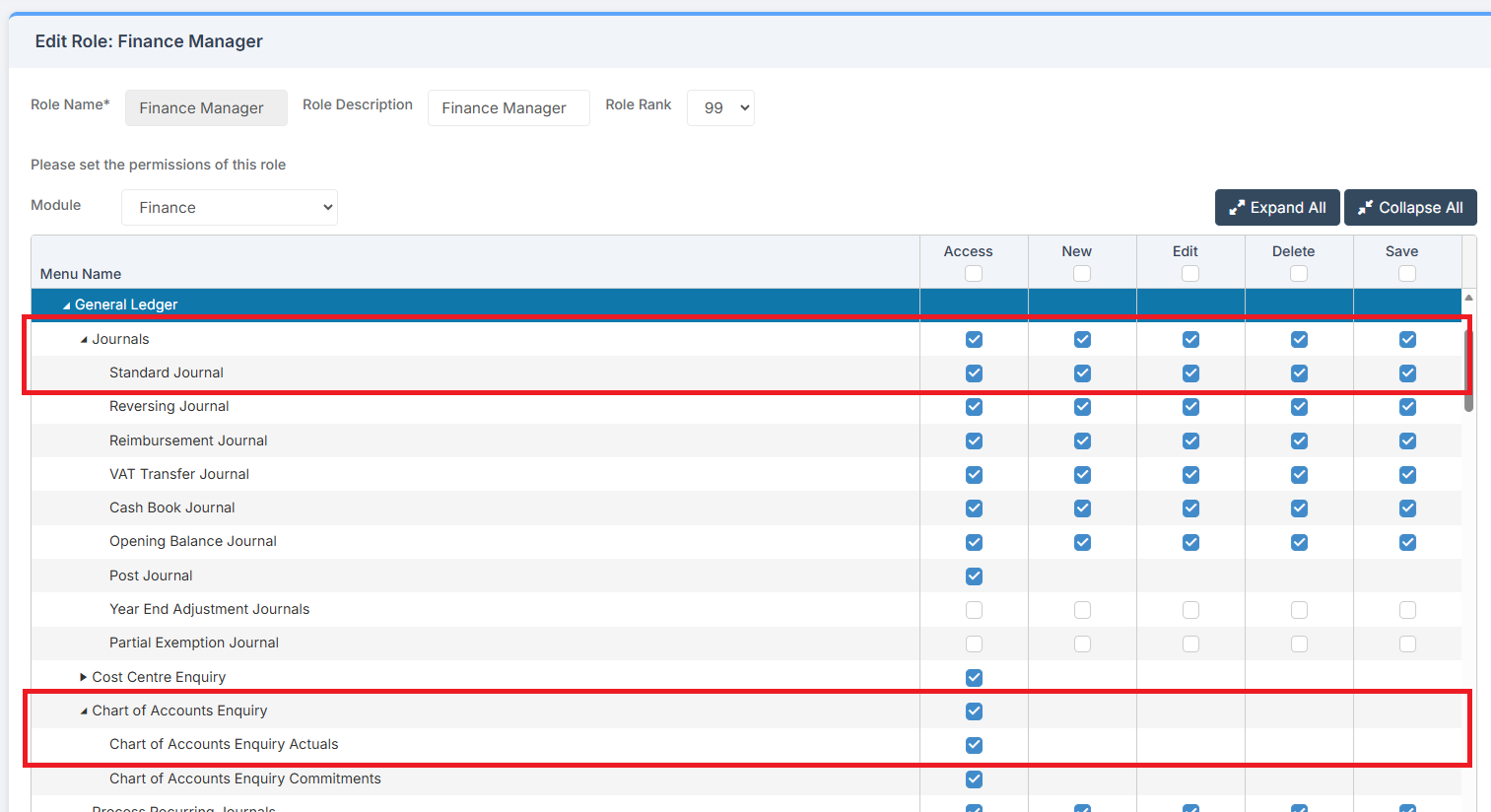
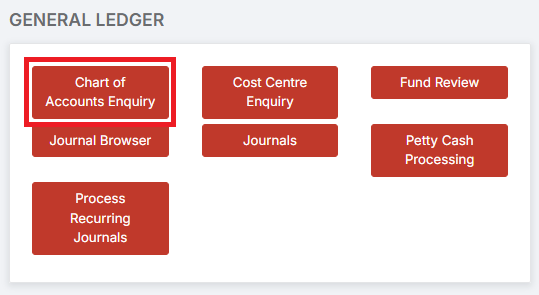
To begin, go to Modules > Finance > Finance Home Page > General Ledger > Chart of Accounts Enquiry.
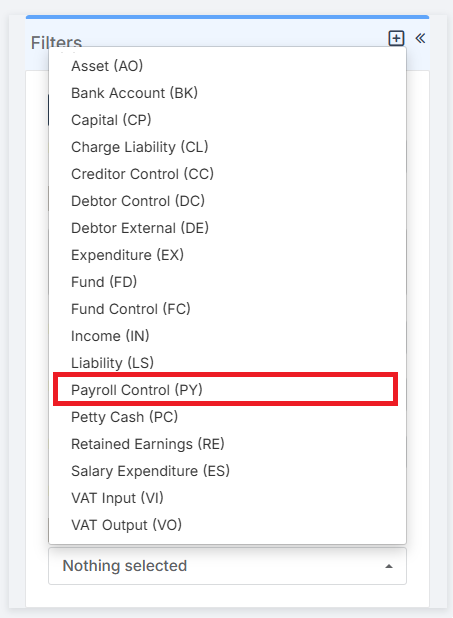
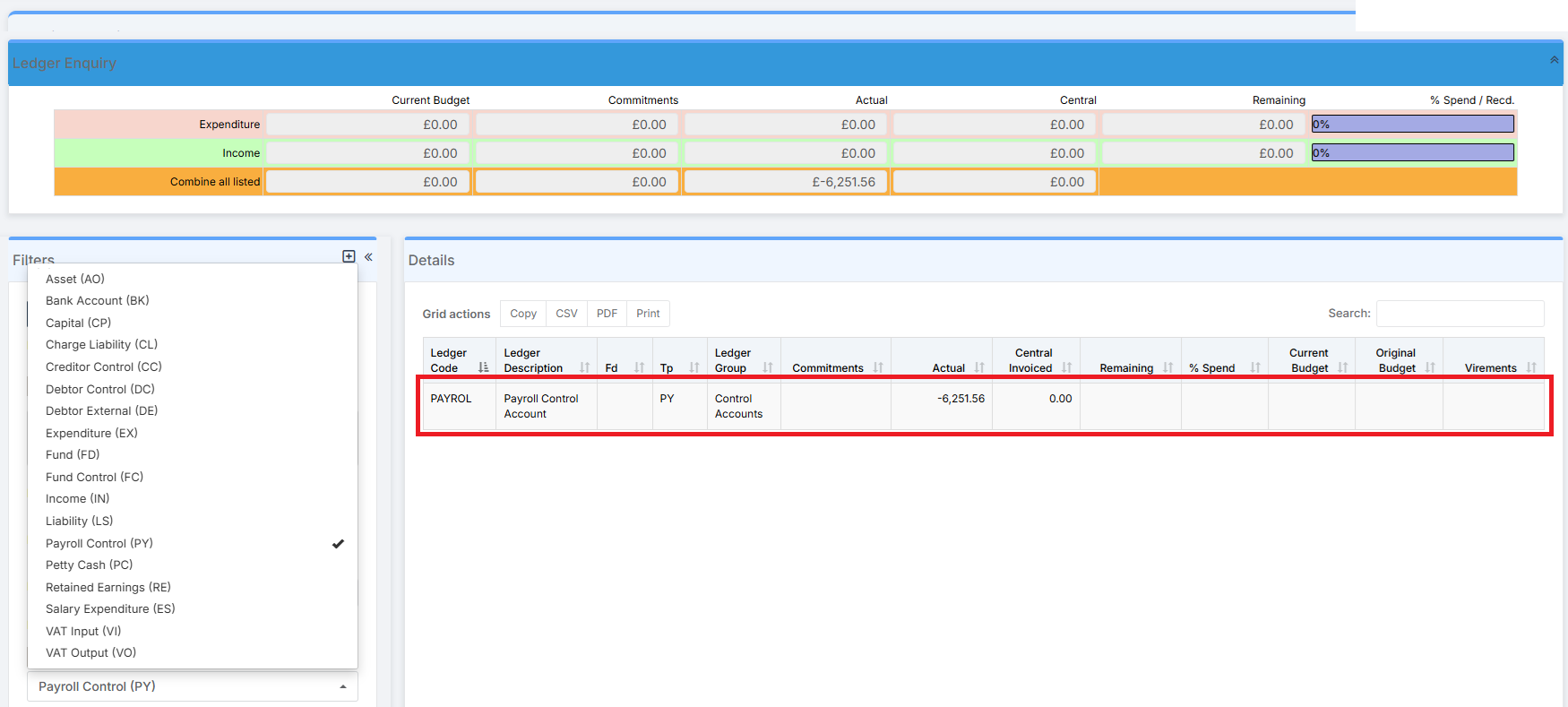
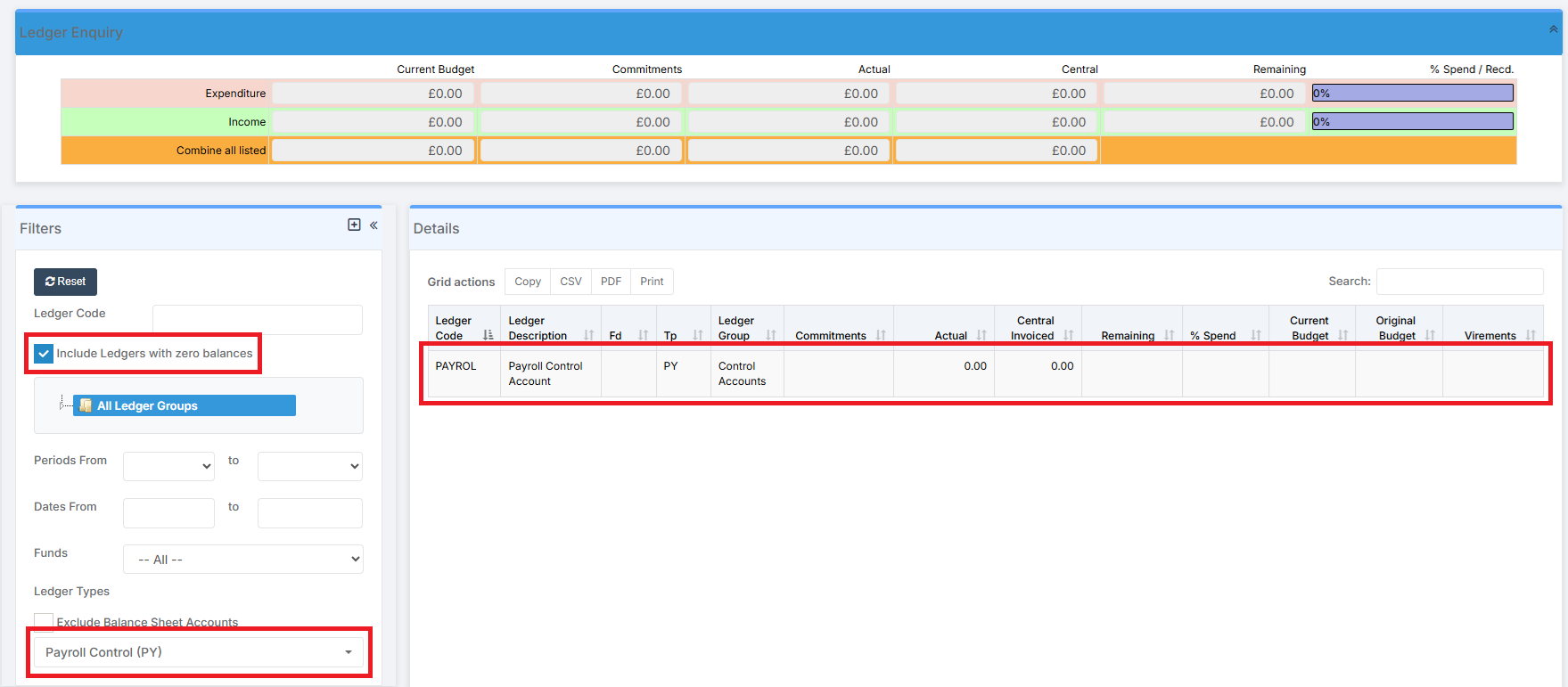
In the Filters in Chart of Accounts Enquiry, locate the Payroll Control Ledger by selecting Payroll Control (PY) from the drop down. Click on it.
A tick will appear next to it and the Payroll Control Ledger will appear in the Details section.
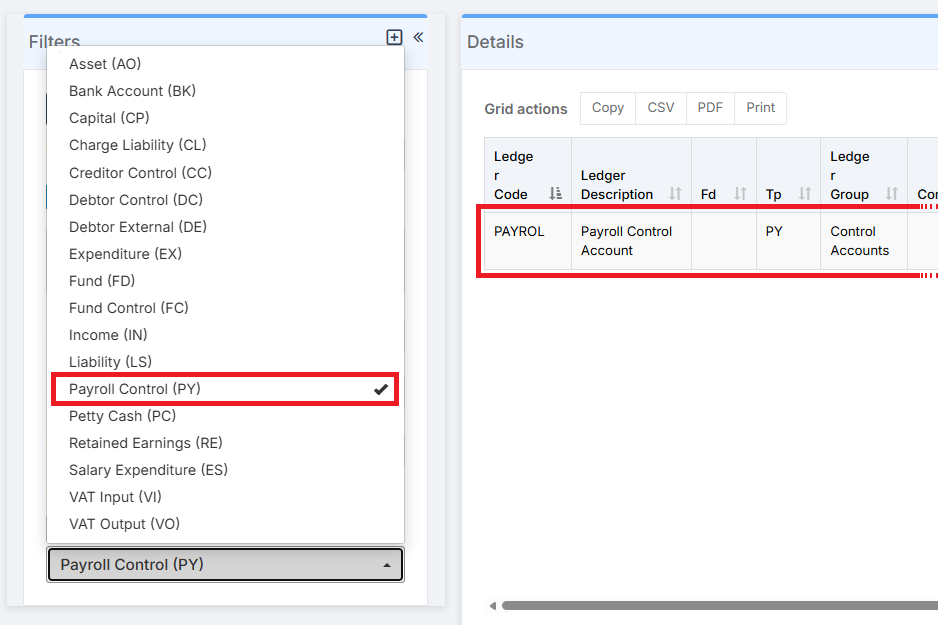
The Payroll Control Ledger can then be checked for any values contained within it.
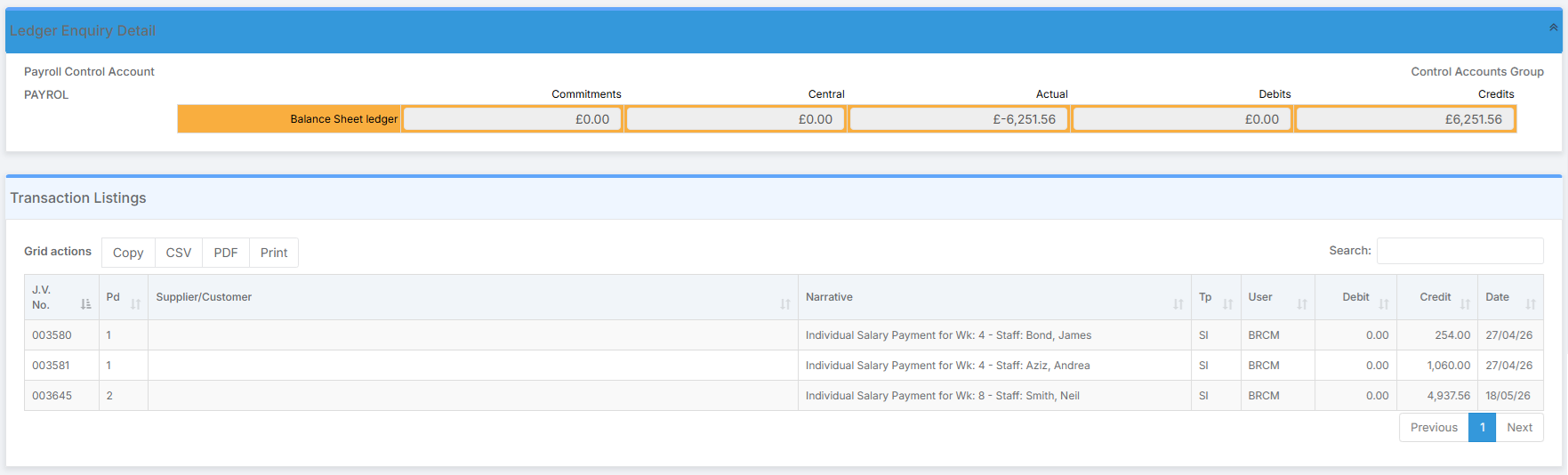
Double click on the Payroll Control Ledger line to expand it. In this example, it is made up of three Individual Salary Payments.
What to do next depends on whether the school is a Bank Account School or a Centrally Paid School.
Bank Account School
If the school is a Bank Account School, then the Payroll Control Ledger can be cleared by moving the amount in the Payroll Control Ledger to the school’s Bank Account. There are two ways to do this, either by Using a Standard Journal or by Using a Cash Book Journal.
Using a Standard Journal
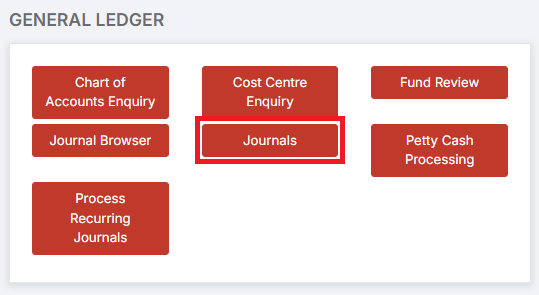
To begin, go to Modules > Finance > Finance Home Page > General Ledger > Journals.
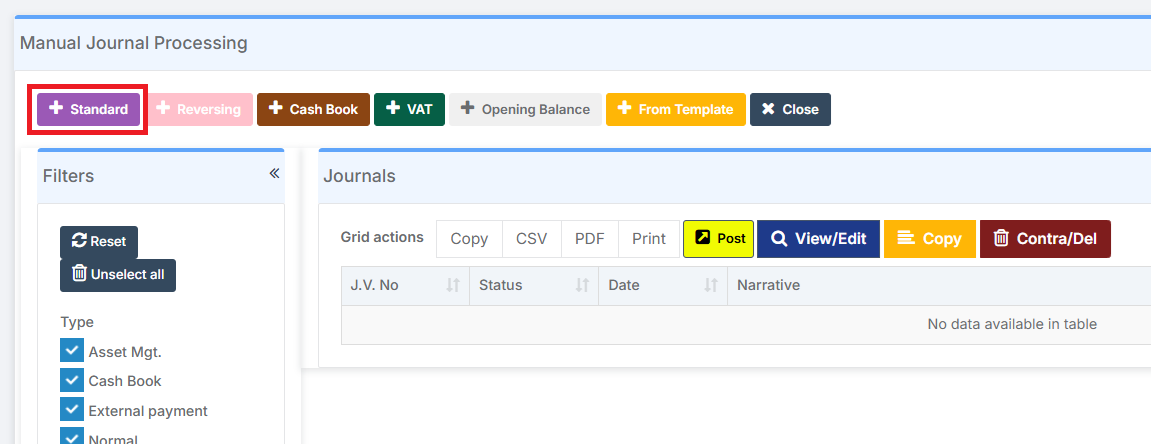
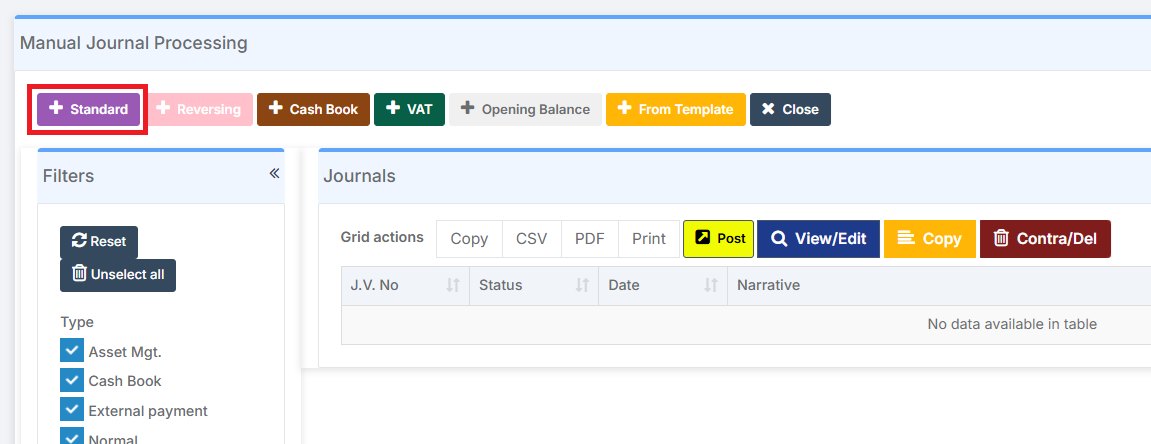
In Manual Journal Processing, select Standard Journal.
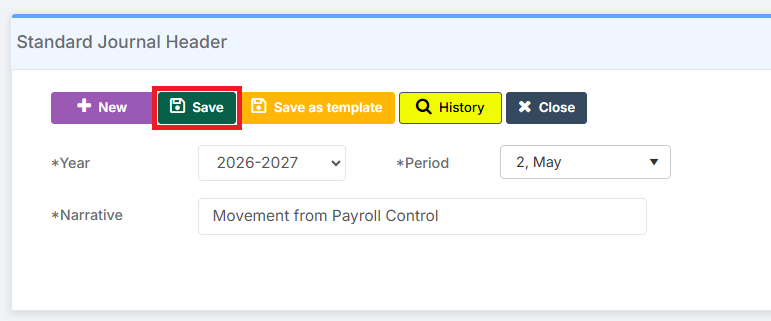
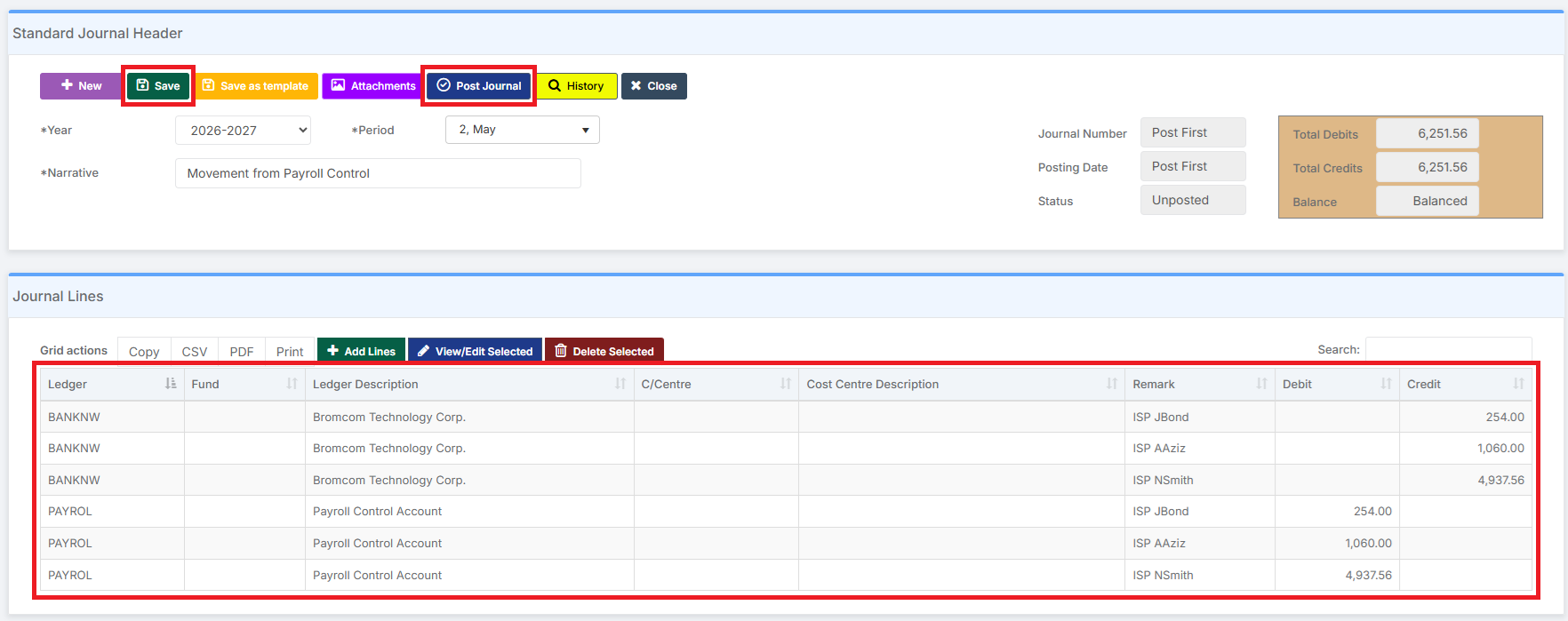
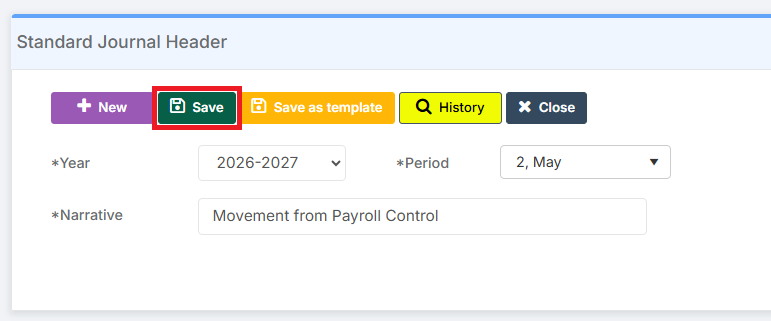
Complete the Journal Header and click Save.
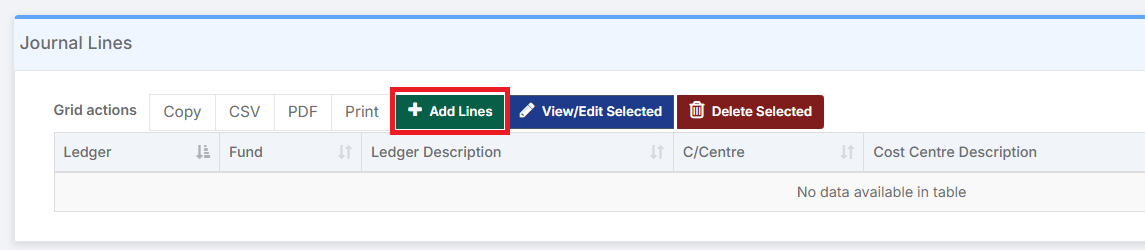
In Journal Lines, click Add Lines.
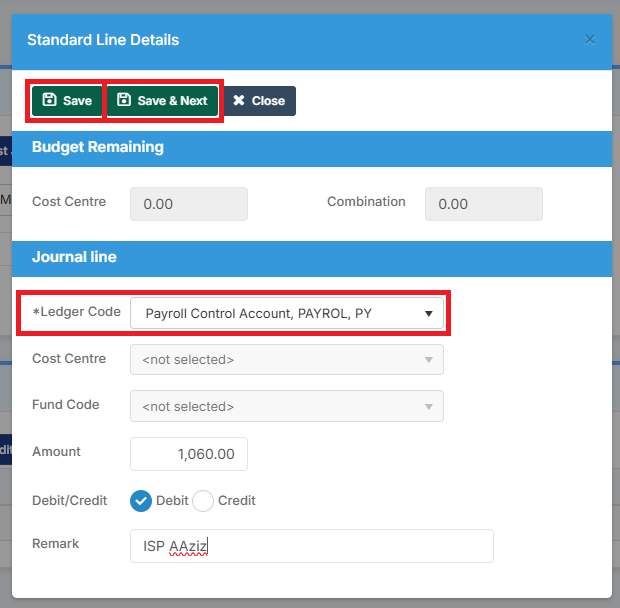
Complete and Save a Line Detail for each item to be debited from the Payroll Control Account.
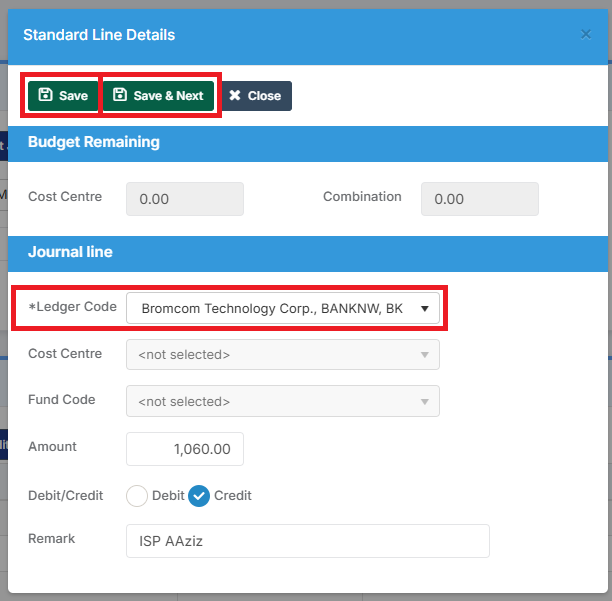
Complete and Save a corresponding Line Detail for each item to be credited to the Bank Account.
Either Save the completed Journal for posting later, or click Post Journal.
Making sure Include Ledgers with Zero Balances is ticked, the Payroll Control Ledger in the Chart of Accounts is now shown with a Zero Balance.
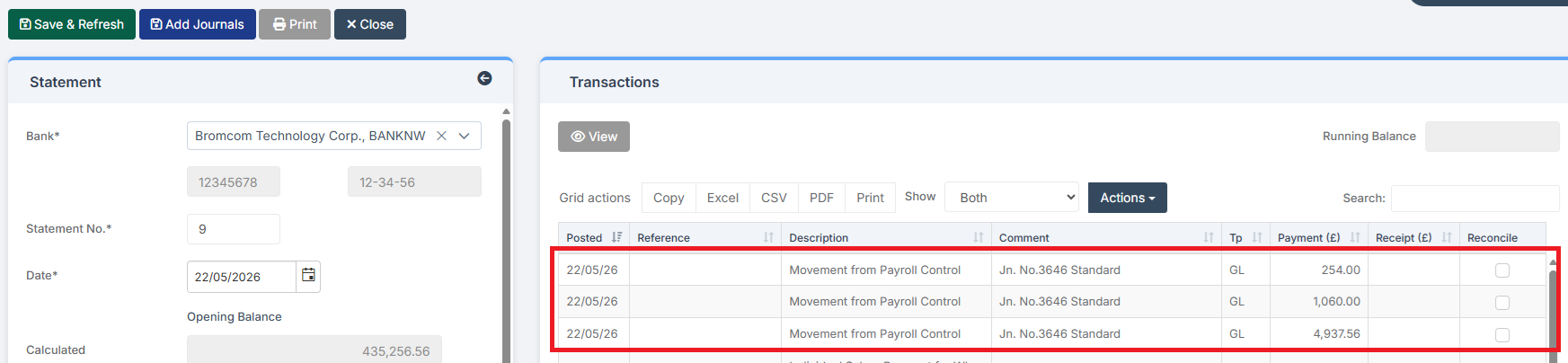
The items are then available to be reconciled in Bank Reconciliation.
Using a Cash Book Journal
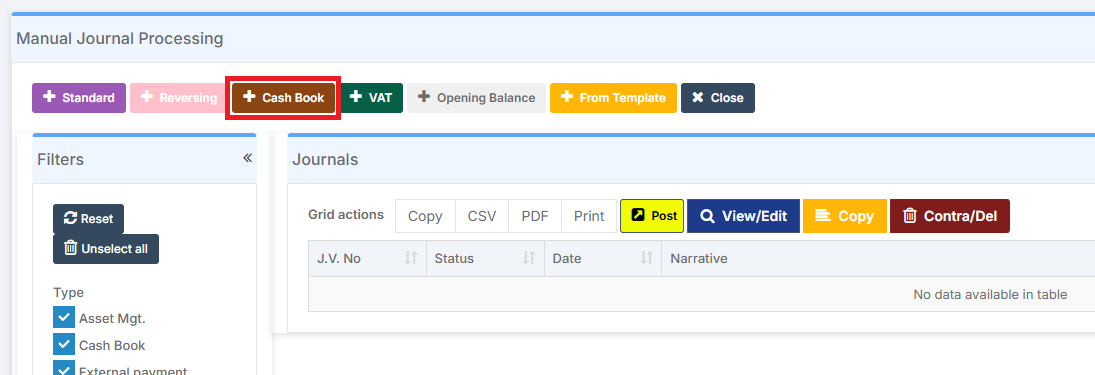
The alternative to using a Standard Journal is to use a Cash Book Journal. The process is broadly similar to that outlined above for a Standard Journal.
A key advantage of using a Cash Book Journal is that the Line Details to Credit the Bank Account do not need to be completed by the user. They are automatically amalgamated into one line and added to the Journal by the system, thus saving time if there are multiple entries.
A disadvantage of using a Cash Book Journal is that the Journal only contains one Detail Line to Credit the Bank.
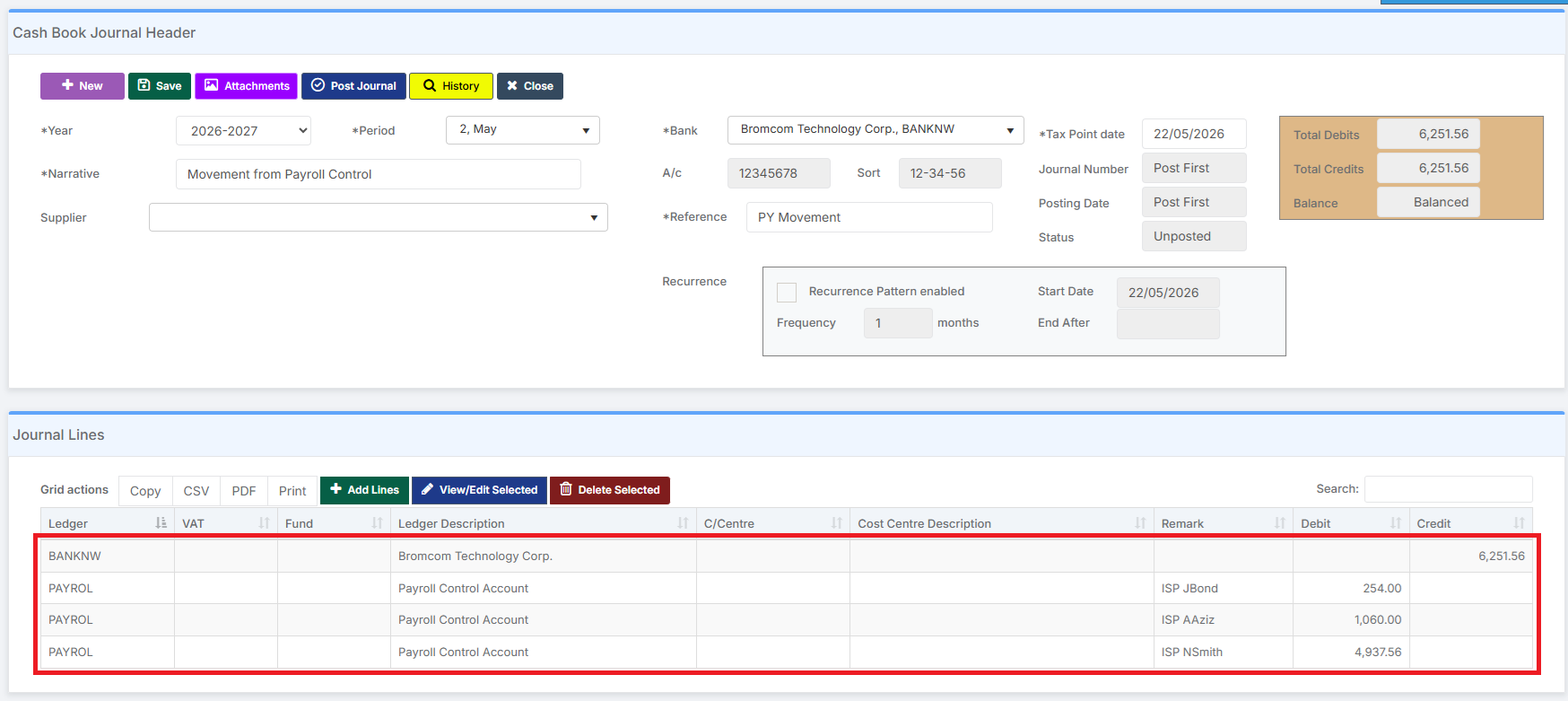
This loss of detail is noticeable when it comes to completing the Bank Reconciliation; as shown below. However, it may not be a concern.

Centrally Paid School
If the school is a Centrally Paid School, then the Payroll Control Ledger can either be cleared by moving the amount in the Payroll Control Ledger to, for example, the school’s Delegated Budget Control Ledger (the Local Authority can advise on this), or by a Central Payment.
Delegated Budget Control Ledger
Moving the amount in the Payroll Control Ledger to, for example, the school’s Delegated Budget Control Ledger is accomplished by creating a Standard Journal.
Go to Modules > Finance > Finance Home Page > General Ledger > Journals.
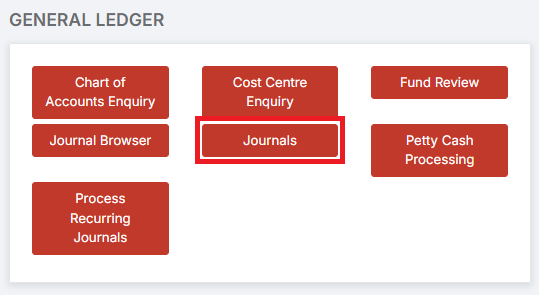
In Manual Journal Processing, select Standard Journal.
Complete the Journal Header and click Save.
In Journal Lines click Add Lines.
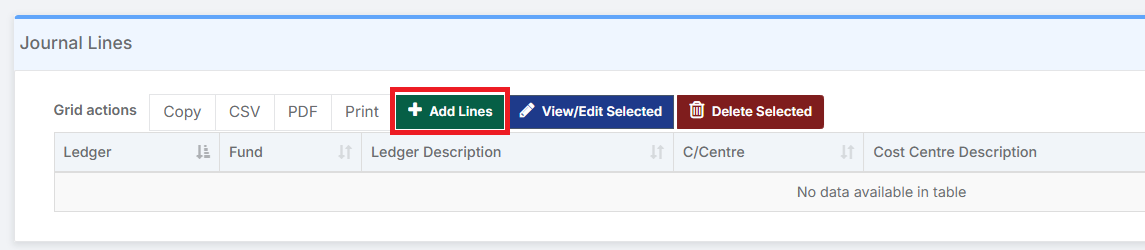
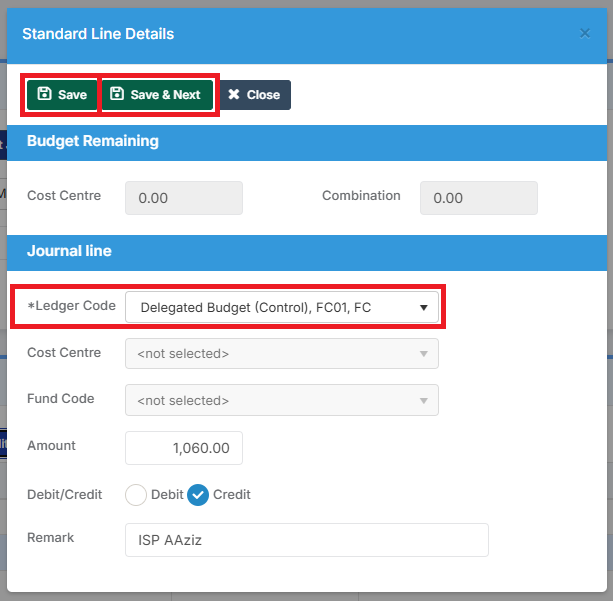
Complete and Save a Line Detail for each item to be debited from the Payroll Control Account.
And complete and Save a corresponding Line Detail for each item to be credited to the Delegated Budget Control Ledger.
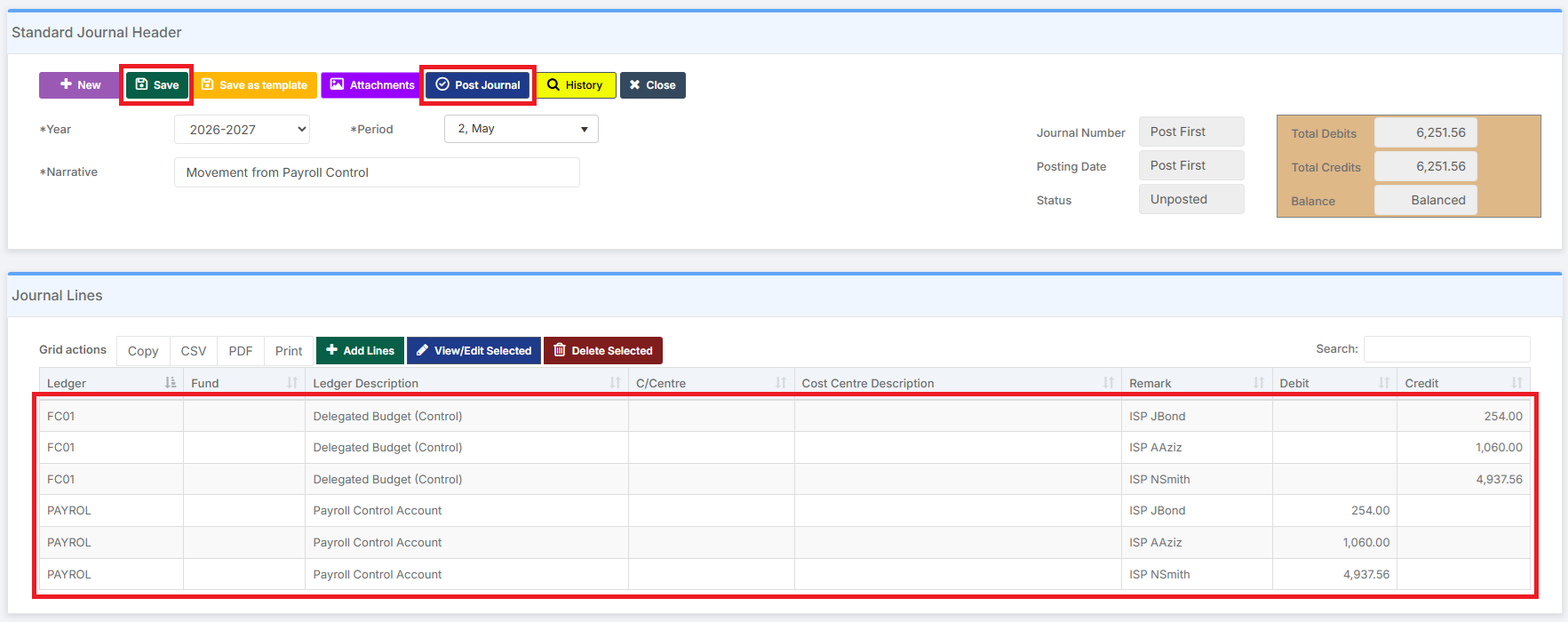
Either Save the completed Journal for posting later, or click Post Journal.
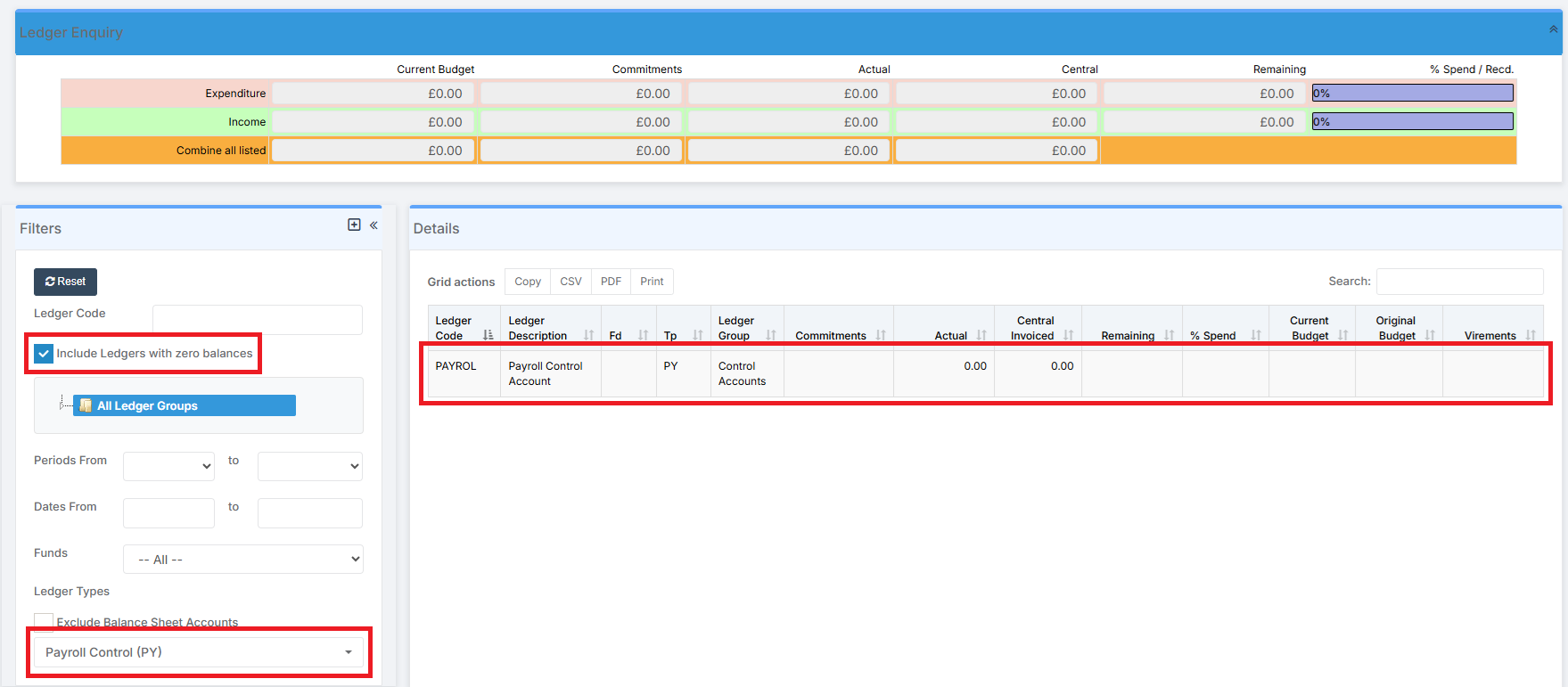
Making sure Include Ledgers with Zero Balances is ticked, the Payroll Control Ledger in the Chart of Accounts now shows with a Zero Balance.
Central Payment
The Payroll Control Account can be cleared with one or more Central Payment(s).
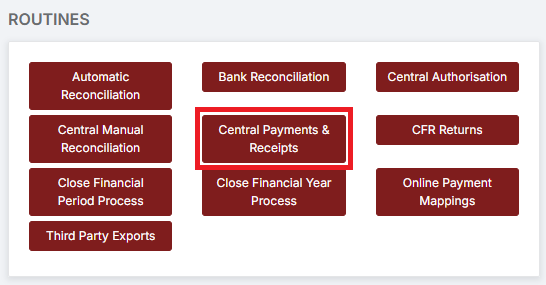
To record the Central Payment(s), go to Modules > Finance > Finance Home Page > Routines > Central Payments & Receipts.
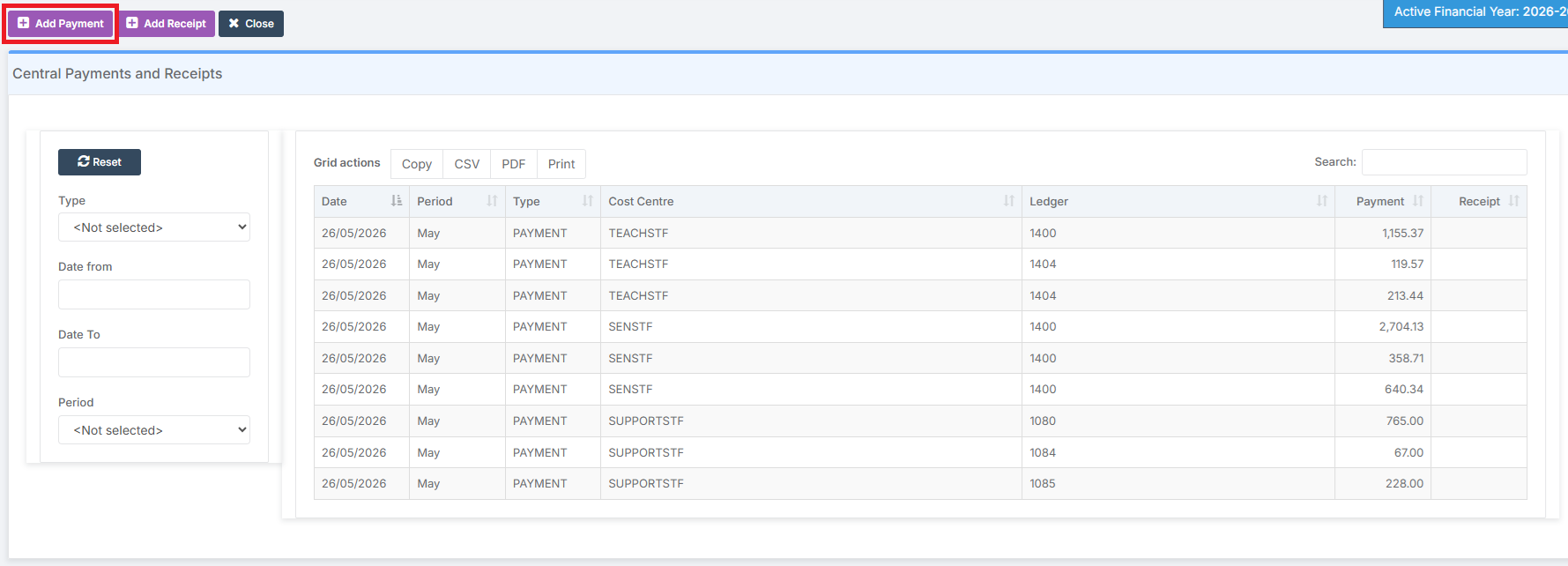
Click Add Payment to Add a Payment. In the example below, the relevant Payments have been added.
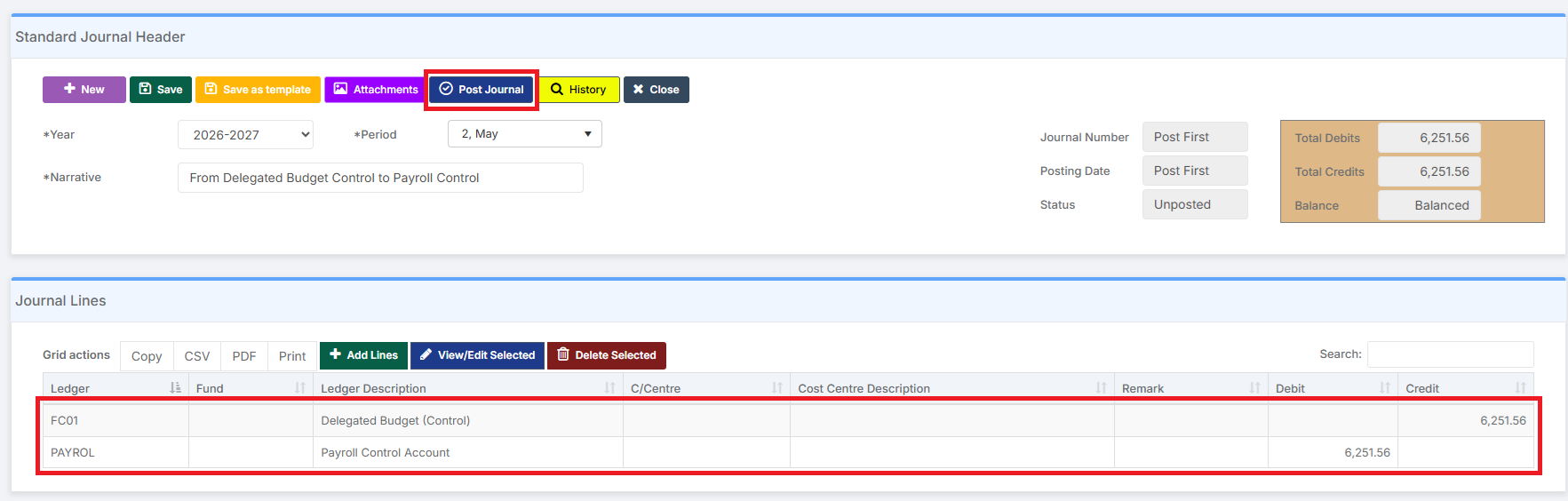
Next, Create and Post a Standard Journal, moving the Total Amount from, in this instance, the Payroll Control Account to the Delegated Budget (Control) Ledger.
Making sure Include Ledgers with Zero Balances is ticked, the Payroll Control Ledger in the Chart of Accounts now shows with a Zero Balance.