
In this guide, we show How to Add Profile Models in the MAT Finance Module.
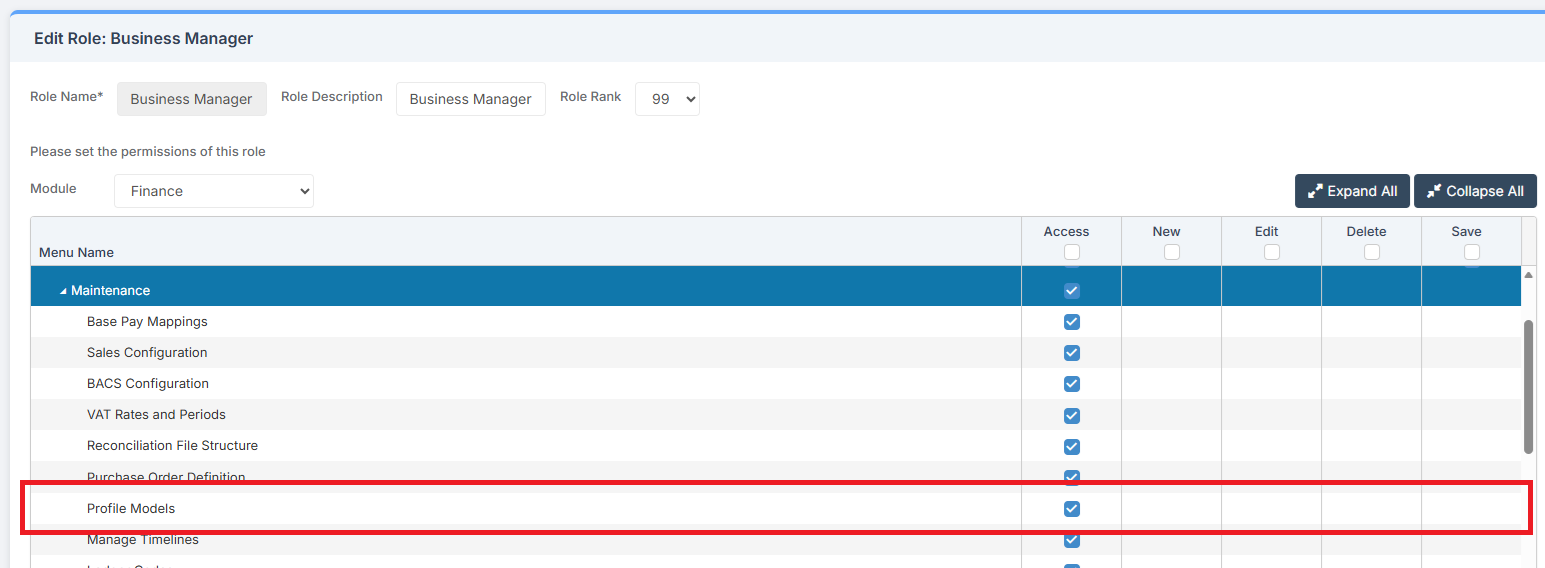
Access: The minimum permissions required to Add Profile Models are found in the MAT Finance Module section of Config > Setup > Roles & Permissions.
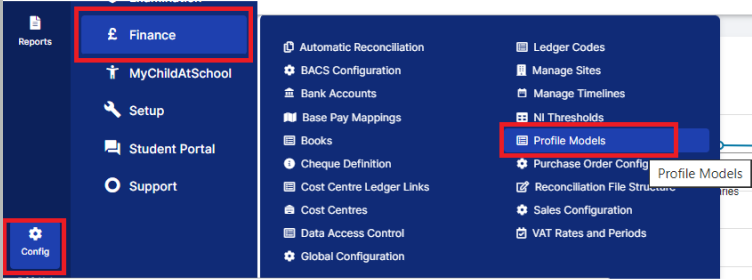
To begin,, from the left Menu, go to Config > Finance > Profile Models.
A list of current Profile Models is displayed that can then be used within the Budgeting area of MAT Finance.
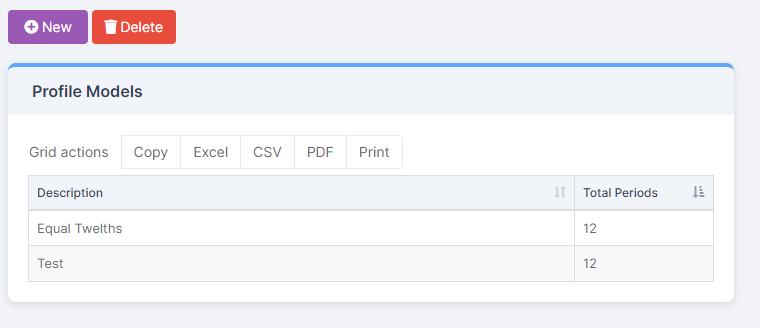
To add a New Profile Model, click New.

This will bring up another table on the screen for completion.
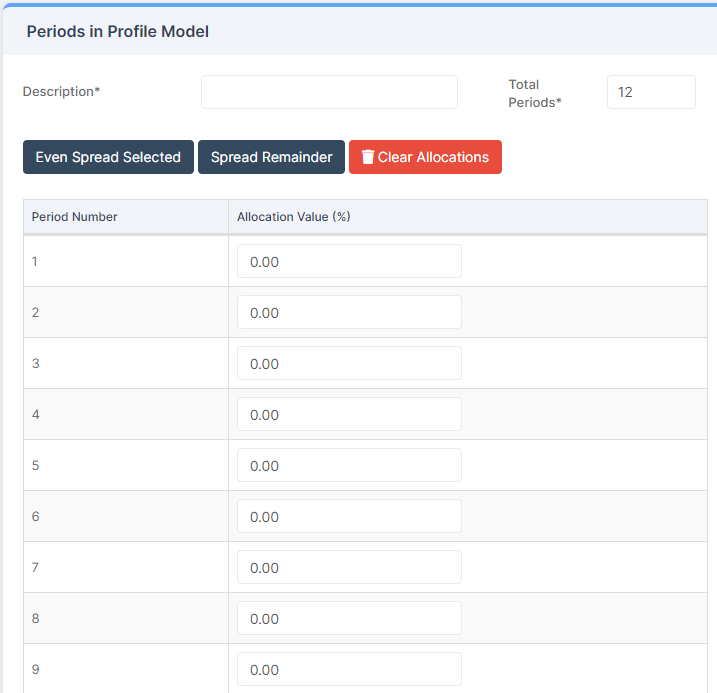
Enter a Description and the Percentage for the months required.
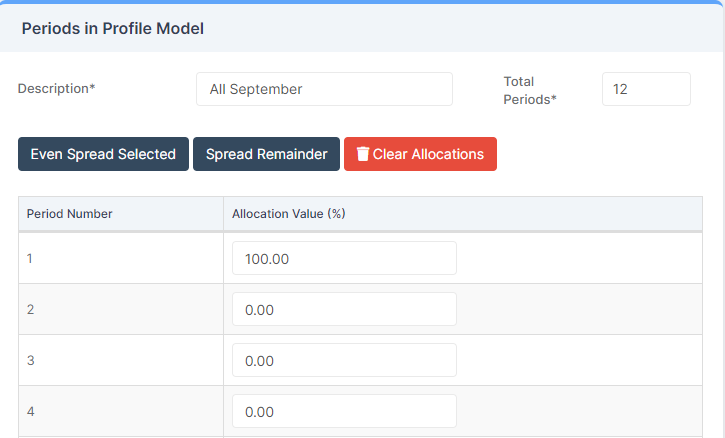
Note: The Percentage amounts must add up to 100.
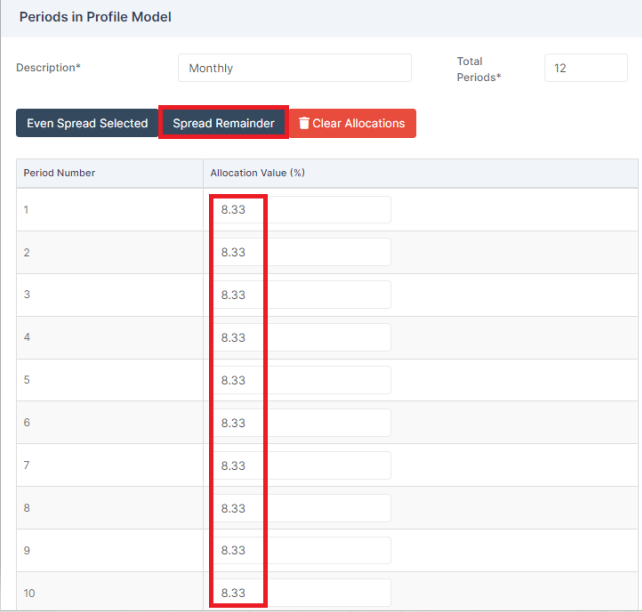
To spread the amounts evenly, select Spread Remainder. This gives each month 8.33%.
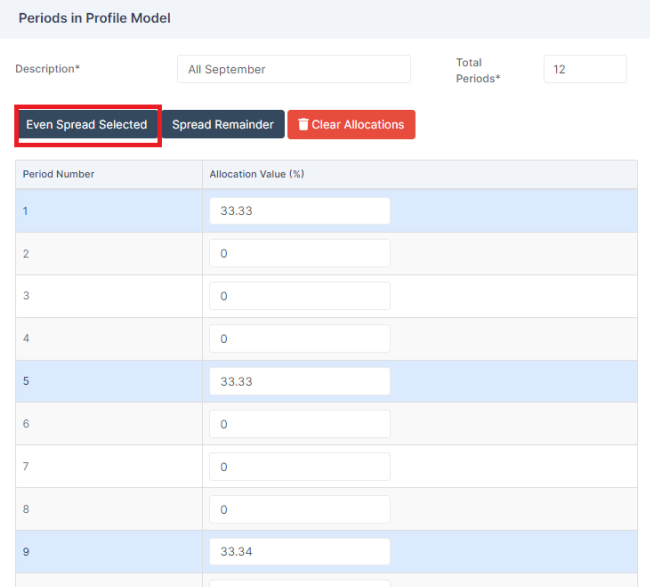
If there are certain patterns required, for example Termly, select the months required and click Even Spread Selected. This divides the amount between the selected months.
Once complete, click Save.

The newly created Profile Model now shows in the box on the left and in the Budgeting area of MAT Finance.