
In this guide, we show How to Review Salary Variations in the Finance Module.
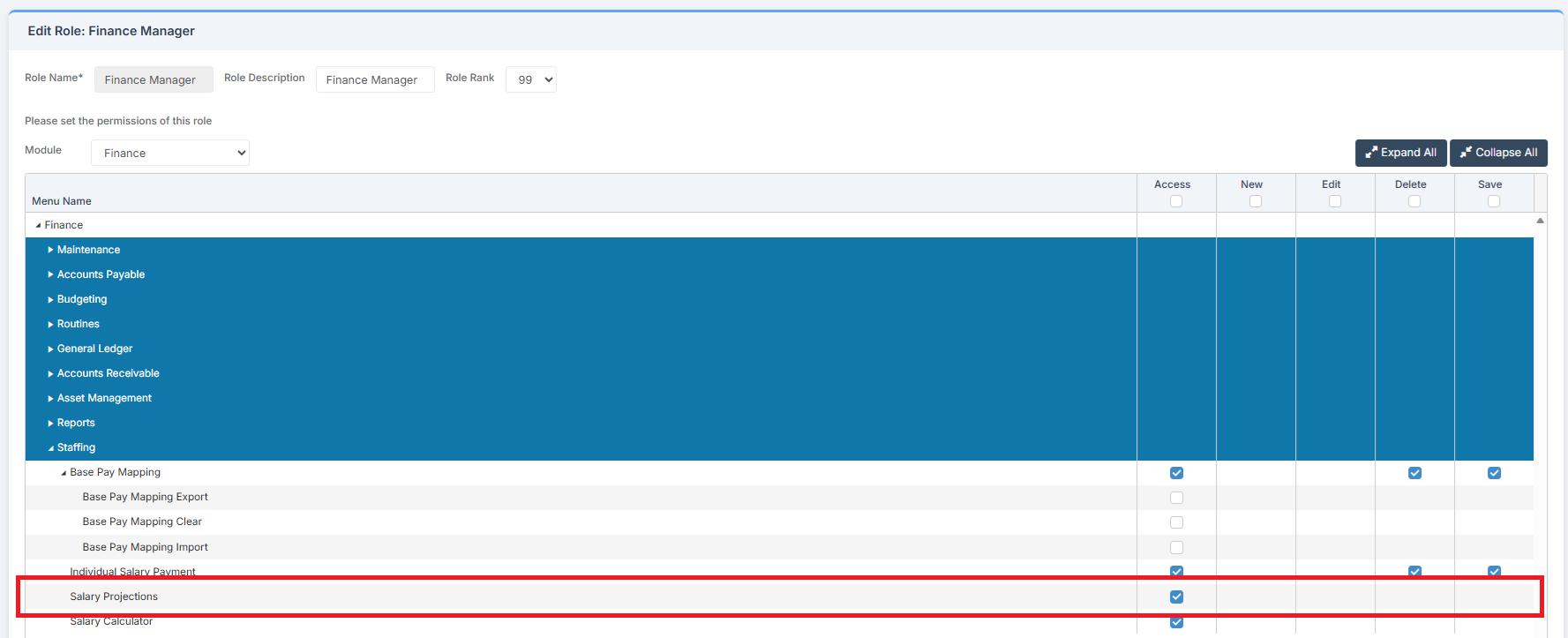
Access: The minimum permissions required to Review Salary Projections are found in the Finance Module section Config > Setup > Roles & Permissions.
Related Guides:
- Finance Routines Guide
- Salaries User Guide
- How to Complete Automatic Reconciliation Of Salaries
- How to Manage Individual Salary Payments
- How to Clear Salary Commitments
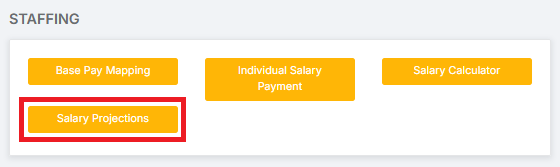
To begin, go to Modules > Finance > Finance Home Page > Staffing > Salary Projections.
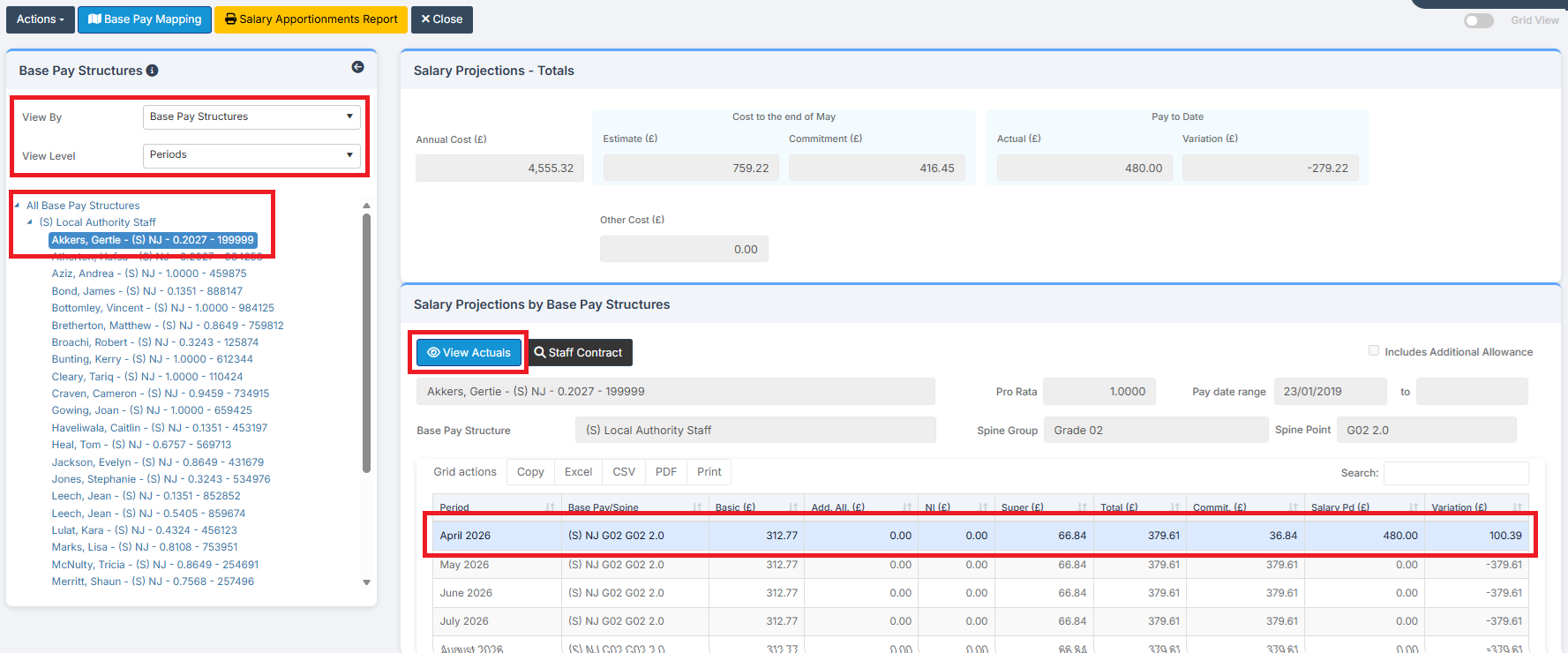
Select View By: Base Pay Structures and View Level: Periods and then select a Staff Member. Highlight a line from their pay that has a Variation and click View Actuals.
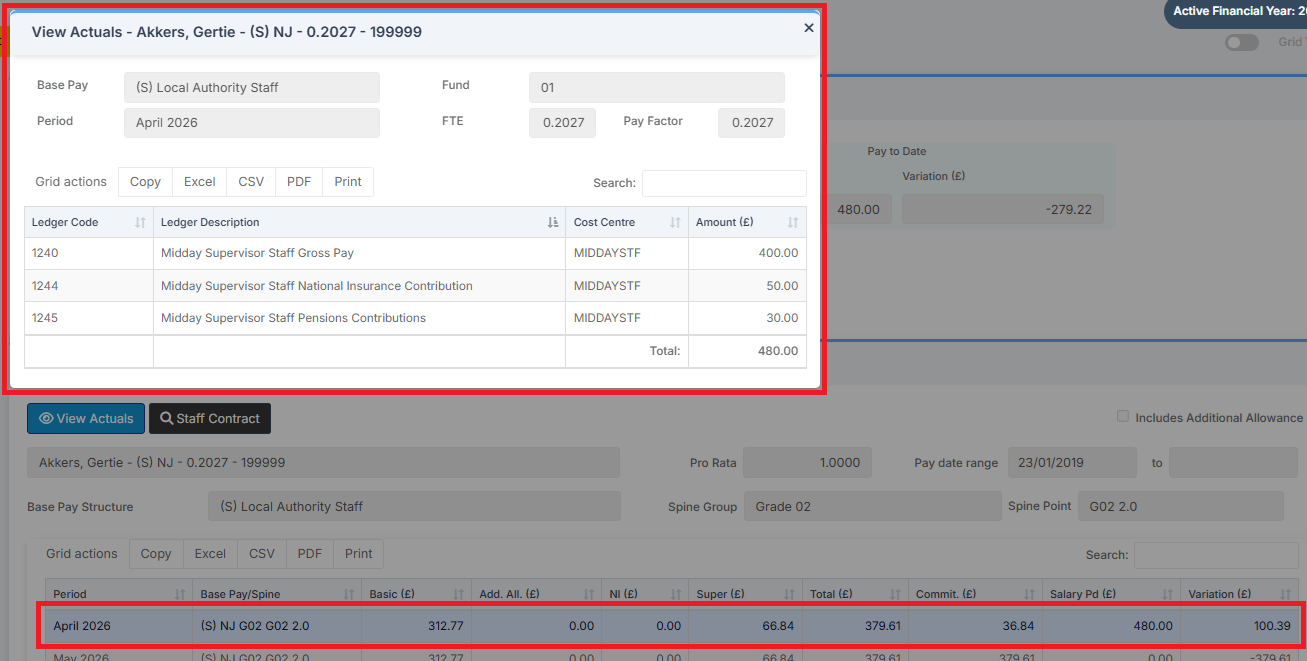
The pop up shows the Actuals, which can be compared to the Projection.
Choose another Staff Member to view their Variations.