
In this guide, we show:
Access: The minimum permissions required to Manage Virements are found in the Finance Module section Config > Setup > Roles & Permissions
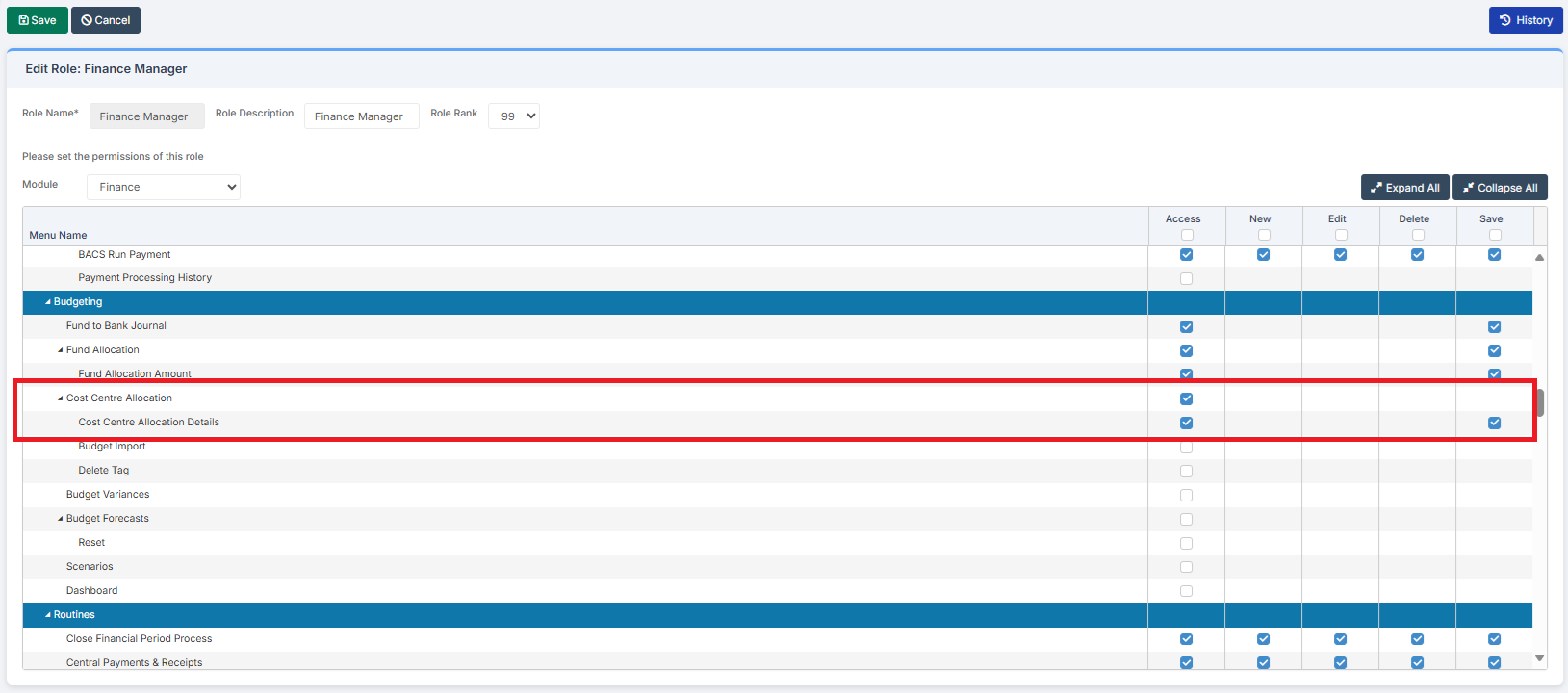
Pre-requisites: Virements should have Leadership or Governing Body approval before being made
Related Guides:
This Guide is part of the Budgeting Module User Guide
The previous guide in the Budgeting Module User Guide is: How to Fix a Budget in Cost Centre Allocation
The next guide in the Budgeting Module User Guide is: How to Check Staff Contract and Pay Details in Preparation for Using the Salary Calculator
Introduction
A Virement is the movement within a Budget of an Amount of Money from one Cost Centre/Ledger Code combination to another. As the Financial Year progresses, it is likely that some expenses and some income will be higher or lower than originally budgeted. Virements therefore enable a Budget to better reflect the unfolding reality of the Financial Year. Virements should have Leadership or Governing Body approval.
How to Make a Virement
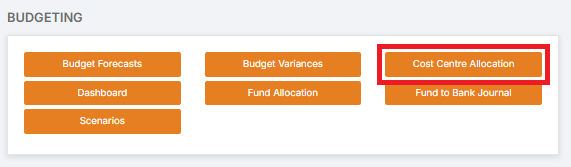
To begin, go to Modules > Finance > Finance Home Page > Budgeting > Cost Centre Allocation
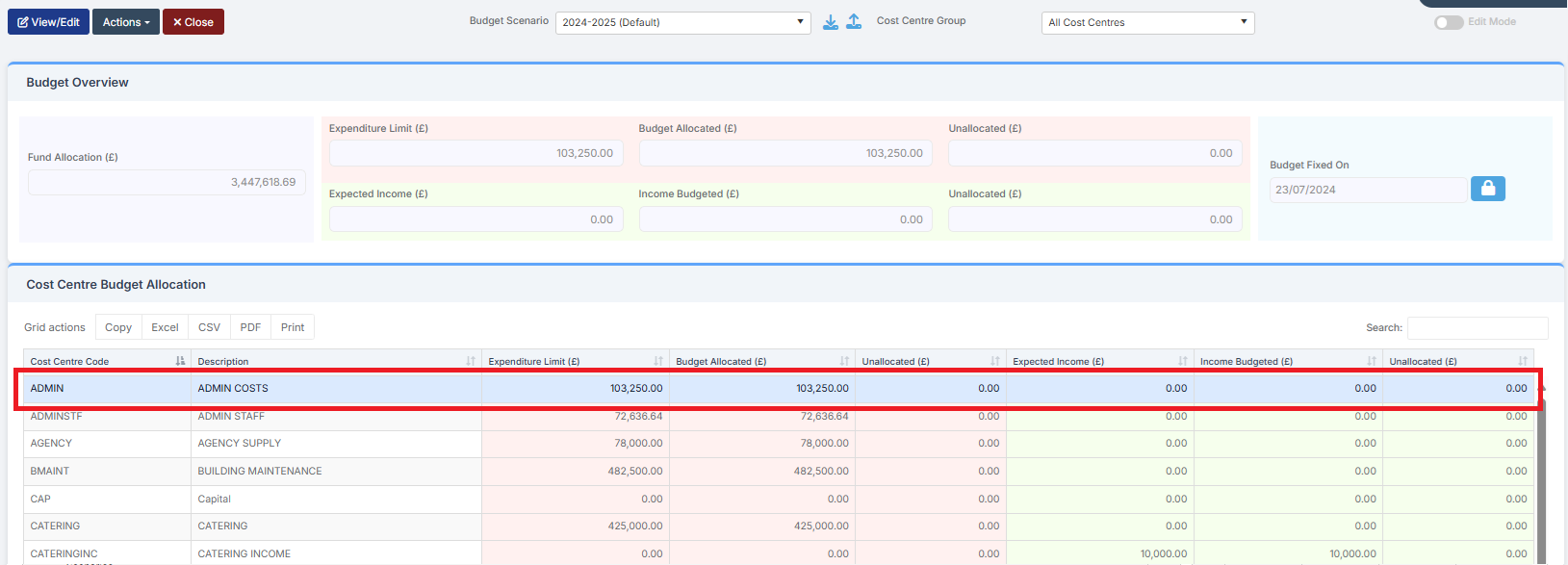
Select the Cost Centre that you want to change
Click View/Edit, or double-click on it, to see the detail. The Admin Costs budget is made up of several Ledger Code budgets
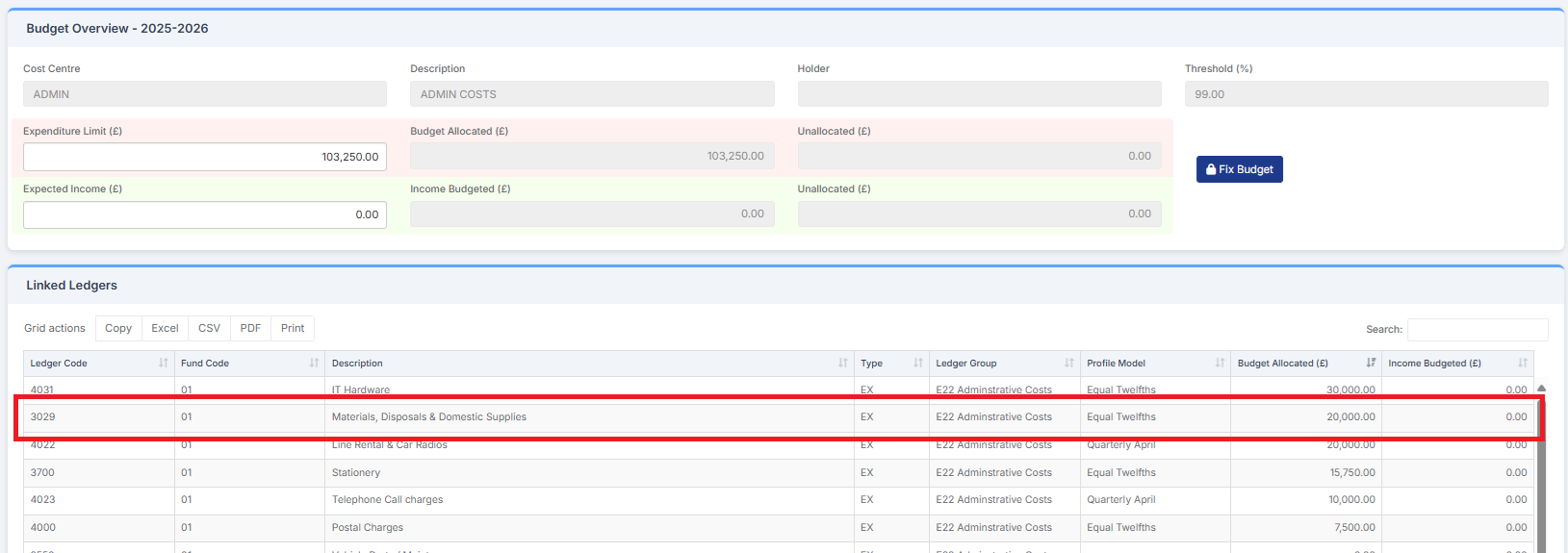
To change the amount for a Ledger Code, click Add/Edit Budget, or double click on it
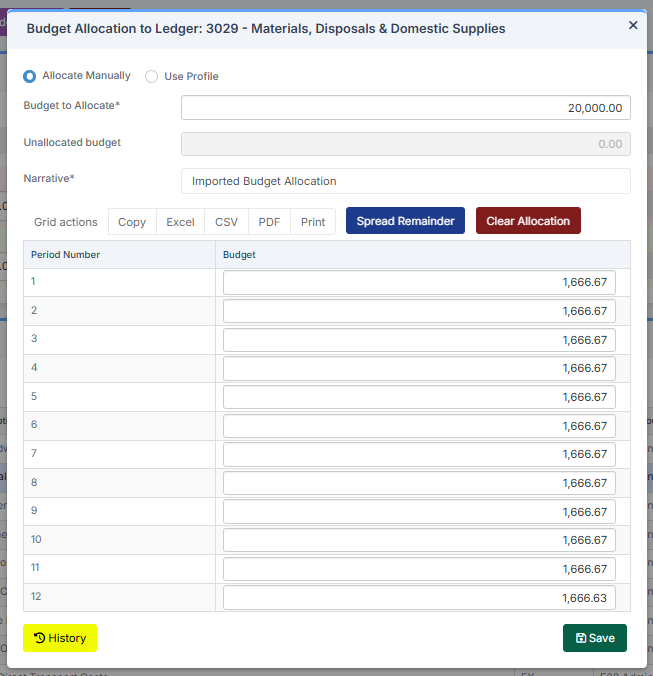
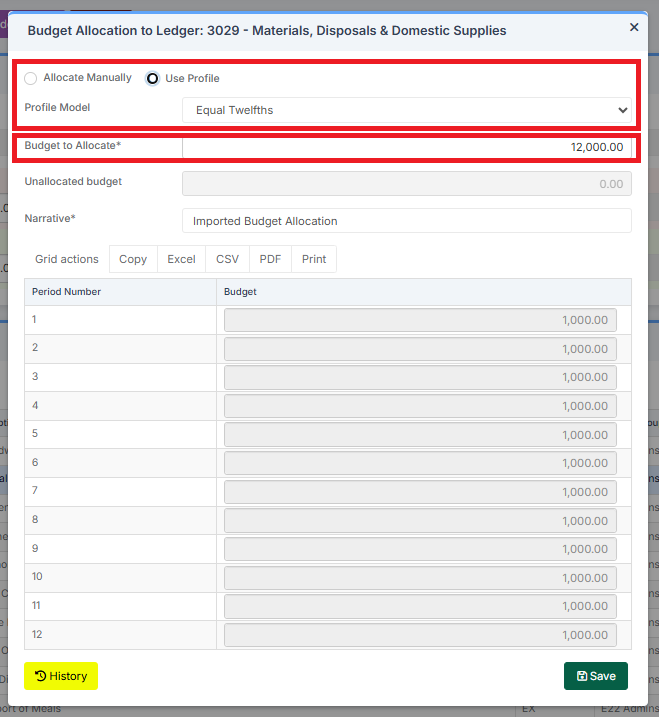
Amend the amount in Budget to Allocate. It can be increased or decreased. The total amount can be Manually Allocated or a Budget Profile Model can be used
See: How to Use Budget Profile Models
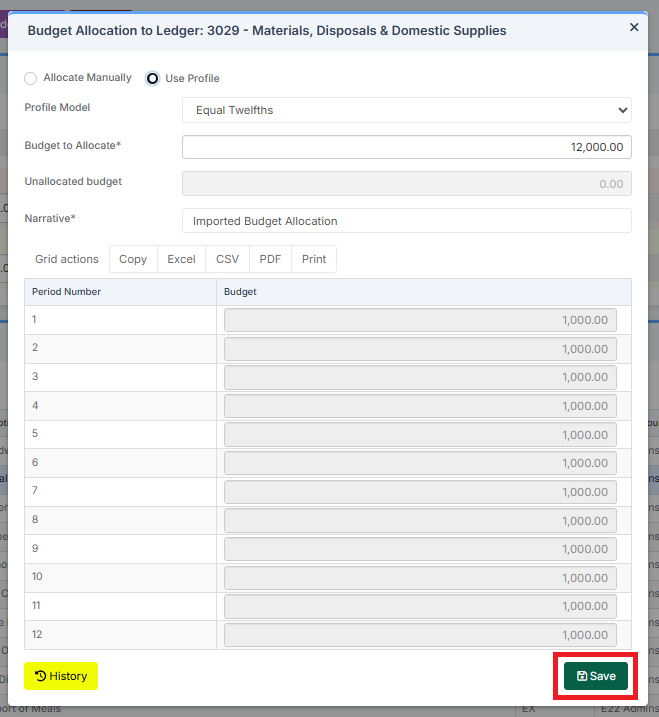
Click Save
Go to Modules > Finance > Finance Home Page > Budgeting > Cost Centre Allocation and click on Admin Costs. The Ledger Code now shows the revised amount
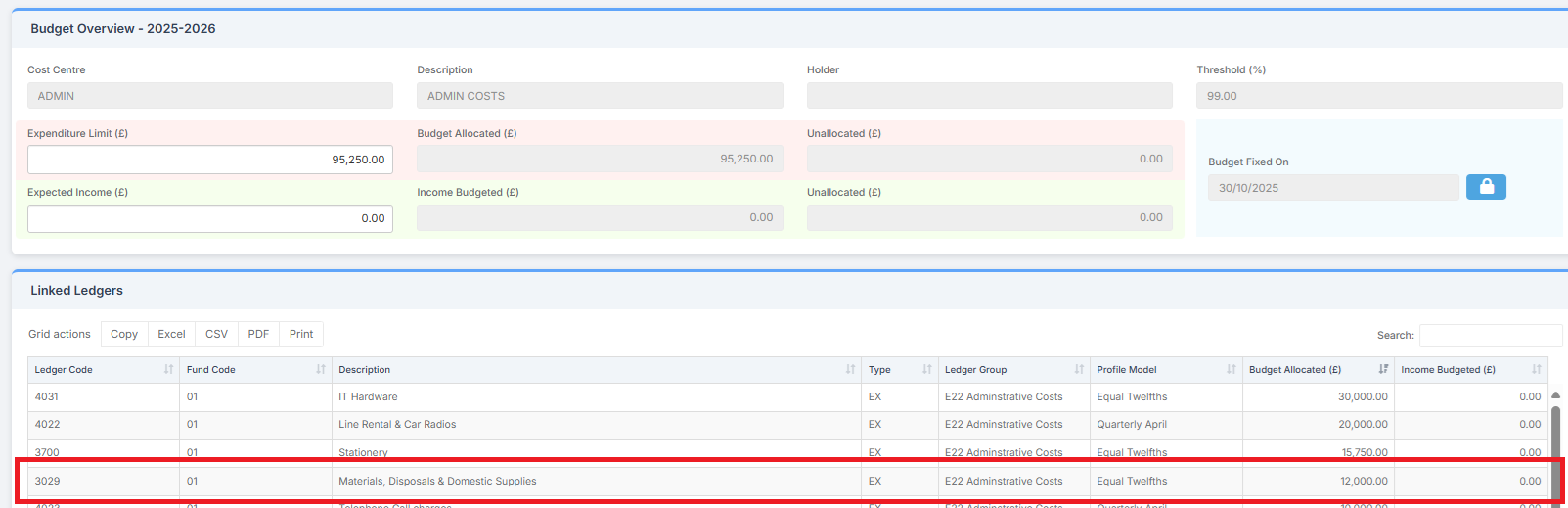
Note: In the above example, a Ledger Code’s Budget has been reduced by £8,000. This amount should be added to another Ledger Code’s Budget, or a number of other Ledger Codes’ Budgets, to ensure the Total Budget remains the same
How to Monitor Virements
Virements can be seen in Chart of Accounts Enquiry

And in Cost Centre Enquiry

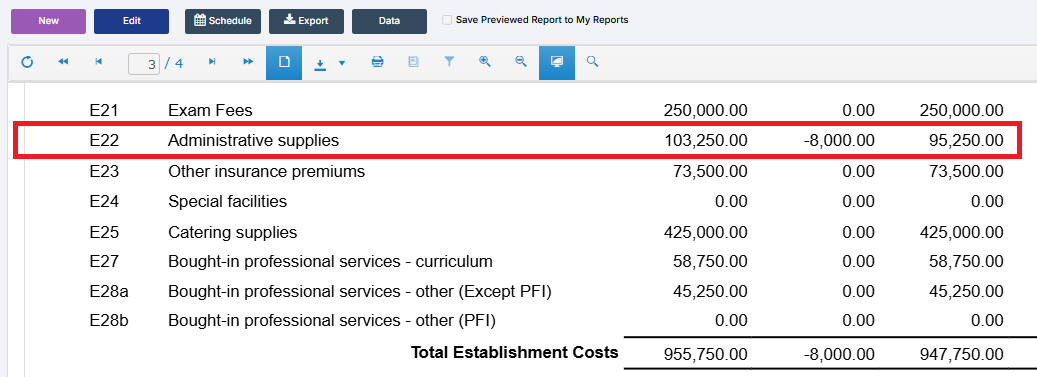
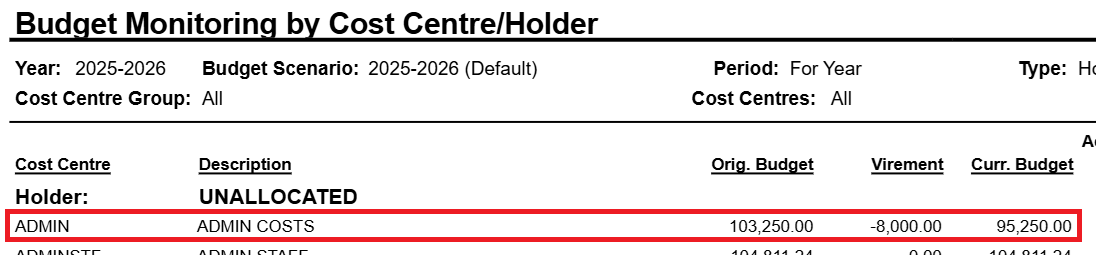
Virements can also be seen in the Budget Monitoring by CFR Report and the Budget Monitoring by Cost Centre/Holder Report

For the Budget Monitoring by CFR Report, go to Modules > Finance > Finance Home Page > Reports > Budget Monitoring by CFR Report and Preview the report
For the Budget Monitoring by Cost Centre/Holder Report, go to Budget Monitoring by Cost Centre/Holder Report and Preview the report
For help with Reports, See: How to Use Finance Reports
The next guide in the Budgeting Module User Guide is: How to Check Staff Contract and Pay Details in Preparation for Using the Salary Calculator