
In this guide, we show How to Check BACS SMTP Settings for Remittances within the Finance Module.
Access: The minimum permissions required to Check BACS Settings for Remittances are found in the Finance Module section of Config > Setup > Roles & Permissions.

Related Guides:
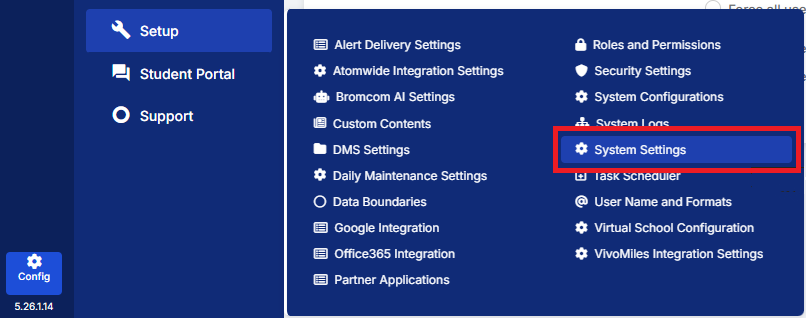
To begin, go to Config > Setup > System Settings.
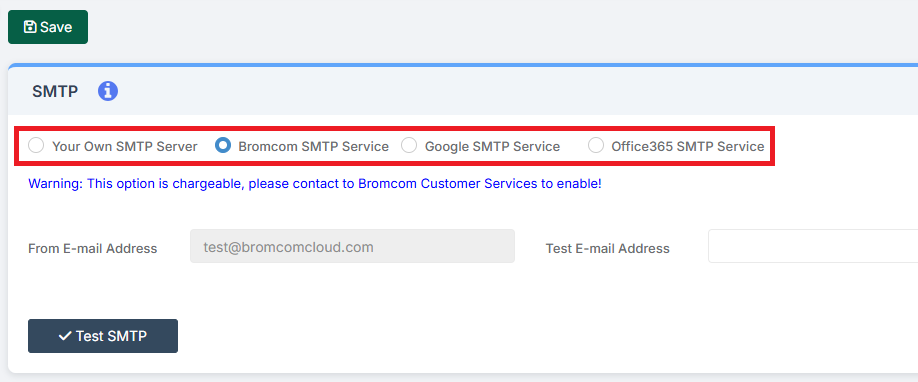
Check which SMTP Server or Service the system has been set up to use.
Note: Do not make any changes here without having first read How to Configure SMTP System Settings and consulting with the IT Department or Provider.
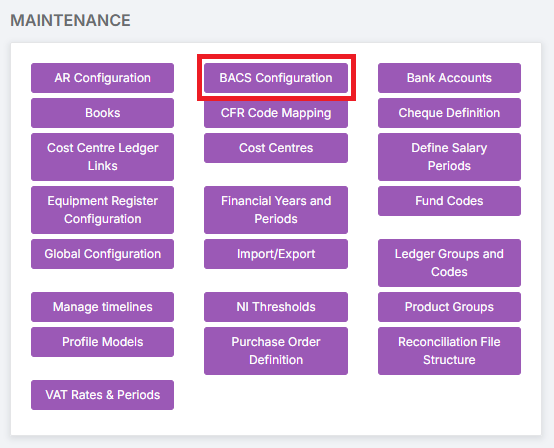
Next, go to Modules > Finance > Finance Home Page > Maintenance > BACS Configuration.
On the BACS Configuration page, within Send Remittance Advice PDF via Email, there is the option of either selecting Use SMTP Settings Configured For MIS or Use Custom Settings For Finance Module.
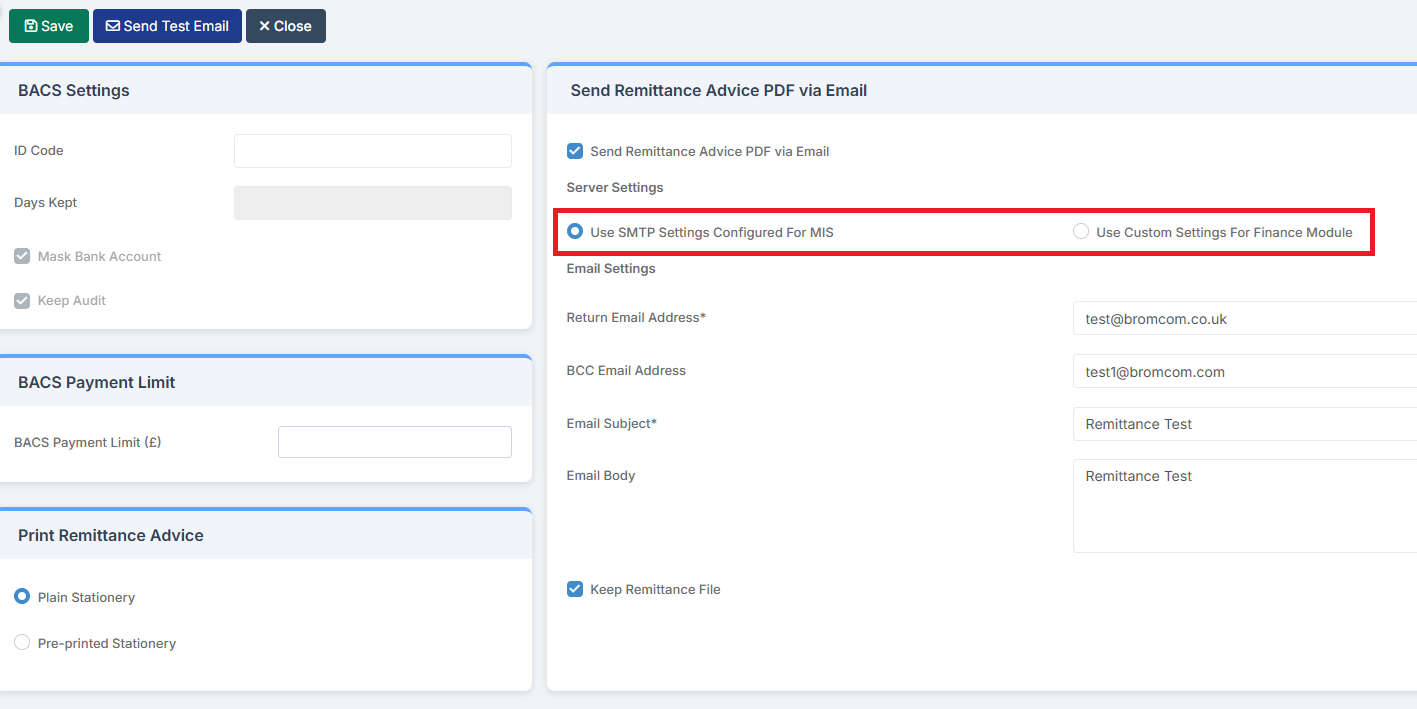
If, on the System Settings page, Bromcom SMTP Service has been selected, then Use SMTP Settings Configured For MIS must be selected on the BACS Configuration page.
If, on the System Settings page, Your Own SMTP Server / Google SMTP Service / Office365 SMTP Service has been selected, then Use Custom Settings For Finance Module must be selected on the BACS Configuration page. Please consult with the IT Department or Provider before making any changes to these settings.