
In this guide, we show How to Investigate Common CFR Return Issues in the Finance Module. This guide is split into 5 sections:
2. How to Clear Errors and Queries
3. How to Investigate CFR Mapping Issues
4. How to Identify Balance Inconsistencies within the CFR Return
5. How to Investigate CFR Balances Issues
Related Guides:
1. Introduction
A small minority of Schools encounter issues when completing and submitting the annual CFR Return, particularly when doing so for the first time. These issues typically relate to three areas, which this guide looks at in turn:
- Errors and Queries: Identified and described when completing Preliminary and Final CFR Returns
- CFR Mapping Issues: Not identified or described when completing Preliminary and Final CFR Returns – the first thing to investigate if there are any CFR Return inconsistencies
- CFR Balances Issues: Can be identified when completing Preliminary and Final CFR Returns – require investigation
The Bromcom Finance Team strongly recommend reading the two Related Guides listed above, and attending the online CFR Training session, a number of which are scheduled around the Financial Year End.
Note: Although an unlimited number of Preliminary CFR Returns can be created in a Financial Year, only one Final CFR Return can be created. Do not Authorise the Final CFR Return until it is 100% accurate and no further amendments or regenerations are required. An Unauthorised Final CFR Return can be amended and regenerated, but once a Final CFR Return has been Authorised, it cannot be changed.
2. How to Clear Errors and Queries
Errors and Queries are identified and described when completing Preliminary and Final CFR Returns.
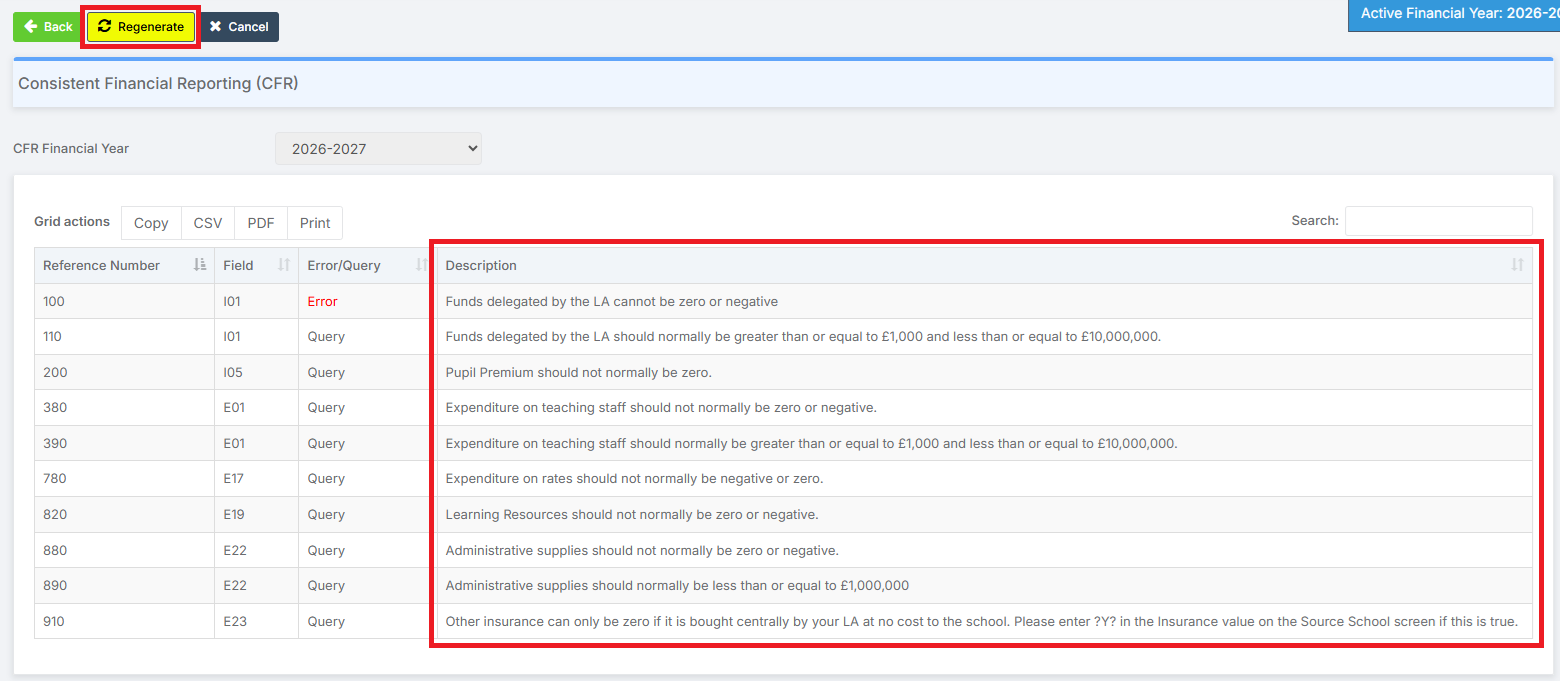
There are a considerable number of Errors and Queries that can be flagged when generating a Preliminary CFR Return. See below for how to view the full list. Errors need to be cleared and Queries need to either be cleared, or given an explanation, before generating and submitting a Final CFR Return.
Due to the large number of Errors and Queries that can be flagged, and the complexity and individuality of a School’s accounts, it is impossible in this guide to cover the specific measures required to clear individual examples of Errors and Queries.
However, the Description column on the CFR Return page gives guidance on how to investigate and resolve the Error or Query. After resolving the Error or Query, the CFR Return can be regenerated to complete the clearing process.
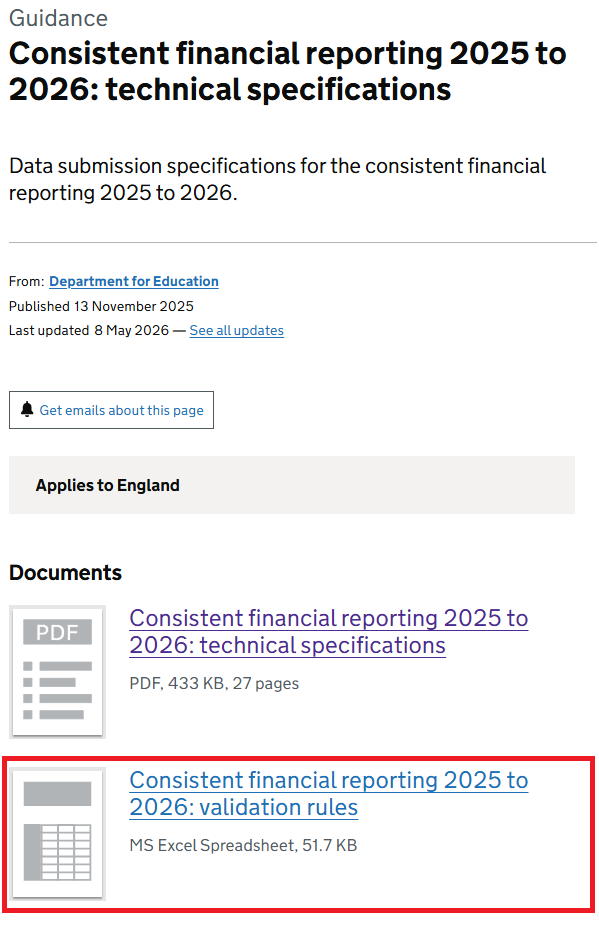
A full list of Errors and Queries can be found by opening the Excel spreadsheet from this page: Consistent financial reporting 2025 to 2026: technical specifications – GOV.UK
3. How to Investigate CFR Mapping Issues
CFR Mapping Issues are not identified or described when completing Preliminary and Final CFR Returns. They are the first thing to investigate if there are any CFR Return inconsistencies.
CFR Mapping Issues can be attributed to either Incomplete CFR Mapping or Incorrect CFR Mapping.
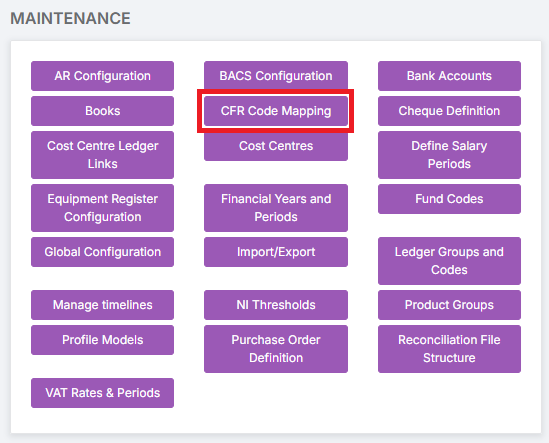
To begin investigations, go to Modules > Finance > Finance Homepage > Maintenance > CFR Code Mapping.
3.1. Incomplete CFR Mapping
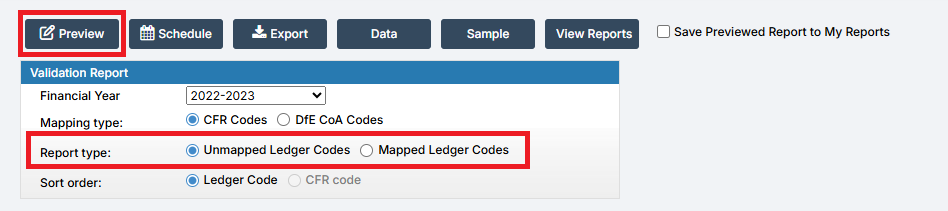
Run two CFR Validation Reports.
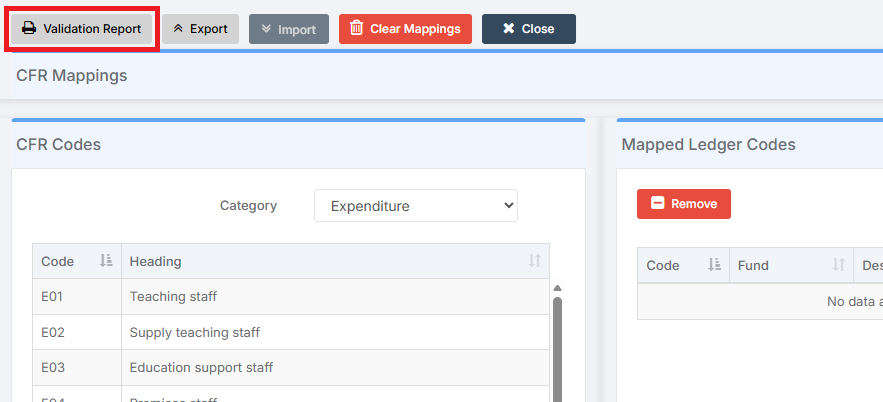
For the first CFR Validation Report, select Unmapped Ledger Codes. For the second CFR Validation Report, select Mapped Ledger Codes. Check through both Reports to ensure all Ledger Codes are correctly mapped to the CFR Codes.
See also: How to Complete CFR Mapping.
3.2. Incorrect CFR Mapping
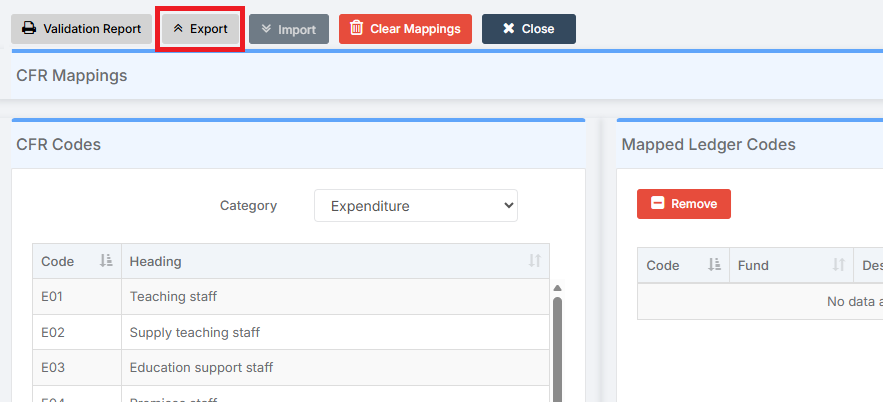
Export the CFR Map to an Excel spreadsheet. Click Export.
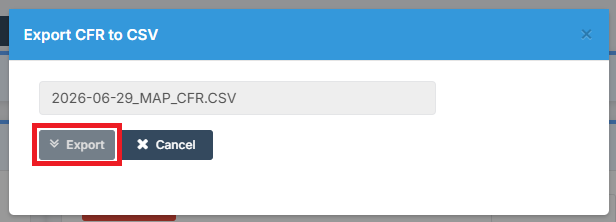
In the pop up, click Export to export the file to the Browser’s Downloads Folder.
Use the Excel file to check everything is mapped correctly, for example by looking for inconsistencies such as Ledger Codes that are mapped twice.
See also: How to Complete CFR Mapping.
4. How to Identify Balance Inconsistencies within the CFR Return
CFR Balances Issues can be identified when completing Preliminary and Final CFR Returns. They require investigation.
4.1. Compare the Total Balance in Fund Review with the Balances Actual
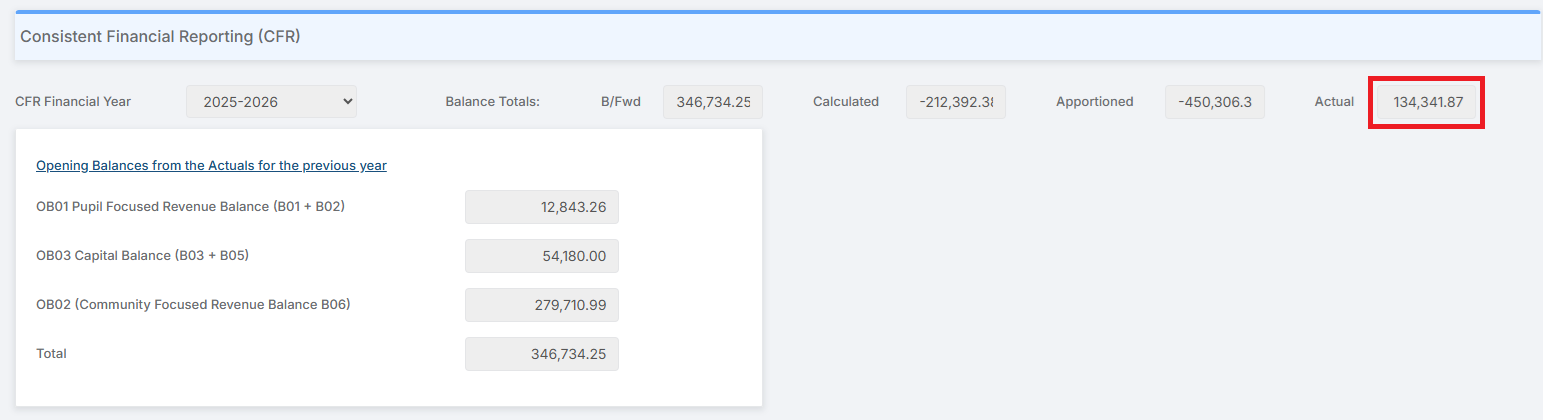
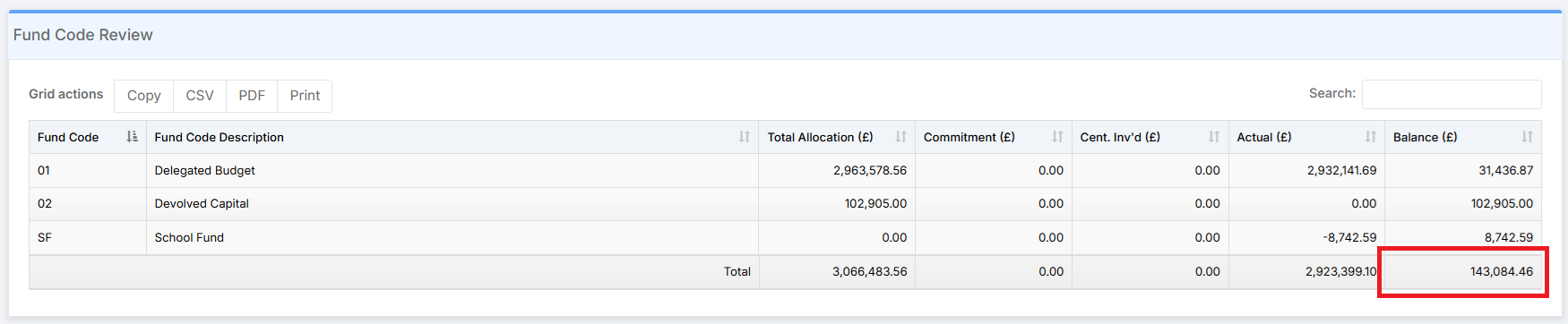
The Total Balance figure in Fund Review, minus any Fund that is Excluded from the CFR, should equal the Balances Actual figure at the top right in the CFR Balances. If the two figures differ, investigation is required.
First, go to Modules > Finance > Finance Home Page > General Ledger > Fund Review.
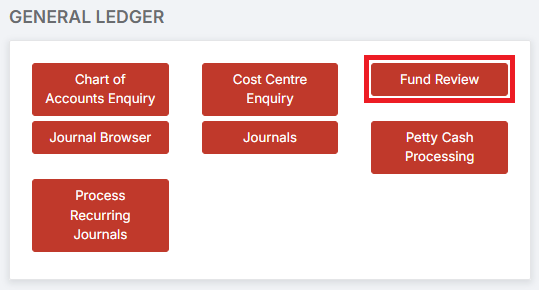
Check the Total Balance figure, remembering to exclude any Fund that is Excluded from the CFR.
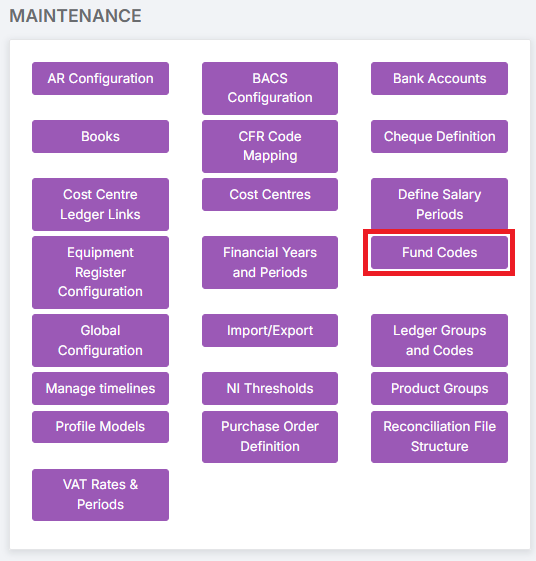
Funds that are Excluded from the CFR can be checked by going to Modules > Finance > Finance Home Page > Maintenance > Fund Codes.
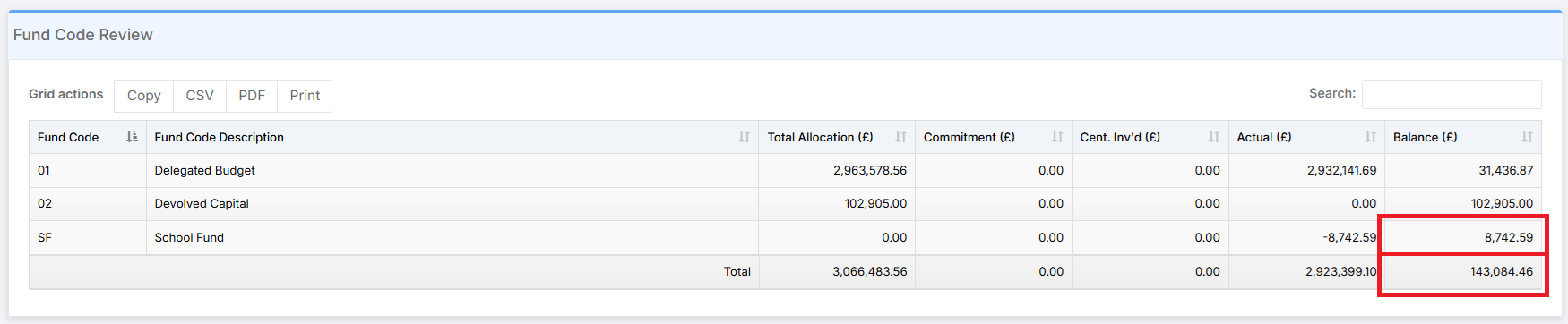
In the example below SF School Fund is Excluded from CFR.

Therefore the School Fund Balance needs to be deducted from the Total Balance. The Balances Actual figure at the top right in the CFR Balances should be £134,341.87.
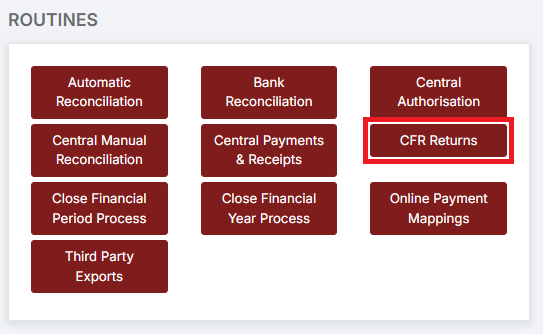
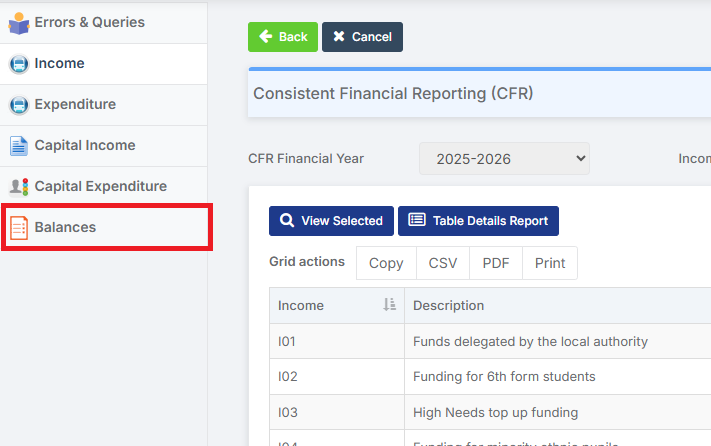
Next, go to Modules > Finance > Finance Home Page > Routines > CFR Returns.
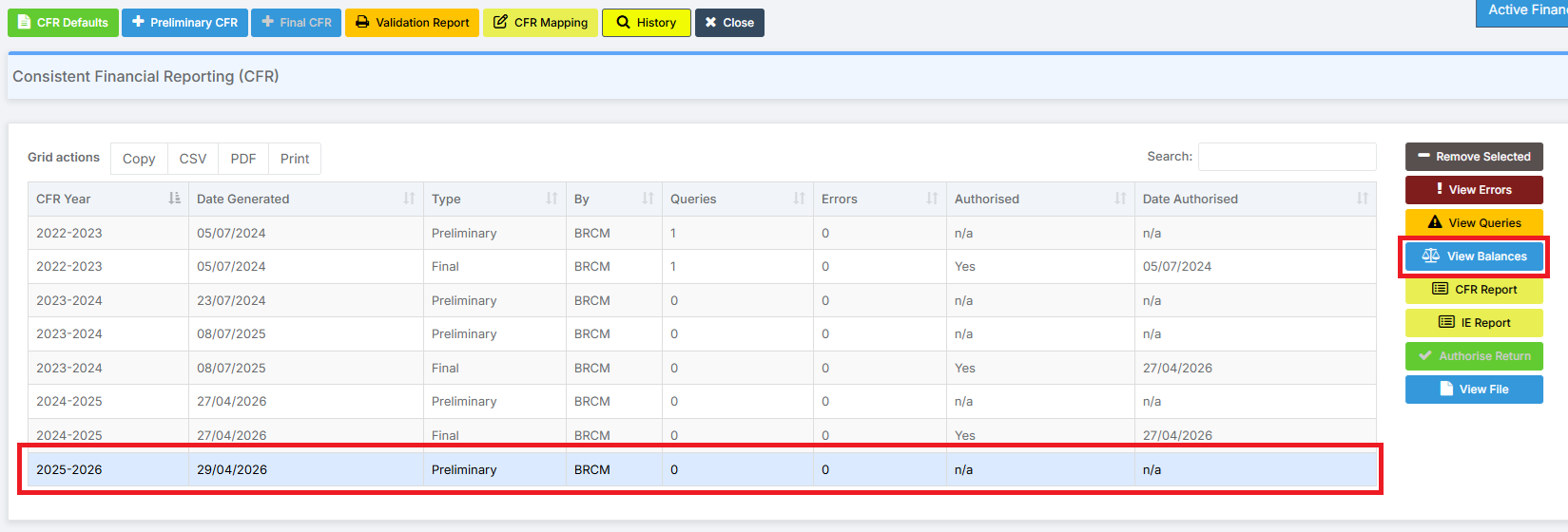
Select a CFR Return and click View Balances.
Then click on Balances.
The Balances Actual figure at the top right should match the Total Balance figure in Fund Review, minus any Fund that is Excluded from the CFR, in this example £134,341.87.
4.2. Compare the Total Balance in Fund Review with the Total in the Balances & Reserves Report
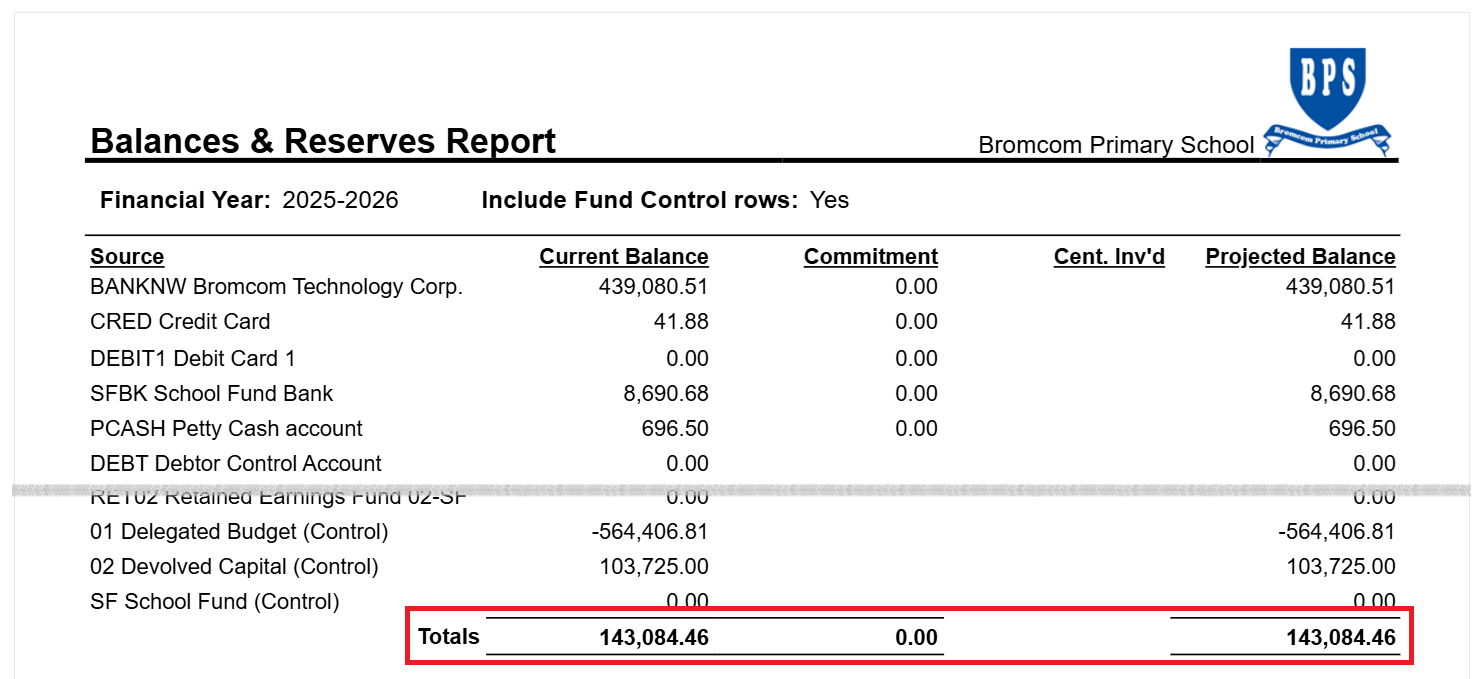
The Total Balance figure in Fund Review should equal the Totals figure in the Balances & Reserves Report with the Include Fund Control Rows tick box ticked. If the two figures differ, investigation is required.
Follow the process described above to get the Total Balance figure.
Next, go to Modules > Finance > Finance Home Page > Reports > Balances & Reserves

Tick Include Fund Control Rows and then click Preview.

The Totals figure at the bottom of the Report should match the Total Balance figure in the Fund Review.
5. How to Investigate CFR Balance Issues
Two of the most common causes of Balances Issues are outlined below.
5.1. Splitting Out the Uncommitted Revenue Balances in a School’s First Year Using Bromcom Finance
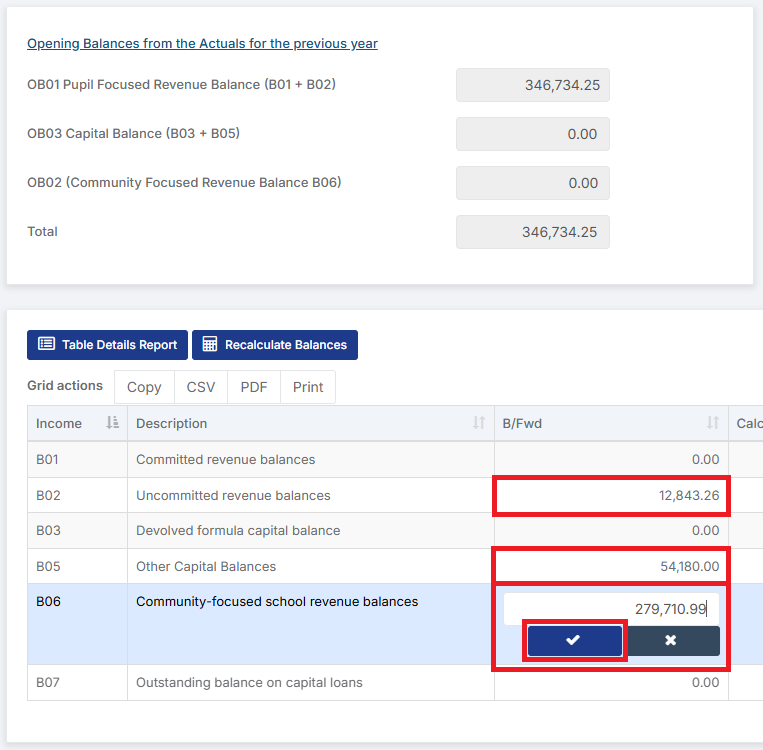
In a School’s first year using Bromcom Finance, the B02 Uncommitted Revenue Brought Forward Balances may need to be split out into its constituent parts. In the example below, the B02 Uncommitted Revenue Brought Forward Balances is split out between B02 Uncommitted Revenue Brought Forward Balances, B05 Other Capital Brought Forward Balances, and, as the School has a Nursery, B06 Community-Focused School Revenue Brought Forward Balances.
Go to Modules > Finance > Finance Home Page > Routines > CFR Returns.
Select a CFR Return and click View Balances.
Then click on Balances.
Double-clicking on the B/Fwd cell allows for the Balance to be adjusted. When the revised Balance has been entered, click on the tick to Save it.
5.2. Inaccurate Financial Record Keeping
Balance Issues can also be caused by Inaccurate Financial Record Keeping. Strict practices can help to avoid this – prevention is always better than the cure. In addition, the prompt and timely Closing of Financial Periods throughout the year, and in particular paying attention to the Financial Checks involved in this process, can help highlight any issues early. Investigating and correcting the cause of Inaccurate Financial Record Keeping at the time of preparing a Final CFR Return can be a frustrating and time-consuming process. For further guidance on Closing of Financial Periods, see: Finance Month End Checklist.
An example of Inaccurate Financial Record Keeping could be that a School has entered an amount or amounts into its Accounts twice, known as Double Accounting. This can be done in any part of the School’s Accounts, and at any point during the Financial Year. Consider, for example, investigating a Balance Issue in IN I01. It may be that Income has been entered by more than one method: Fund Allocation, Fund to Bank Journal, Cost Centre Allocation, FC to FD, Standard or Cash Book Journal.
Each area of a School’s Accounts presents its own unique set of challenges when investigating Balance Issues – too many to cover in this guide. A logical and consistent approach is required, as is patience and perseverance. Help is also always available, with members of the Bromcom Finance Team ready to give a hand when required. To book a session with a Finance Customer Success Manager, click here.