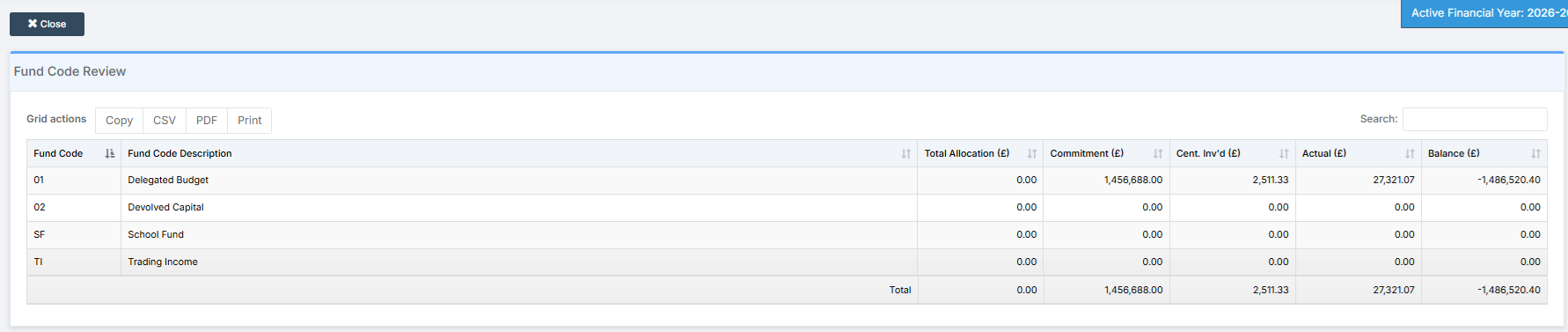
In this guide, we show How to Review Funds within the Finance Module.
Access: The minimum permissions required to Review Funds are found in the Finance Module section Config > Setup > Role & Permissions.
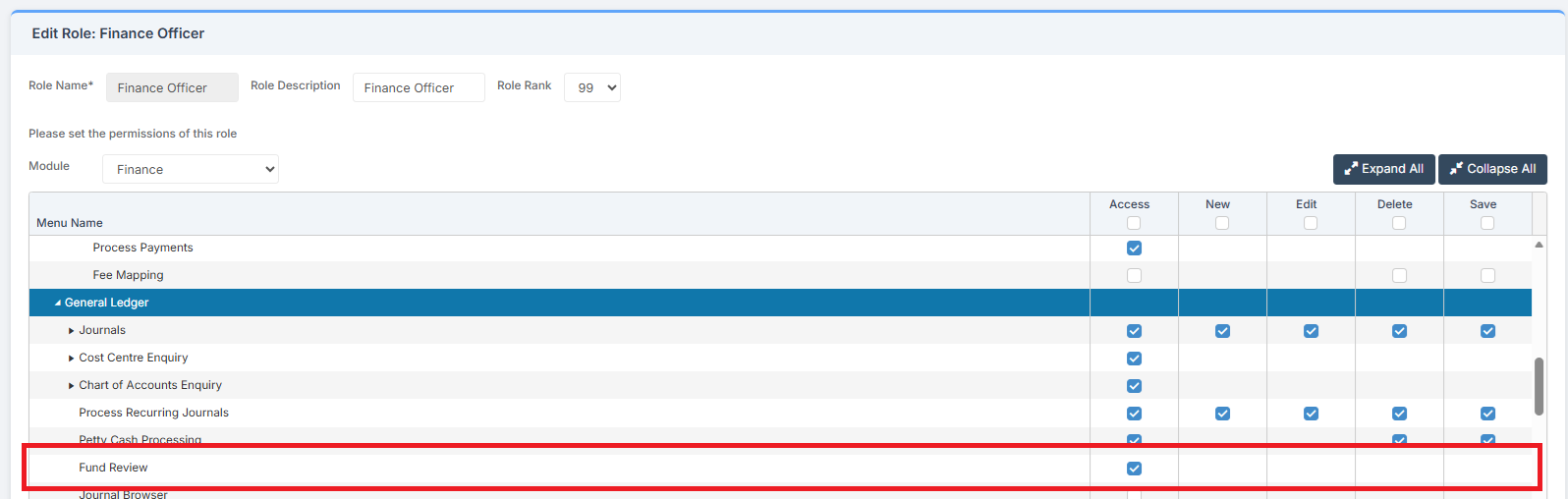
Prerequisites: Fund Codes need to have been added in order to review them in Fund Review.
Related Guides:
- Finance Managers Guide
- How to Distinguish Between Fund Allocation and Retained Earnings
- How to Add a Fund Code
- How to Allocate Funding in Fund Allocation
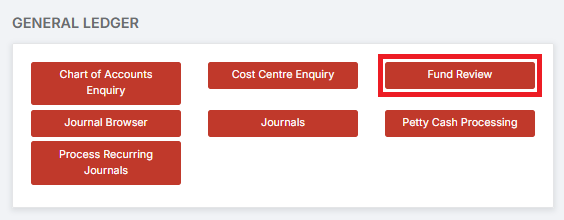
To begin, go to Modules > Finance > Finance Home Page > General Ledger > Fund Review.
Funds can then be reviewed.