Note: All pages below are subject to having the relevant Roles and Permissions.
IMPORTANT: Please be advised that assigning the Administrator role provides the designated staff member with unrestricted access to all areas of the MIS, including confidential and sensitive data, with the exception of Safeguarding data.
- This role is intended for personnel whose responsibilities require full system access. It is not necessarily appropriate for general administrative staff.
- We therefore recommend that, firstly, careful consideration is taken when assigning this role to staff within your school and, secondly, please make use of the option to create custom roles that grant staff the appropriate level of permissions required for their duties.
Roles & Permissions are managed from this page, use this guide to View/Distribute Roles created in a Central MIS School database.
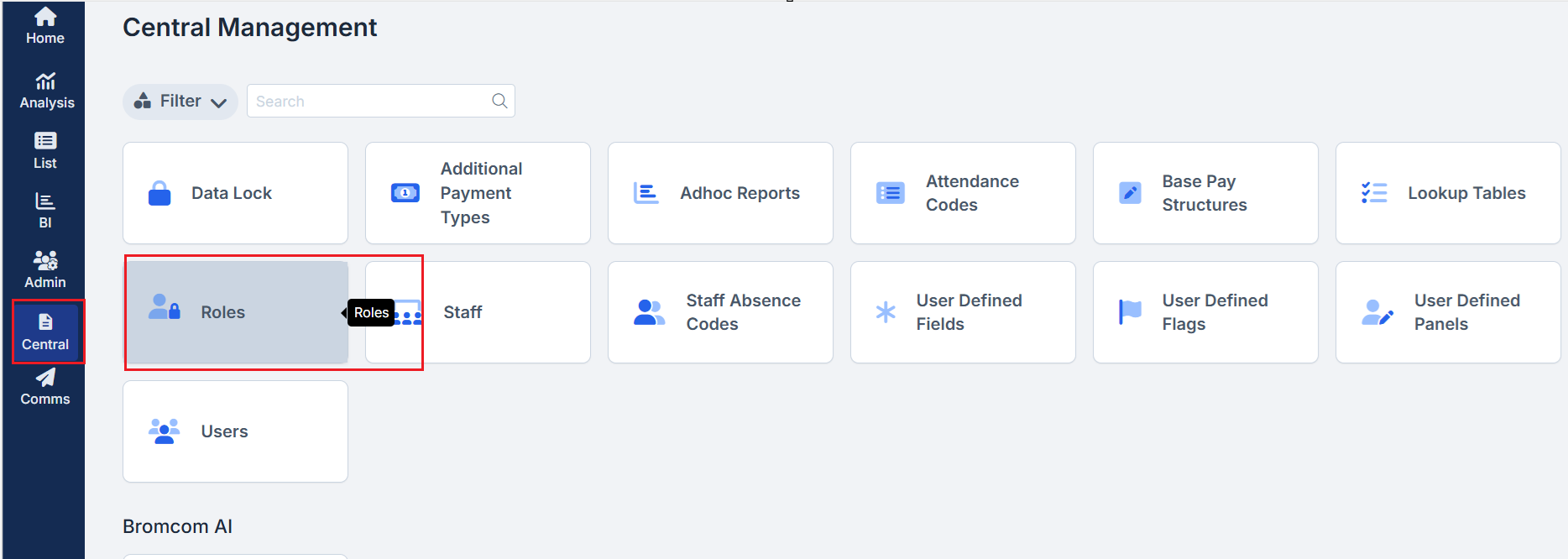
In Vision navigate to Central > Roles.
Ticking the Show MIS and User Counts box will add two columns, MIS Count and User Count to the table.
Note: Enabling these Counts may increase the time the table takes to load.
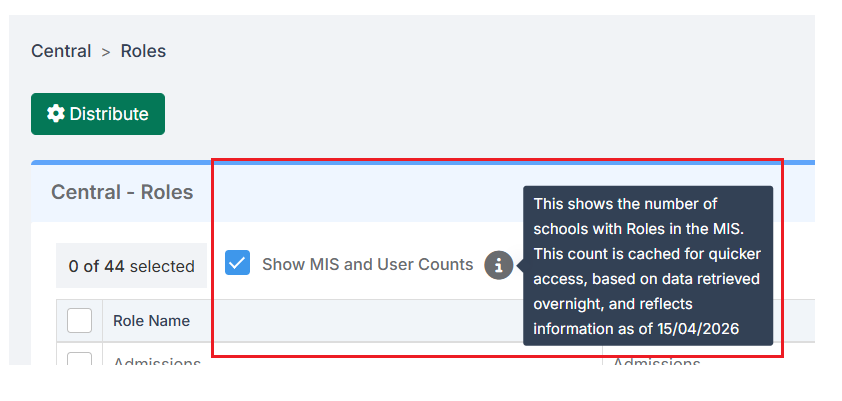
- MIS Count will count the number of schools that have that Role in the MIS across the Trust
- User Count shows the number of Users associated with the Role.
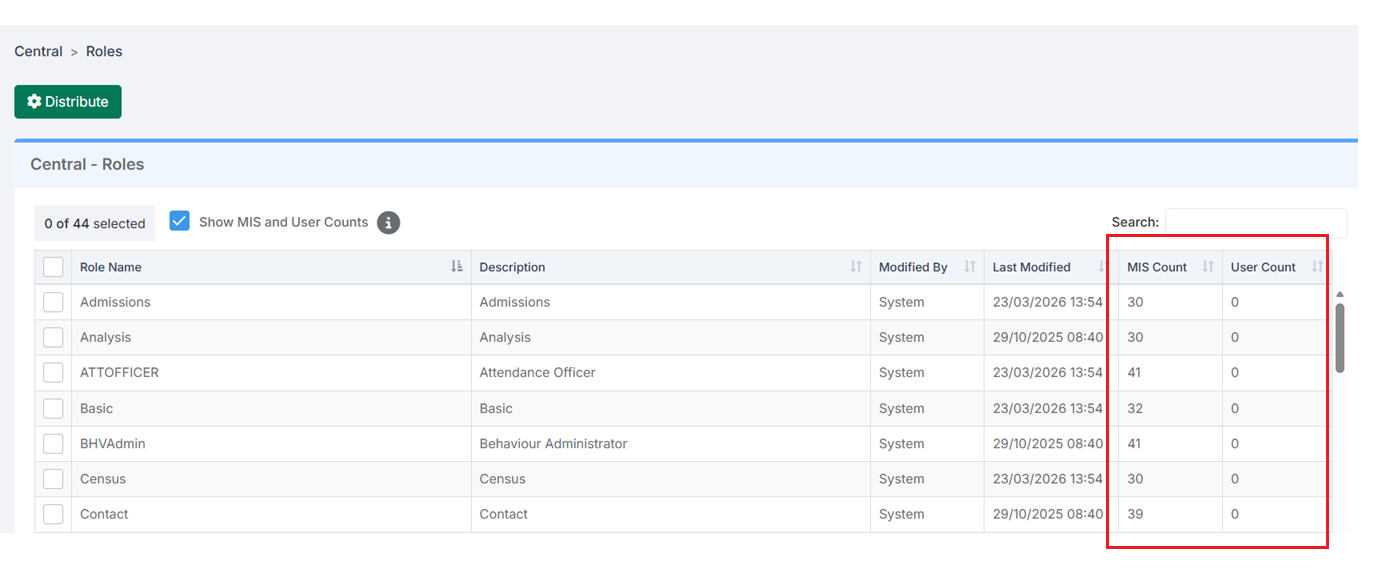
The MIS Count column values for Roles are now active. Clicking on a Value in the MIS Count column will open a Distribute Roles to School : Admissions pop-up, where a single Role can be Distributed
Alternatively click the top-left Distribute button with one or more Roles selected to Distribute these Roles to the selected Schools, Phases or School Set.
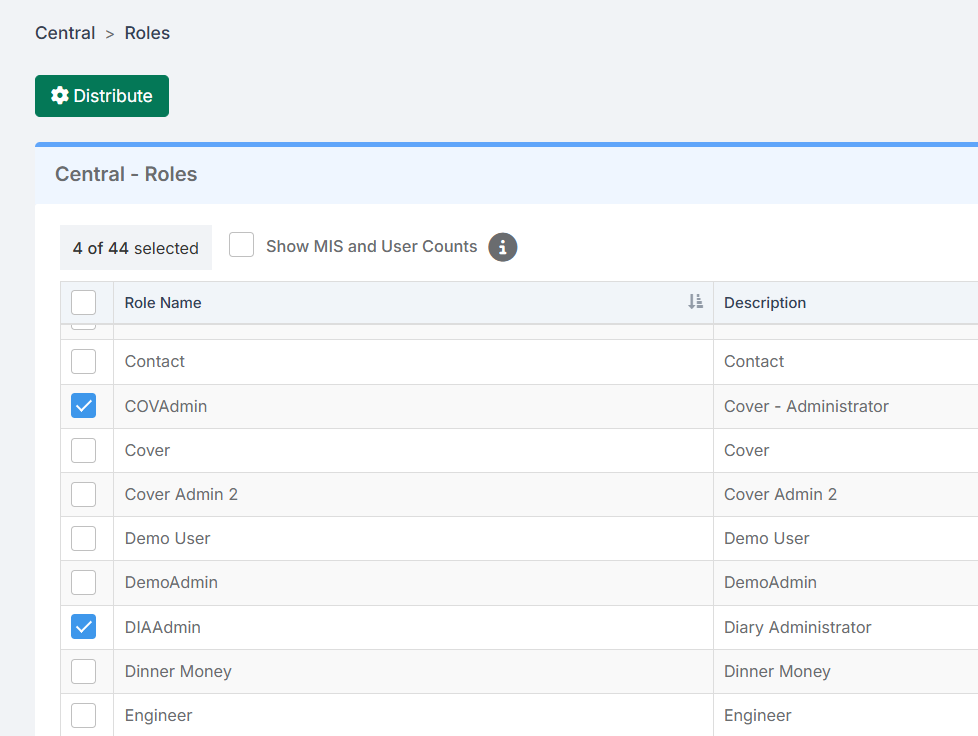
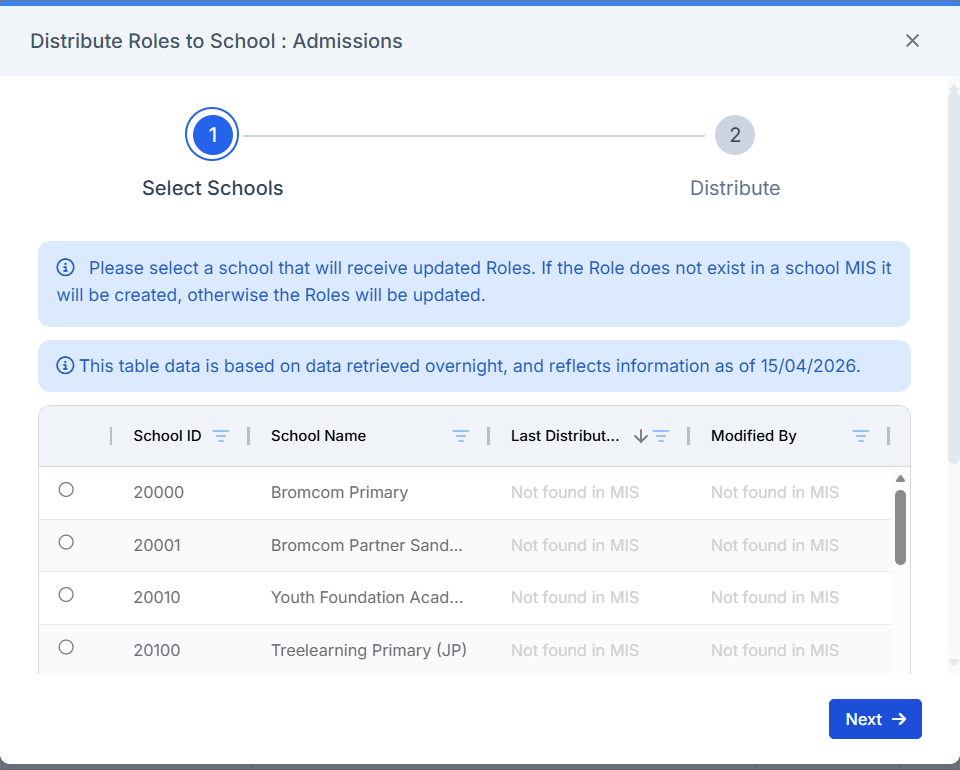
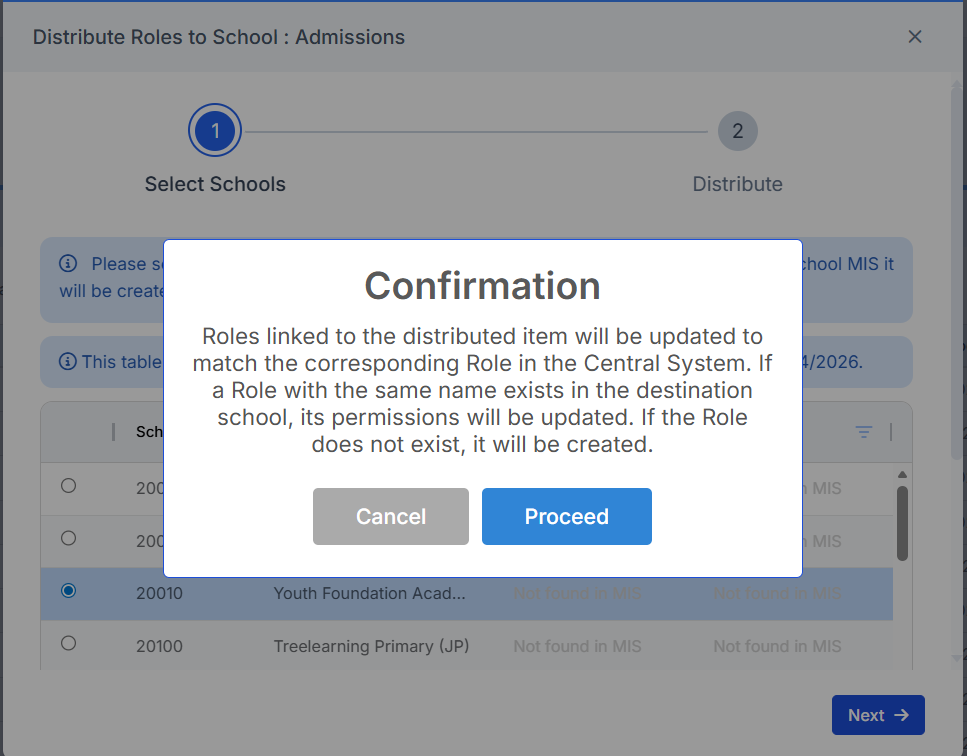
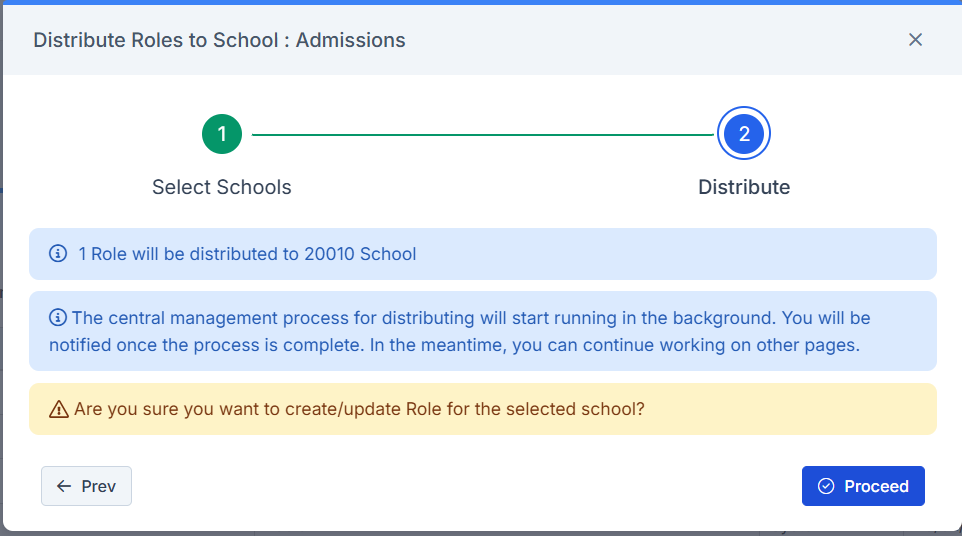
Once school(s) have been selected click Next.
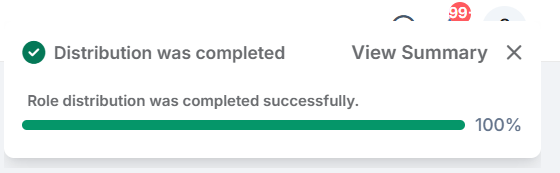
Please take time to read the Confirmation pop up and if happy click Proceed.