Use this guide to enable parents to see detentions detentions in the parent portal MCAS. This can be configured for selected year groups detentions to show on MCAS.
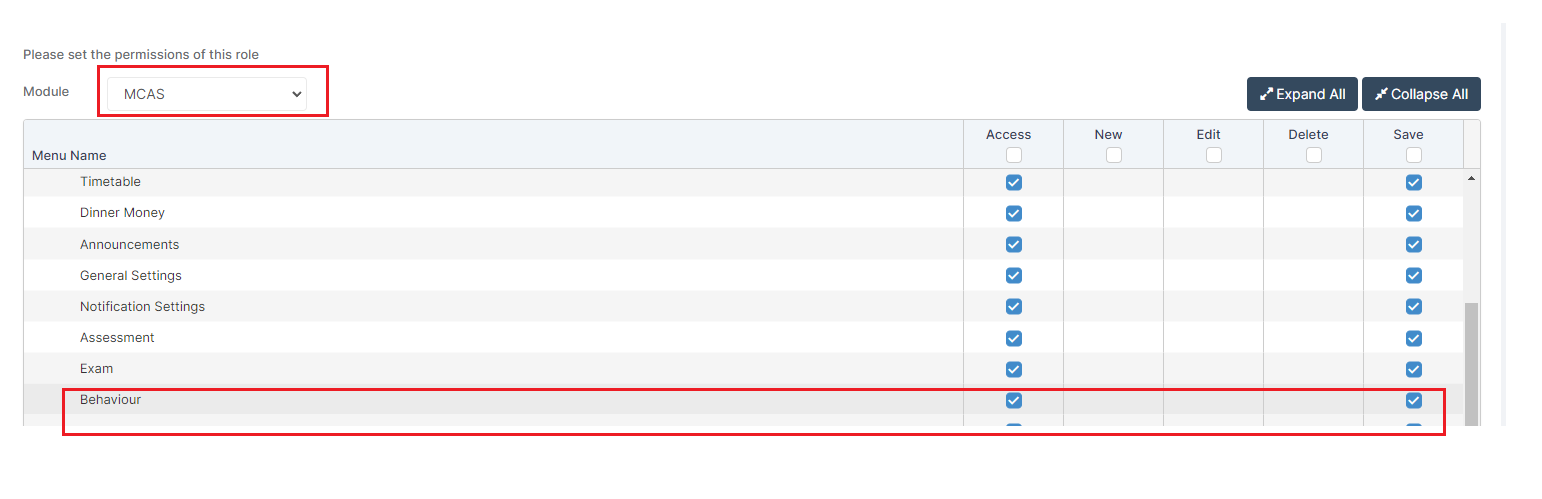
Access: the minimum permissions required to access Behaviour in MCAS is found in the MCAS module in Config>SetUp>Roles and Permissions
See also How to use the MCAS Parent Portal, How to Schedule Detention or watch a Web Wednesday Webinar Recording below on Setting Up Detentions,
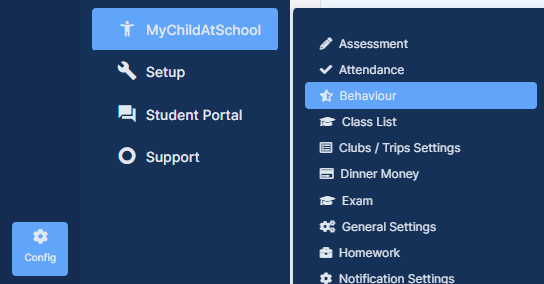
Once you have setup the detentions to configure them to be visible to Parents on MCAS go to Config > MyChildAtSchool > Behaviour
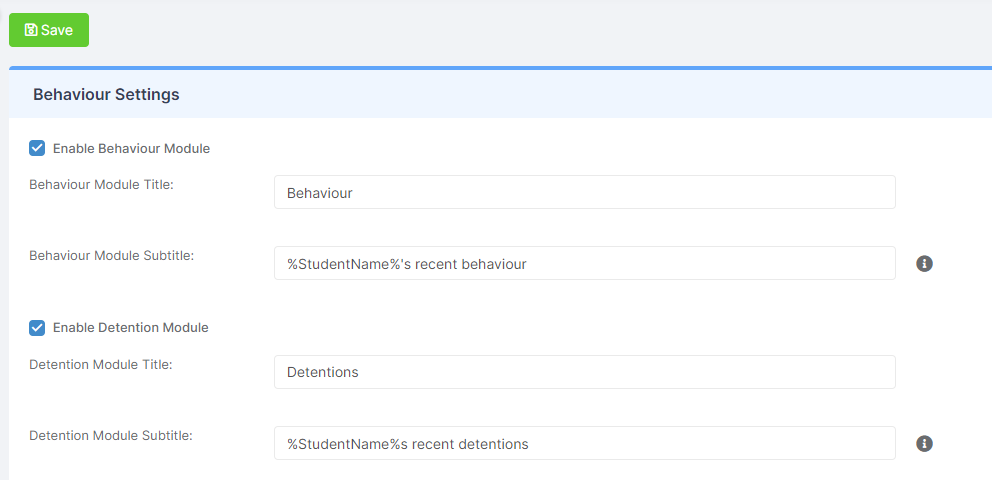
On the Behaviour Settings page tick the Enable Detention Module box. You can change the text in the Detention Module Title and the Detention Module Subtitle if you want to, then Save.
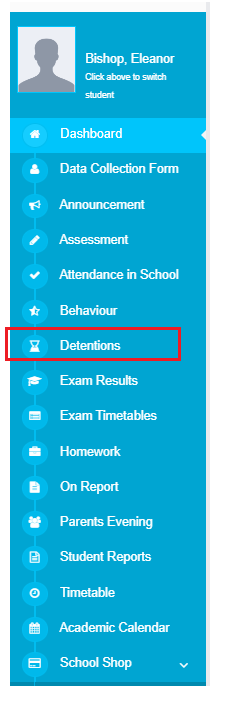
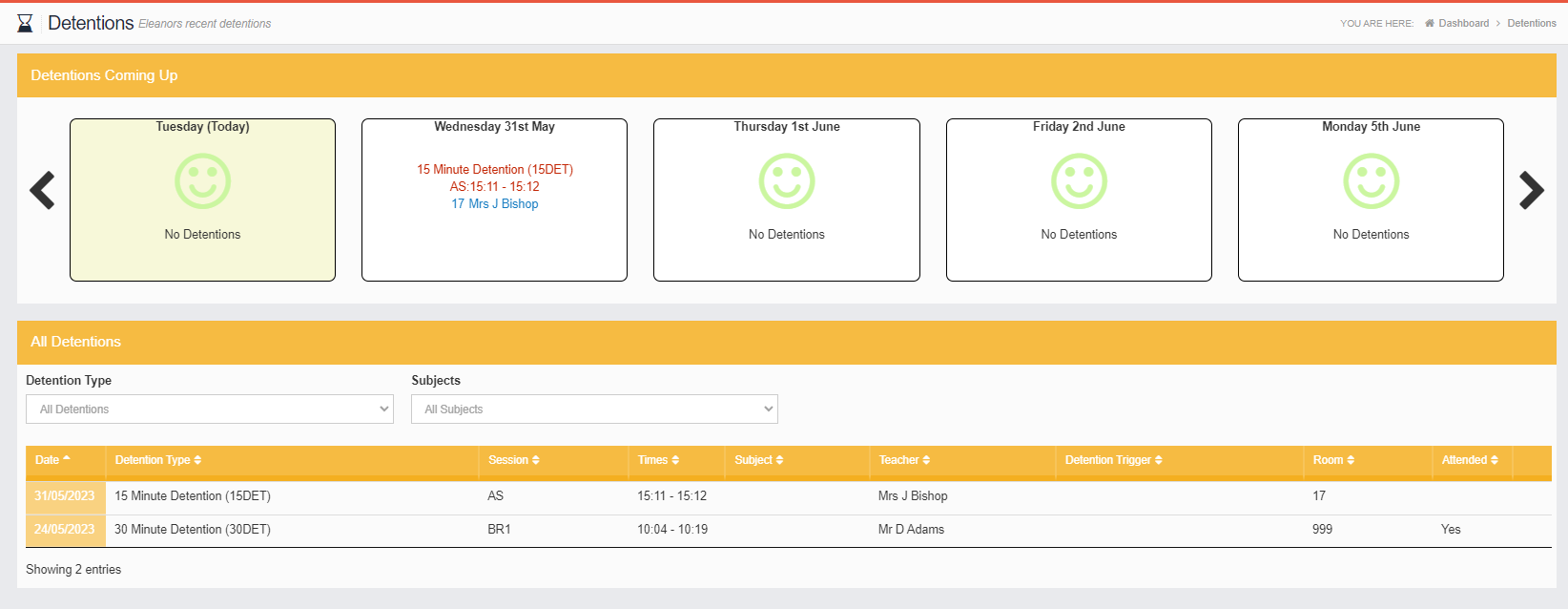
This will add a Detentions Widget and a Detentions option on the Menu. Opening the Detentions page from the Widget or selecting the Detentions option from the left Menu will display Past, Present and Future Detentions.
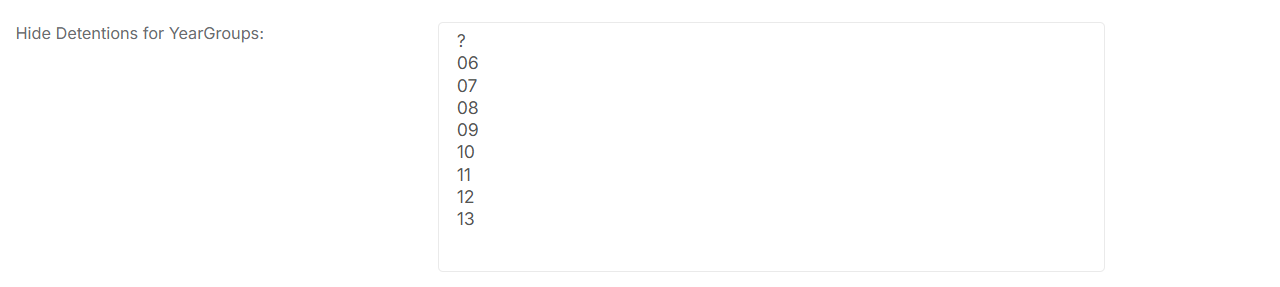
You also have the option to Hide Detentions for Year Groups. Simply click on the relevant Year Group(s) and remember to click Save.